
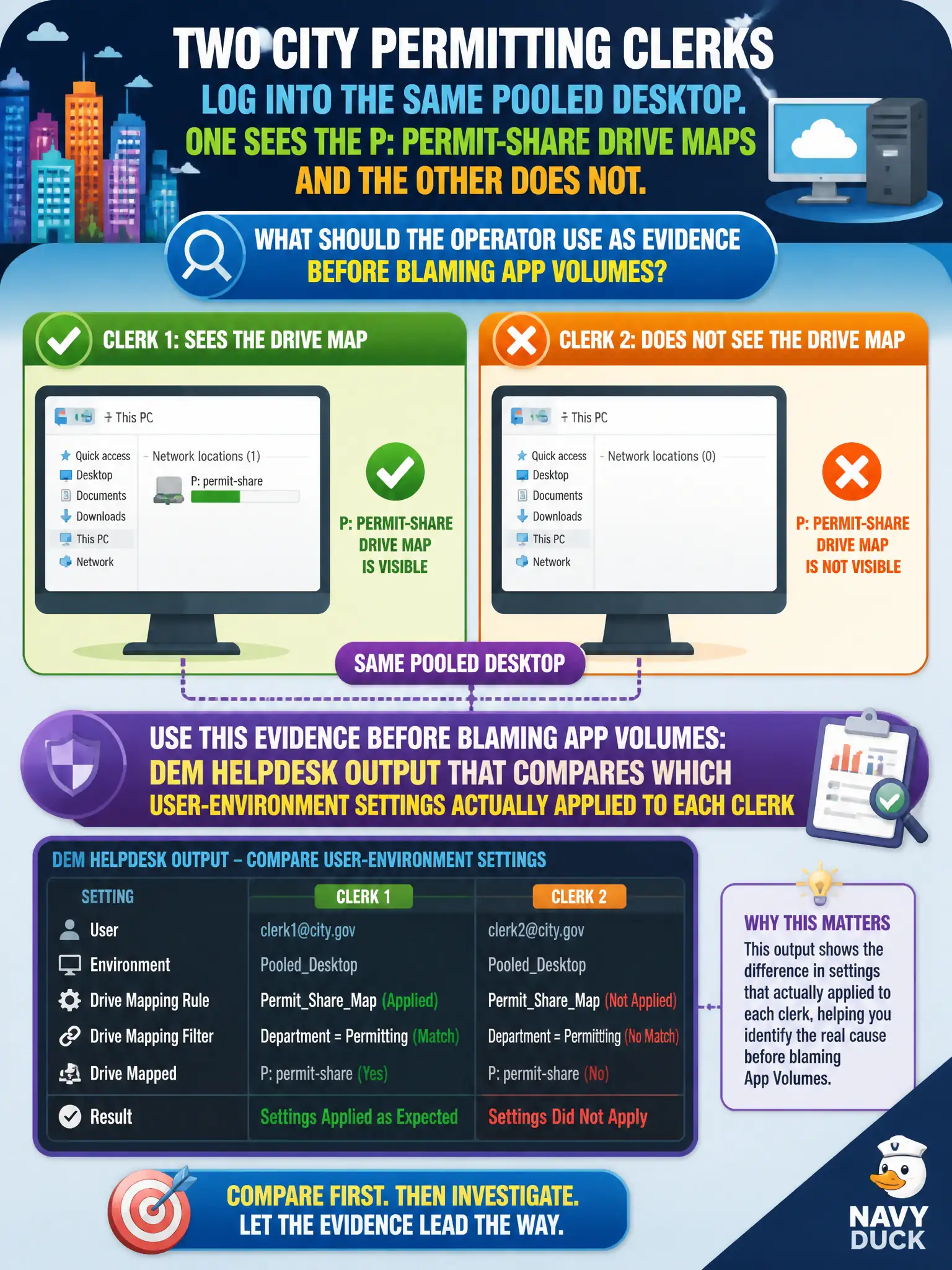
Two city permitting clerks log into the same pooled desktop. One sees the P: permit-share drive maps and the other does not. What should the operator use as evidence before blaming App Volumes?
Select an answer to reveal the explanation.
Short Explanation
Drive maps are DEM's neighborhood signs, not App Volumes' moving van. When two clerks in the same pool see different P: drives, the DEM helpdesk printout is the evidence of what actually stuck. Guessing at packages or pool entitlements is blaming the truck when the street signs never posted.
Full Explanation
VMware Dynamic Environment Manager applies user-environment settings such as drive maps, printers, and shortcuts at Windows logon for Horizon sessions. When two city permitting clerks share the same pooled desktop image yet only one sees the P: permit-share mapping, the first evidence source is DEM helpdesk output that shows which settings evaluated and actually applied for each user identity. That comparison isolates user- or condition-scoped DEM configuration from image and pool problems before any other product is blamed. App Volumes assignment reports track package and writable-volume attach state; they do not publish Windows drive letters, so a missing map is not proof of a failed package attach. Horizon pool entitlements grant access to desktops or applications; they do not define mapped drives as pool objects. Workspace ONE Boxer is a managed mobile mail client and its dashboard does not control Windows drive maps on VDI. Exam caveat: same pool membership does not guarantee identical DEM results when AD groups, conditions, or FlexEngine processing differ per clerk. Operational check: open DEM helpdesk for both clerks, compare the drive-map item status, confirm the setting is assigned to the expected group, and only then investigate App Volumes if applications—not drive maps—are also missing on the civic desktop.