
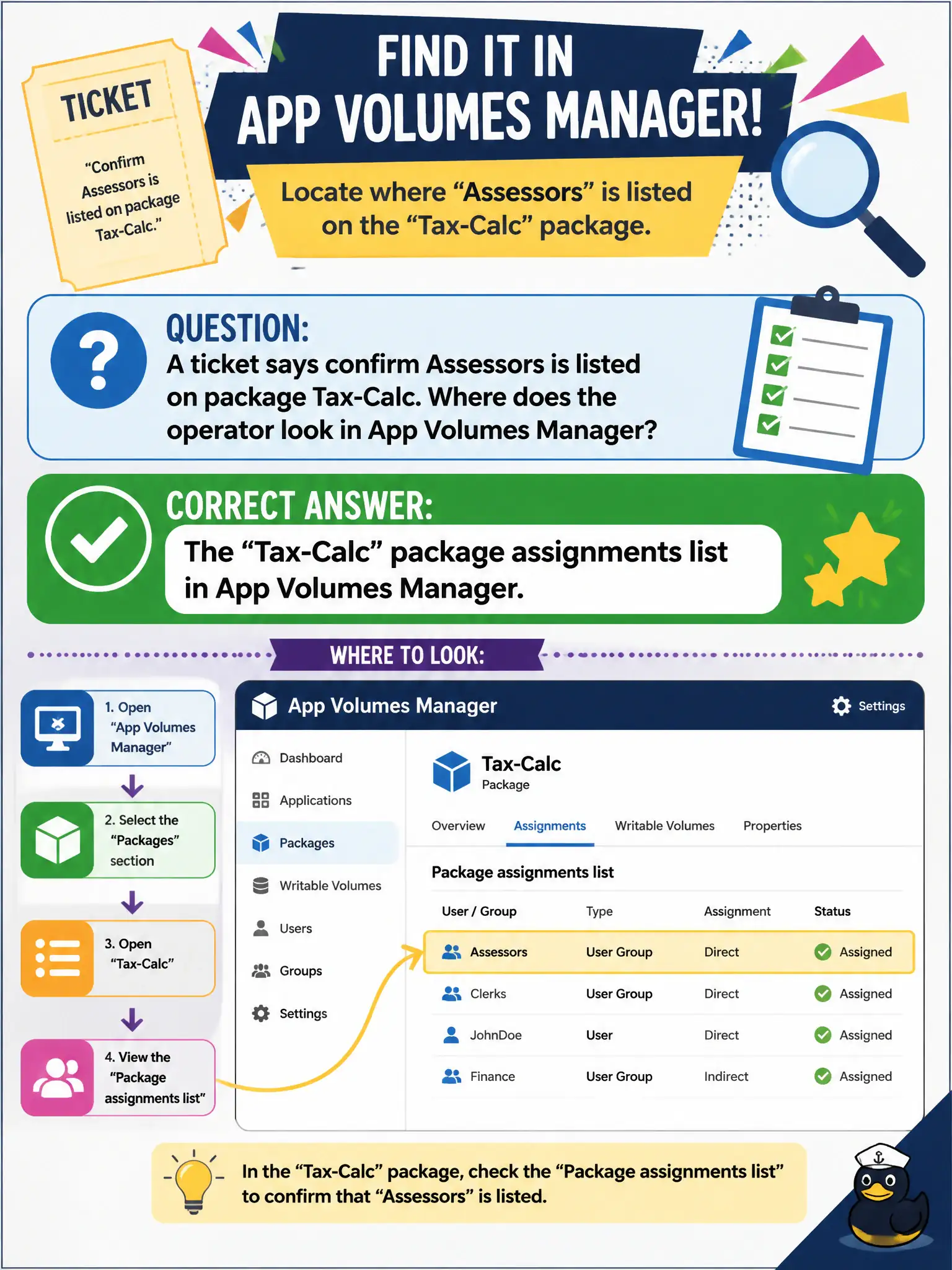
A ticket says confirm Assessors is listed on package Tax-Calc. Where does the operator look in App Volumes Manager?
Select an answer to reveal the explanation.
Short Explanation
The ticket is a guest list on the Tax-Calc package, not a Horizon GPU entitlement and not Hub on phones. Open the package in App Volumes Manager and read its assignments. DEM skipped settings will not list App Volumes entities.
Full Explanation
When a ticket says confirm Assessors is listed on package Tax-Calc, the operator looks at the Tax-Calc package assignments list in App Volumes Manager. Package assignment membership is recorded on the package object and is the authoritative guest list for that application. Tax-season packaging audits rely on that assignments list so assessors are not missing Tax-Calc because someone entitled only a Horizon GPU pool. Horizon Console Users and Groups for a GPU pool shows Horizon entitlements, not App Volumes package assignments for Tax-Calc. DEM Helpdesk Tool skipped-settings lists show DEM condition results, not Tax-Calc package assignees. Intelligent Hub enrollment status for assessor phones is unrelated to whether Assessors is on the Tax-Calc package. Exam caveat: Confirming a group on a package is an App Volumes Manager package-assignments check. Operational check: Open Tax-Calc in App Volumes Manager, review its assignments list, and confirm Assessors appears before closing the ticket. Document the collection source and timestamp in the municipal ticket so the next operator can continue without rework. Prefer vendor-documented steps over tribal shortcuts whenever civic uptime is at stake.