
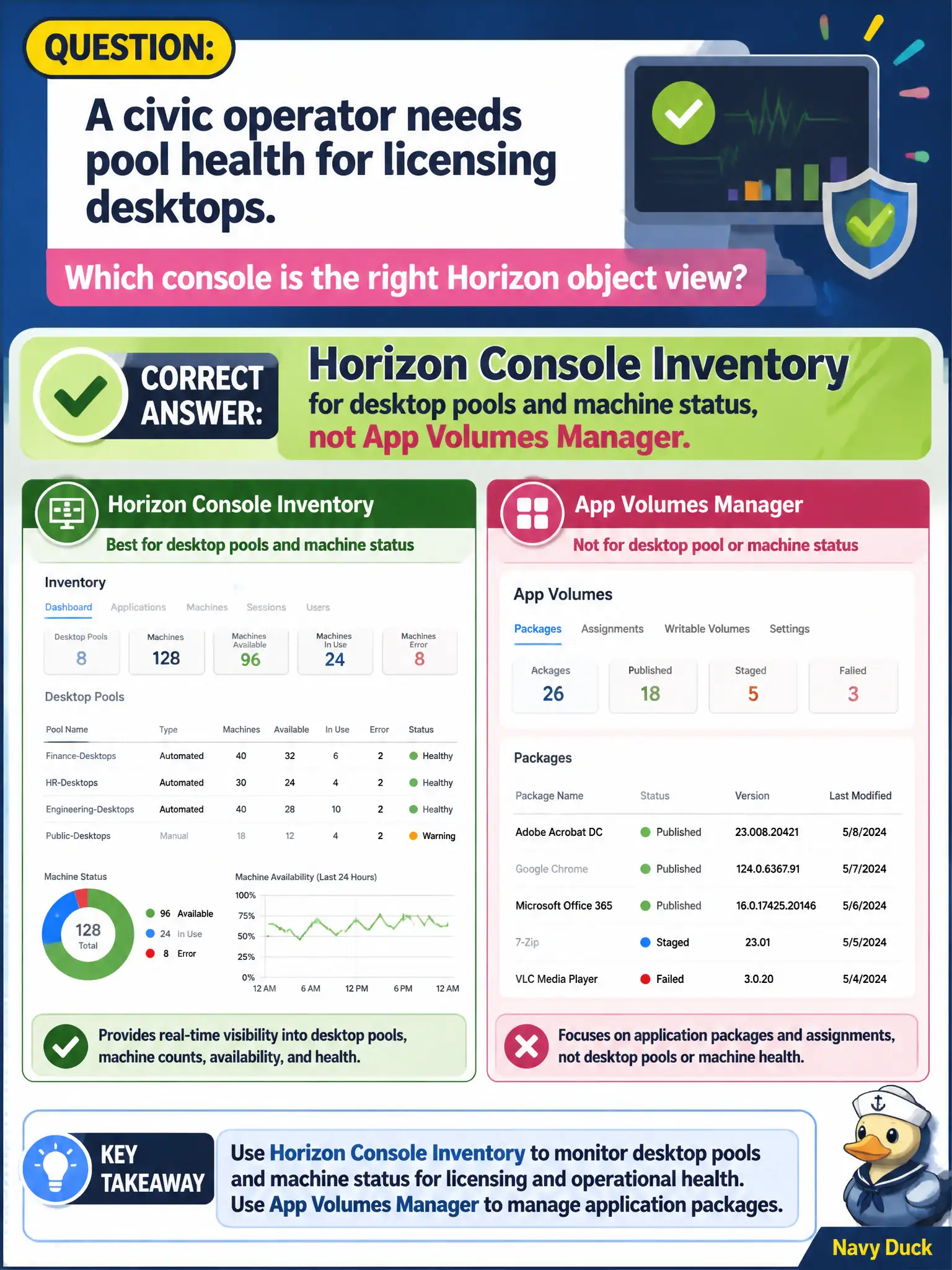
A civic operator needs pool health for licensing desktops. Which console is the right Horizon object view?
Select an answer to reveal the explanation.
Short Explanation
Pool health lives in Horizon Console Inventory, not in the App Volumes closet where writables hang. UEM device lists and DEM printers will not show whether LICENSING desktops are available. Pick the Horizon object console.
Full Explanation
When a civic operator needs pool health for licensing desktops, the right Horizon object view is Horizon Console Inventory for desktop pools and machine status, not App Volumes Manager. Pool and machine health are Horizon Inventory objects that show whether licensing desktops are available or degraded. License renewal seasons create urgency for finance staff; Inventory is the authoritative pool-health pane for those desktops and prevents false all-clears from packaging consoles. App Volumes Manager Inventory of writable volumes shows packaging artifacts and cannot report licensing desktop pool health. Workspace ONE UEM Devices dashboard lists enrolled endpoints rather than Horizon pool machine status. DEM Management Console printer maps show user-environment printers and do not surface desktop pool health. Exam caveat: Pool health lives in Horizon Console Inventory even when App Volumes, UEM, and DEM are part of the same civic stack. Operational check: Open Horizon Console Inventory, locate the licensing desktop pool, and review machine status before declaring the pool healthy or degraded. Document the collection source and timestamp in the municipal ticket so the next operator can continue without rework.