
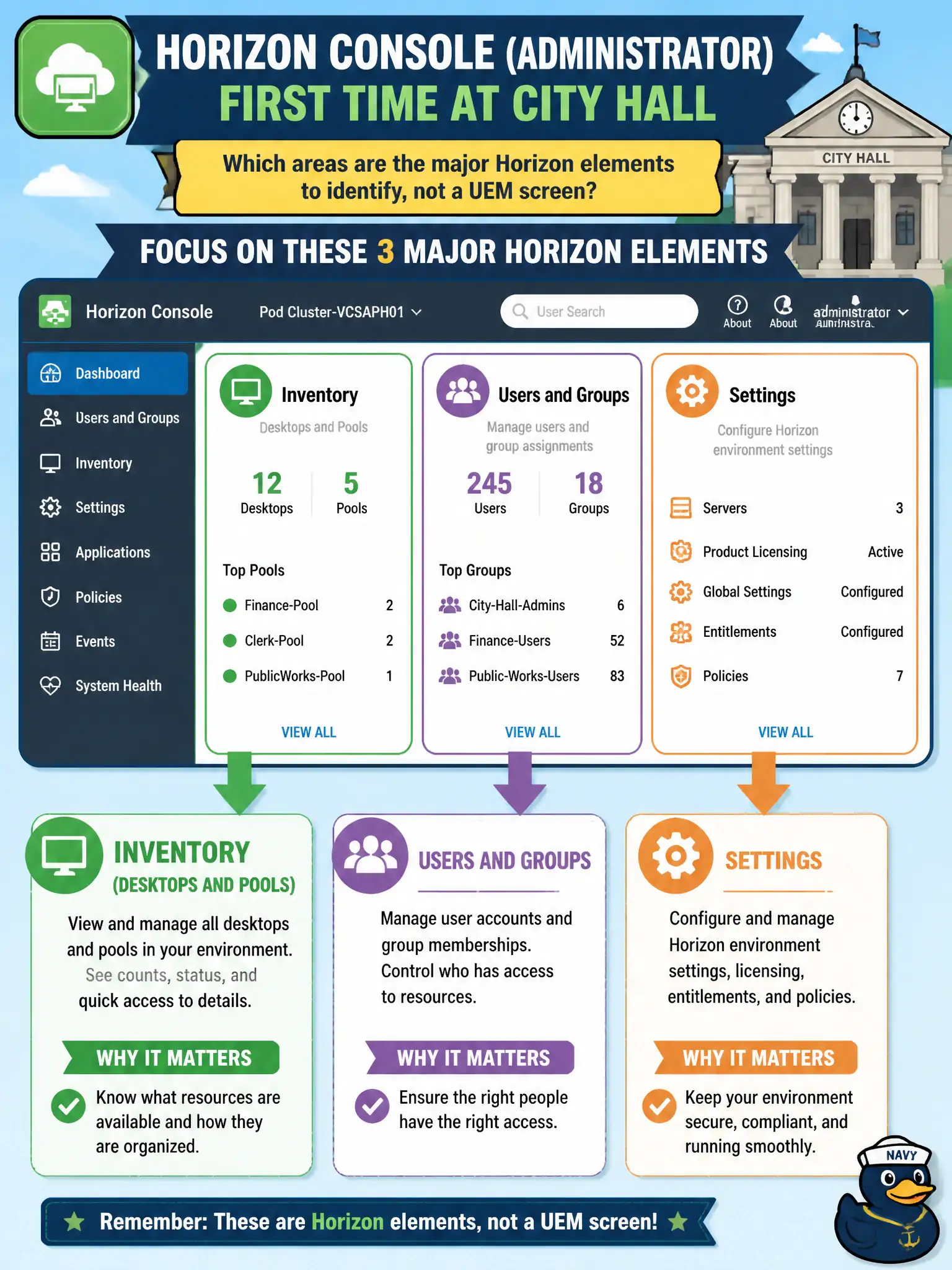
An operator opens Horizon Console (Administrator) for the first time at city hall. Which areas are the major Horizon elements to identify, not a UEM screen?
Select an answer to reveal the explanation.
Short Explanation
Horizon Console is the VDI front office: Inventory for pools, Users and Groups for who gets them, Settings for how the pod is run. UEM dashboards, App Volumes packages, and DEM printers live in other buildings. Name those three Horizon areas and you are navigating Administrator correctly.
Full Explanation
When an operator opens Horizon Console (Administrator) for the first time at city hall, the major Horizon elements to identify are Inventory for desktops and pools, Users and Groups, and Settings—not a UEM screen. Those areas are the Horizon administration map at associate depth. New civic operators should tour those three Horizon areas on day one so they do not hunt pool objects inside UEM mail dashboards. Devices, Mail, and Content dashboards belong to Workspace ONE UEM and are not the Horizon Console map. Packages, Writables, and Attachments belong to App Volumes Manager rather than Horizon Console's primary areas. Drive maps, printers, and ADMX templates belong to the DEM Console, not Horizon Console Inventory and entitlements. Exam caveat: Horizon Console identification questions test Inventory, Users and Groups, and Settings versus UEM, App Volumes, or DEM surfaces. Operational check: In Horizon Console, open Inventory to see pools, Users and Groups for entitlements, and Settings for administrators and pod configuration, confirming each area loads. Document the collection source and timestamp in the municipal ticket so the next operator can continue without rework. Prefer vendor-documented steps over tribal shortcuts whenever civic uptime is at stake.