
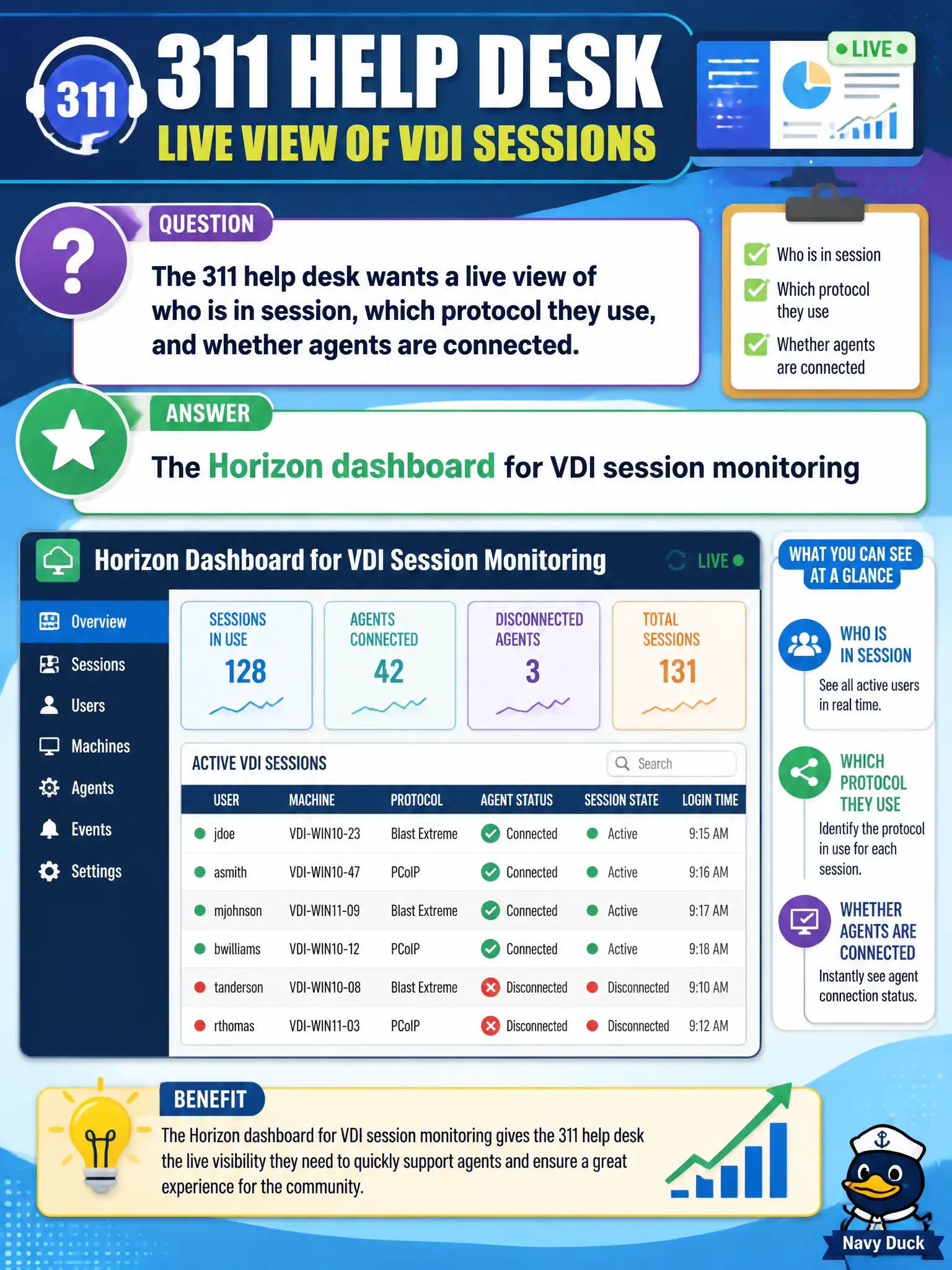
The 311 help desk wants a live view of who is in session, which protocol they use, and whether agents are connected. Which surface should the operator open?
Select an answer to reveal the explanation.
Short Explanation
Who is in a 311 desktop right now is a Horizon dashboard question. Intelligence widgets watch devices, Content watches lockers, and Mail watches Boxer—none of those are the live VDI session board.
Full Explanation
When the 311 help desk wants a live view of who is in session, which protocol they use, and whether agents are connected, the operator should open the Horizon dashboard for VDI session monitoring. That surface is built for live session and protocol visibility. Supervisors running municipal contact centers need that live Horizon view during storms or outages rather than Inferring status from Boxer or Content widgets. A Workspace ONE Intelligence device-compliance widget reports endpoint posture, not live Horizon session protocol state. The Workspace ONE Content dashboard for locker quotas tracks file-locker usage, not VDI sessions. The Mail dashboard for Boxer sync health monitors email, not desktop session connectivity. Exam caveat: Live VDI session monitoring is a Horizon dashboard or Help Desk function, not a UEM compliance or mail dashboard substitute. Operational check: Open the Horizon dashboard, filter to the 311 pool, and confirm connected users, protocols, and session state match the help-desk question. Keeping the civic evidence trail tied to the failing component also reduces cross-team handoffs that delay public services. Document the collection source and timestamp in the ticket so the next operator can continue without rework.