
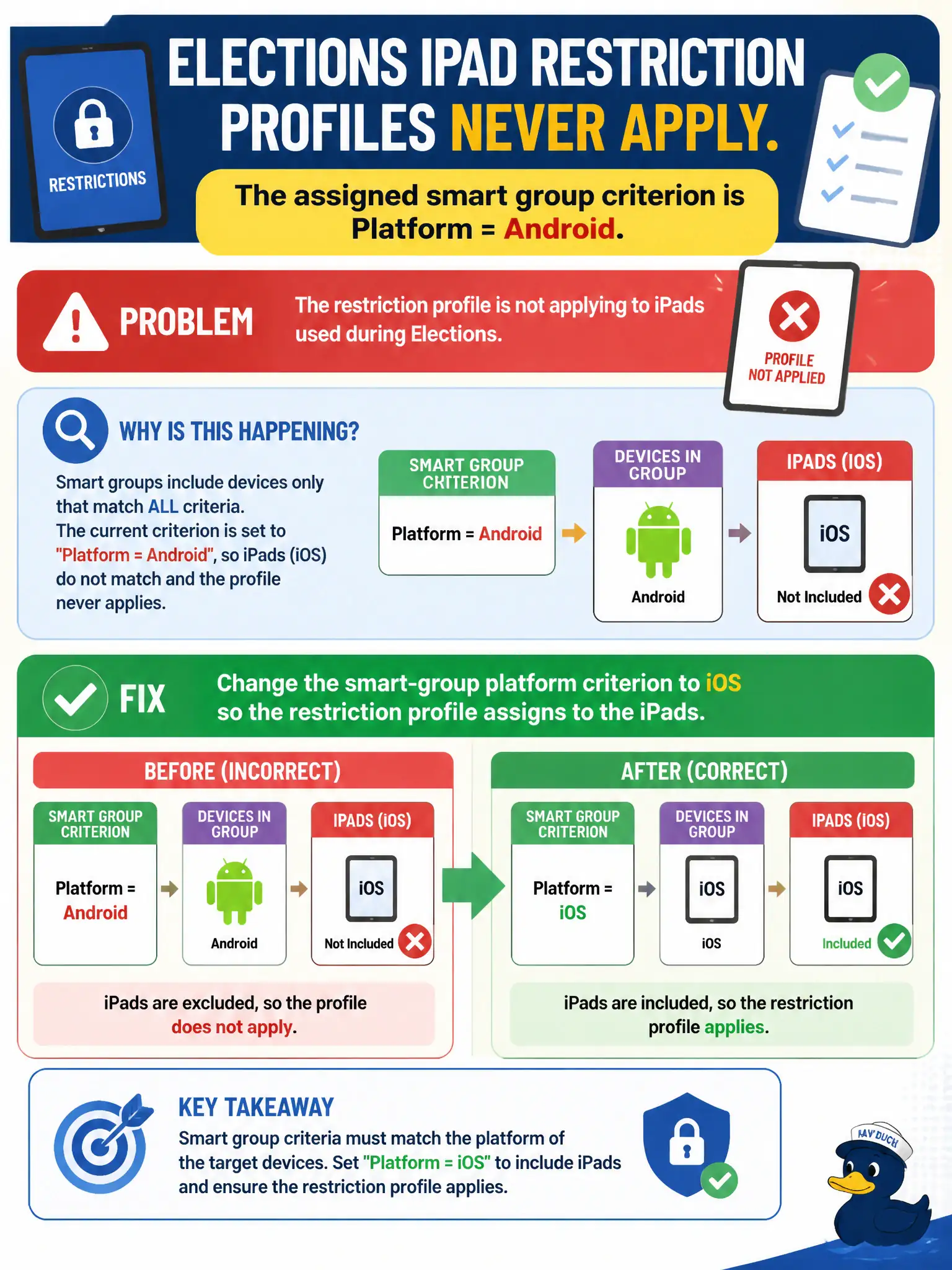
Elections iPad restriction profiles never apply. The assigned smart group criterion is Platform = Android. What should the security administrator fix?
Select an answer to reveal the explanation.
Short Explanation
The profile is addressed to Android lockers while the iPads sit in the iOS hall. Fix the smart-group platform criterion instead of blaming iOS.
Full Explanation
When elections iPad restriction profiles never apply because the assigned smart group criterion is Platform = Android, change the smart-group platform criterion to iOS so the restriction profile assigns to the iPads. Smart groups drive assignment; an Android-only criterion never selects iOS election devices no matter how perfect the payload is. Correcting the platform criterion restores civic elections restrictions. Reissuing Carbon Black Cloud sensors to the iPads fails by concept because CBC sensors are not how iOS restriction profiles are assigned from UEM. Enabling NSX-T Identity Firewall for the elections SSID fails by concept because IDFW does not assign UEM restriction profiles to iPads. Converting the iPads to Android Enterprise so the smart group matches fails by concept because changing device platform to match a bad criterion is backwards; fix the criterion instead. Exam caveat: profiles that never assign often mean wrong smart-group criteria—verify platform before rebuilding networking or converting devices. Operational check: set smart-group platform to iOS, confirm iPads enter the group, verify restriction profiles install, and peer-review smart-group criteria in elections UEM change control for civic election device management.