
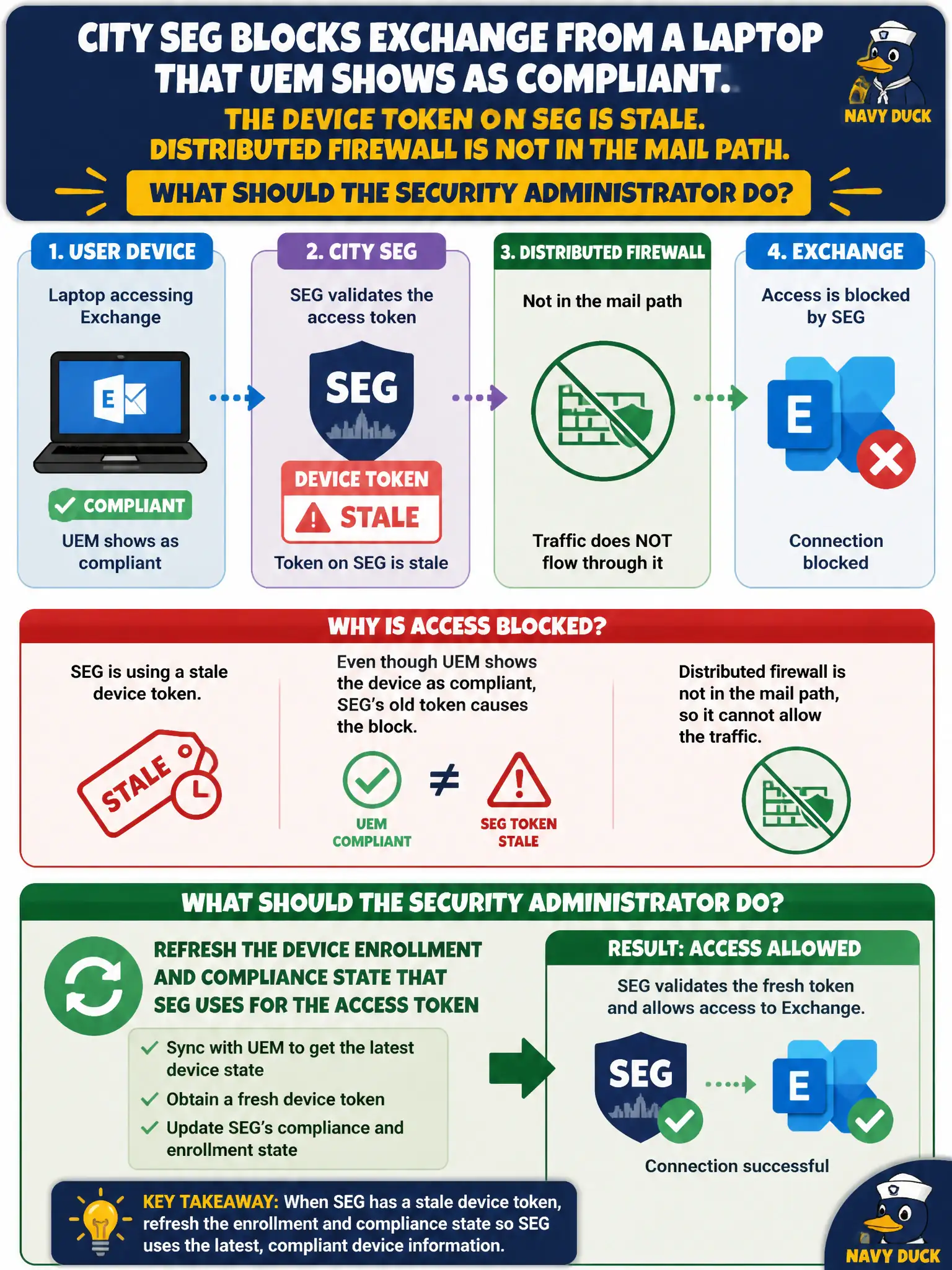
City SEG blocks Exchange from a laptop that UEM shows as compliant. The device token on SEG is stale. Distributed firewall is not in the mail path. What should the security administrator do?
Select an answer to reveal the explanation.
Short Explanation
SEG is still holding yesterday's ticket. Refresh enrollment and compliance so the Secure Email Gateway gets a current device token.
Full Explanation
When city SEG blocks Exchange from a laptop that UEM shows as compliant because the device token on SEG is stale and distributed firewall is not in the mail path, refresh the device enrollment and compliance state that SEG uses for the access token. Secure Email Gateway decisions follow the device token/compliance state it last learned; a stale token can deny mail even when UEM now shows compliant. Refreshing enrollment/compliance state restores civic email access. Adding an NSX-T DFW allow for SMTP from the laptop VLAN fails by concept because DFW is not in the mail path and does not refresh SEG device tokens. Uninstalling Intelligent Hub so SEG treats the device as unmanaged-but-trusted fails by concept because removing Hub breaks management and does not correctly refresh SEG compliance tokens. Moving the mailbox to Carbon Black Cloud Live Response for mail isolation fails by concept because Live Response is endpoint IR, not Exchange access mediation via SEG. Exam caveat: UEM compliant plus SEG deny with stale token means refresh enrollment/compliance state to SEG—not DFW SMTP allows, Hub uninstall, or CBC mail isolation. Operational check: refresh device enrollment/compliance toward SEG, confirm the token updates, retest Exchange on the laptop, and monitor SEG-UEM sync lag in the city messaging security dashboard for municipal email governance.