
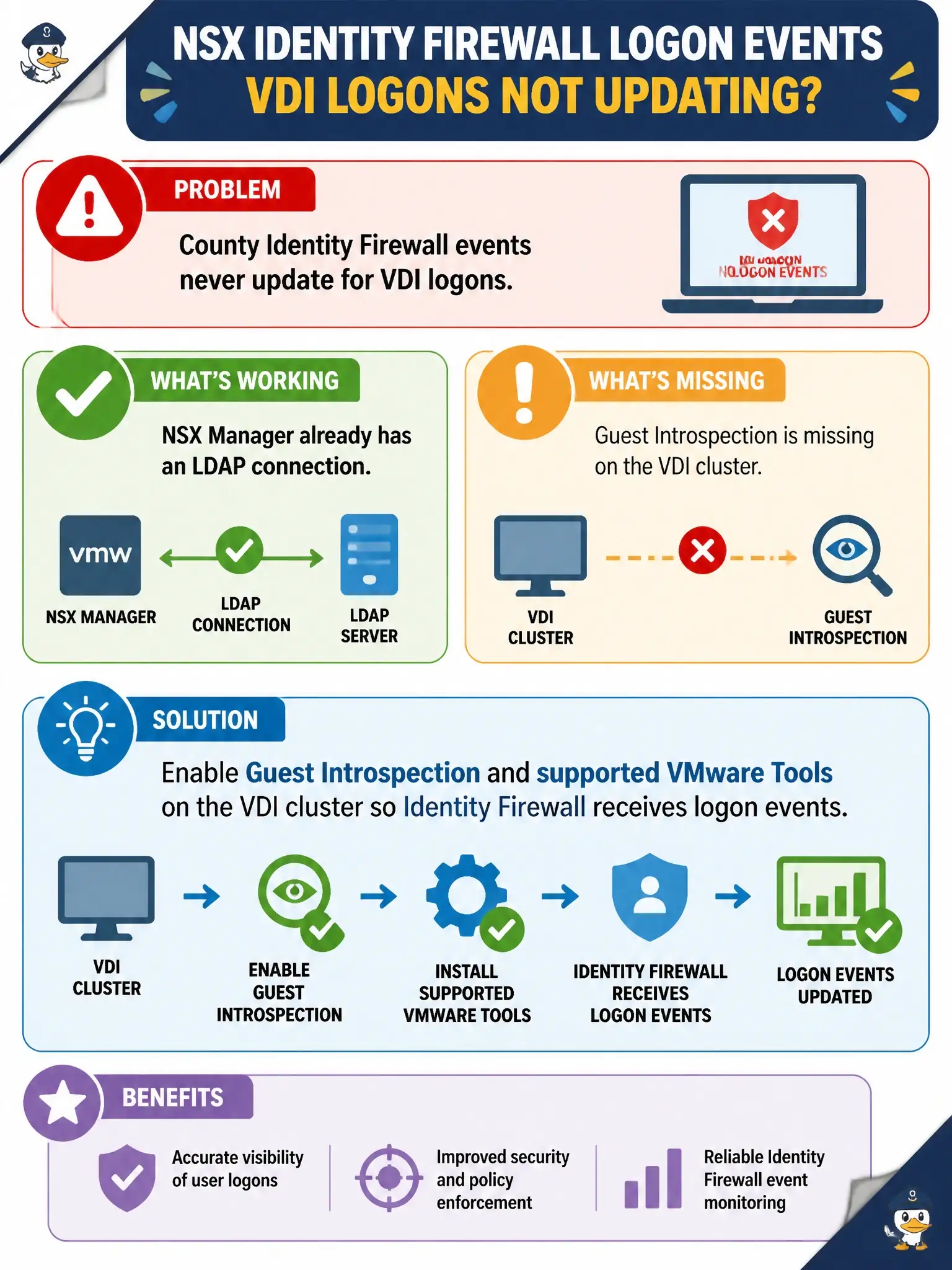
County Identity Firewall events never update for VDI logons. NSX Manager already has an LDAP connection, but Guest Introspection is missing on the VDI cluster. What should the administrator enable?
Select an answer to reveal the explanation.
Short Explanation
LDAP is the employee roster; Guest Introspection is the badge reader at the door. Without GI on the VDI cluster, Identity Firewall never sees who just logged on. Retrying LDAP will not create that guest logon path.
Full Explanation
When county Identity Firewall events never update for VDI logons despite an LDAP connection, Guest Introspection and supported VMware Tools on the VDI cluster are required so IDFW receives live logon events and can map users to IPs. Directory sync alone does not replace guest logon context.
More LDAP bind retries will not map live logons without guest introspection. Carbon Black Cloud Live Response cannot inject user names into Distributed Firewall as an IDFW substitute. A Workspace ONE Access network-range policy is not guest logon context for IDFW.
Exam caveat: LDAP inventory ≠ live user-to-IP mapping; GI/Tools on the VDI cluster complete the IDFW path.
Operational check: enable Guest Introspection on the VDI cluster, ensure Tools with GI components, generate a test logon, confirm IDFW mapping updates, then rely on user-based rules.
Guest Introspection closes the loop from AD group to live VDI logon IP for county IDFW. After GI is healthy, watch mapping tables during login storms at shift change, and escalate Tools/GI issues separately from LDAP bind problems so tickets stop bouncing between identity and virtualization teams. Keep GI health and a fresh user-mapping screenshot with the VDI change record so the next on-call engineer can distinguish Tools/GI failures from LDAP bind problems without rediscovering the split under pressure.