
A water-utility operator finds HTTP and SSH mixed on unexpected ports between historian VMs, so TCP/80 alone is not a reliable allow. What should the administrator use in Distributed Firewall?
Select an answer to reveal the explanation.
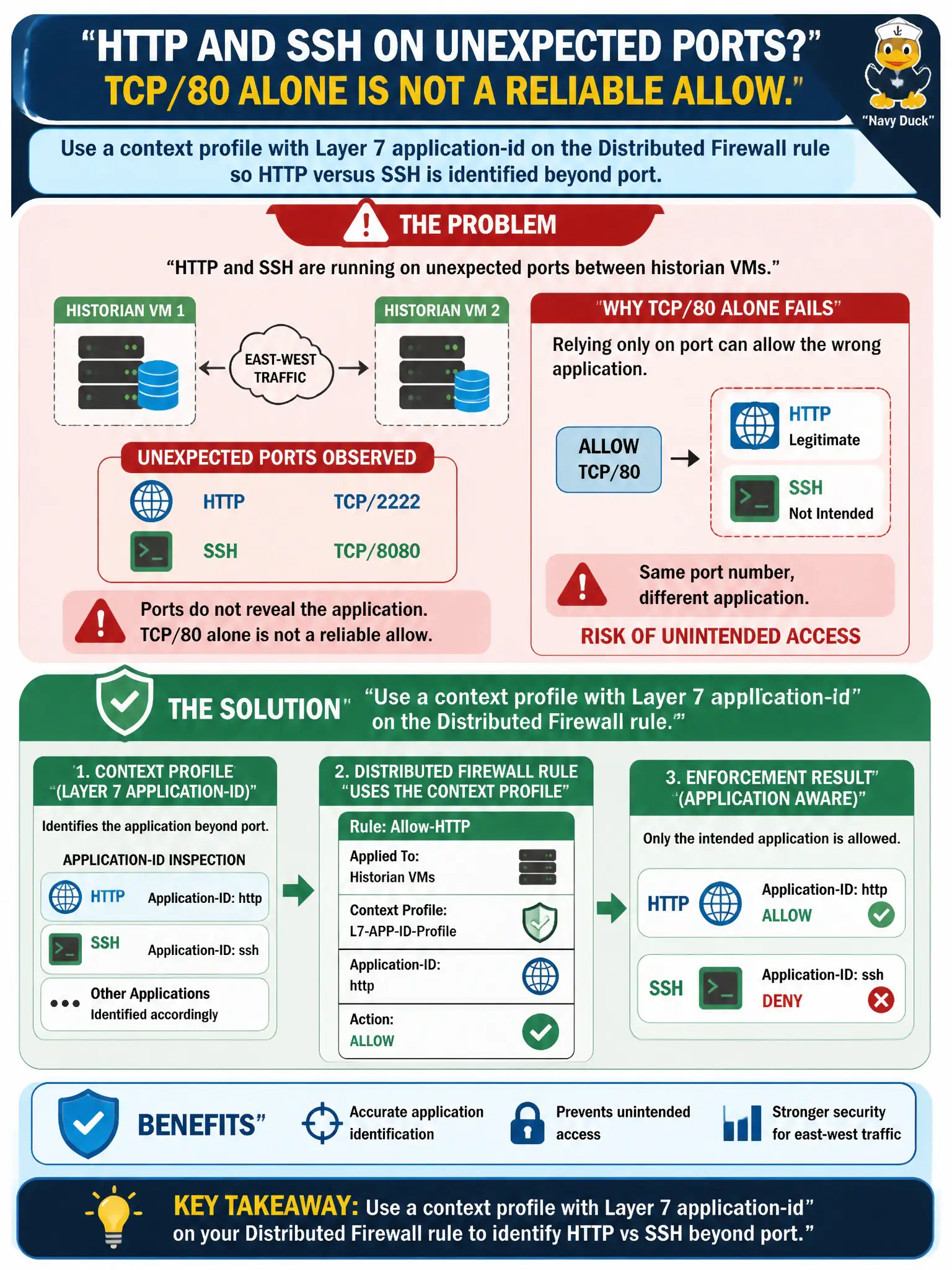
Short Explanation
Port 80 is a mailbox number, not a promise about what is in the envelope. Context profiles let Distributed Firewall read the application (HTTP versus SSH) even when ports are messy. Hash allow-lists and Access method names do not inspect that flow.
Full Explanation
When water-utility historian VMs mix HTTP and SSH on unexpected ports, Layer-4 TCP/80 alone is an unreliable allow. Use a context profile with Layer-7 application-id on the Distributed Firewall rule so NSX identifies HTTP versus SSH by application, not only by port, matching how operators actually abuse nonstandard ports.
An L4 service for TCP/80 only ignores the real protocol on that port. A Carbon Black Cloud hash allow-list for httpd.exe is host file control, not NSX L7 network context on the conversation. A Workspace ONE Access authentication method named HTTP does not classify east-west historian protocols for DFW.
Exam caveat: context profiles / App-ID exist specifically for port-unreliable protocols—VCP-SEC expects that tool when ports lie.
Operational check: create or select an L7 context profile, bind it to the historian DFW rule, generate HTTP and SSH on odd ports, confirm the correct rule hits, and keep L4-only rules out of that sensitive path.
L7 context profiles stop historian port cosplay on the water network. After binding App-ID, attempt SSH on TCP/80 and HTTP on an alternate port, confirm classification, and add a quarterly review of context profiles so OT vendors’ nonstandard ports stay covered without widening L4 holes.