
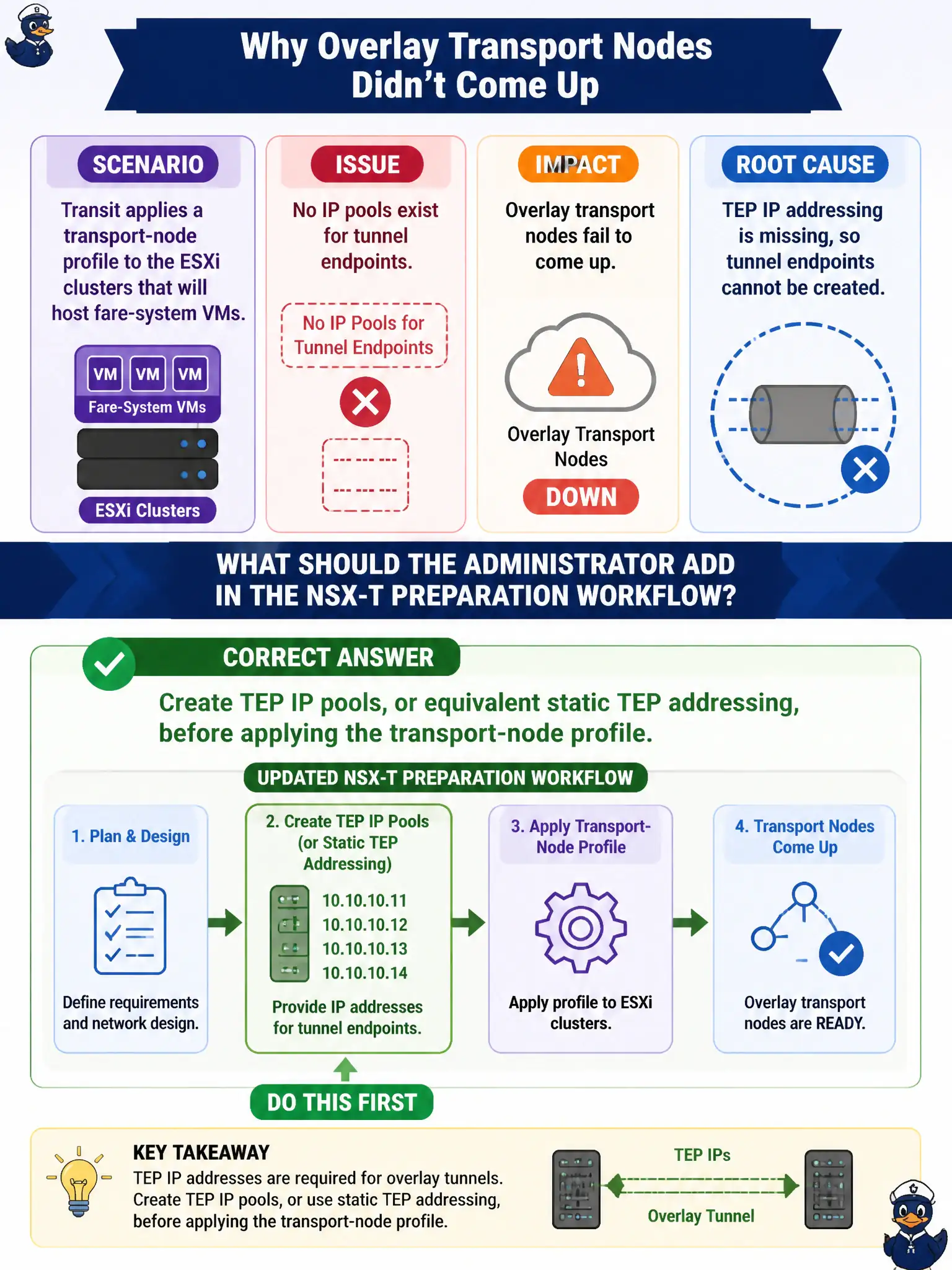
Transit applies a transport-node profile to the ESXi clusters that will host fare-system VMs, but no IP pools exist for tunnel endpoints. Overlay transport nodes fail to come up. What should the administrator add in the NSX-T preparation workflow?
Select an answer to reveal the explanation.
Short Explanation
A transport-node profile is like handing out tunnel radios with no phone numbers. TEP IP pools are those numbers. Create the pool first, then apply the profile, or the overlay never comes up for the fare VMs.
Full Explanation
Overlay transport nodes for transit fare-system hosts need tunnel endpoint addressing. Create TEP IP pools, or equivalent static TEP addressing, before applying the transport-node profile so Geneve TEPs can come up. A transport-node profile without TEP addresses leaves overlay nodes failed even when vibs install.
Enabling Carbon Black device control on Edge VMs does not register host TEPs. A Workspace ONE UEM compliance profile cannot assign overlay tunnel addresses to ESXi. Treating TEP addressing as optional overlay-routing specialty work and proceeding with Distributed Firewall on unprepared hosts skips the data-plane foundation DFW needs.
Exam caveat: TEP pools (or static TEPs) precede successful overlay transport-node bring-up in the preparation workflow.
Operational check: define TEP pools sized for the fare clusters, apply the transport-node profile, confirm TEP IPs assigned and nodes Up, then validate overlay connectivity before publishing DFW.
TEP pools are the fare-system overlay phone numbers. Size pools for growth, reserve exclusions for infrastructure, apply the transport-node profile only after pools exist, and verify each host received a TEP before anyone troubleshoots Geneve drops as Distributed Firewall misses on unprepared nodes.