
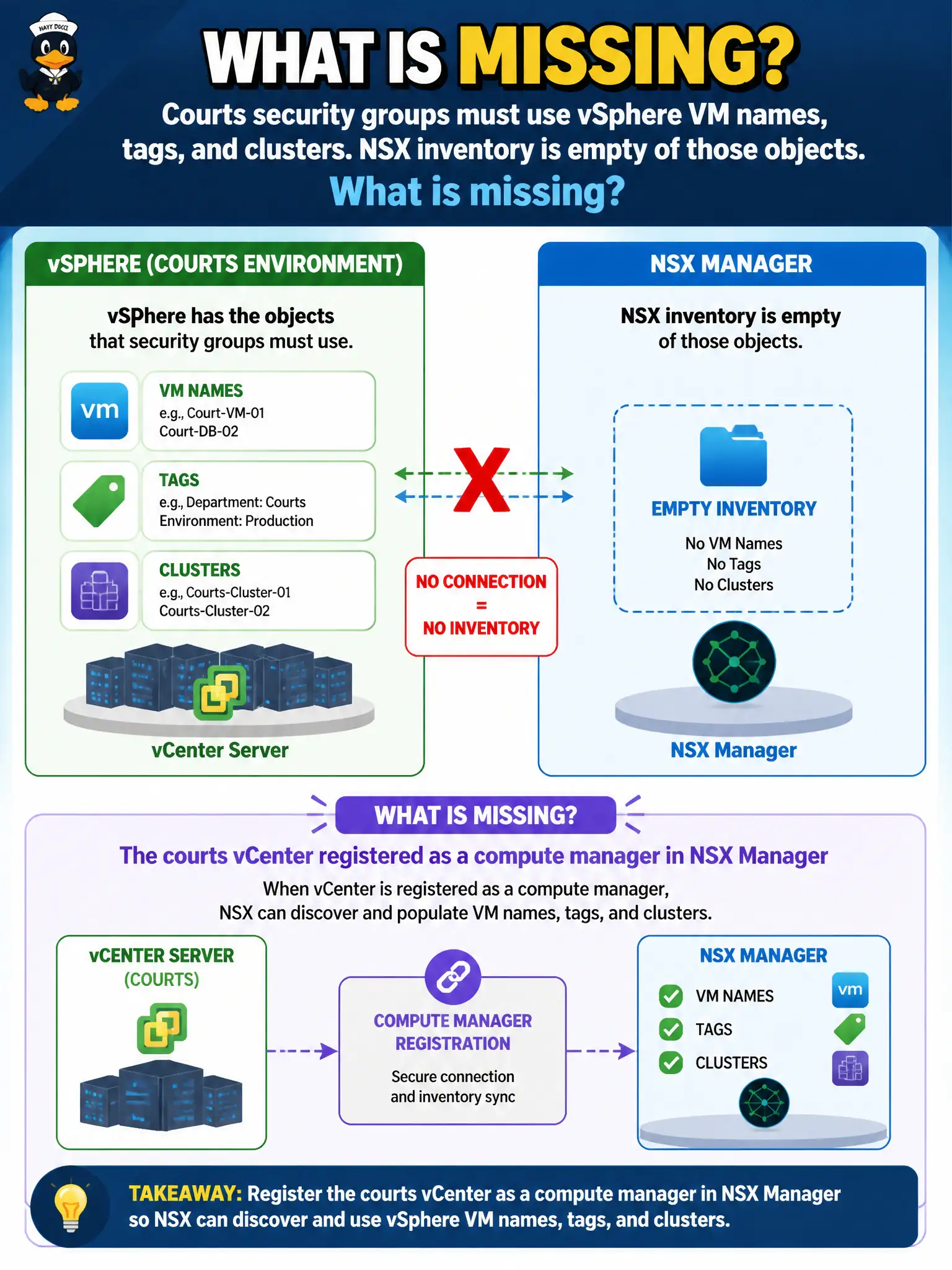
Courts security groups must use vSphere VM names, tags, and clusters. NSX inventory is empty of those objects. What is missing?
Select an answer to reveal the explanation.
Short Explanation
NSX cannot group VMs it has never met. Register the courts vCenter as a compute manager so names, tags, and clusters show up—Carbon Black inventory and a Federation Global Manager will not fill that catalog.
Full Explanation
Courts security groups that must use vSphere VM names, tags, and clusters require those objects in NSX inventory. Registering the courts vCenter as a compute manager in NSX Manager is what imports clusters, VMs, and tags so grouping criteria can resolve. An empty inventory means the compute manager relationship is missing or broken.
Carbon Black Cloud device inventory sync fills CBC, not NSX compute inventory for VM/tag/cluster criteria. A Workspace ONE UEM compliance policy mapped to NSX does not register vCenter as a compute manager. An NSX Federation Global Manager is unnecessary for a single vCenter inventory problem and does not replace local compute-manager registration.
Exam caveat: NSX cannot group VMs it has never imported—compute manager registration precedes tag- and cluster-based security groups.
Operational check: add the courts vCenter as a compute manager with trusted certificates, confirm clusters and VMs appear, build a pilot group on name or tag, and validate membership before publishing DFW.
Compute-manager registration is how courts introduce vSphere citizens to NSX. After trust is established, spot-check that tags used in security groups match vSphere tags, create a temporary group on a known cluster, and validate membership counts against vCenter inventory so auditors see NSX and vSphere telling the same story.