
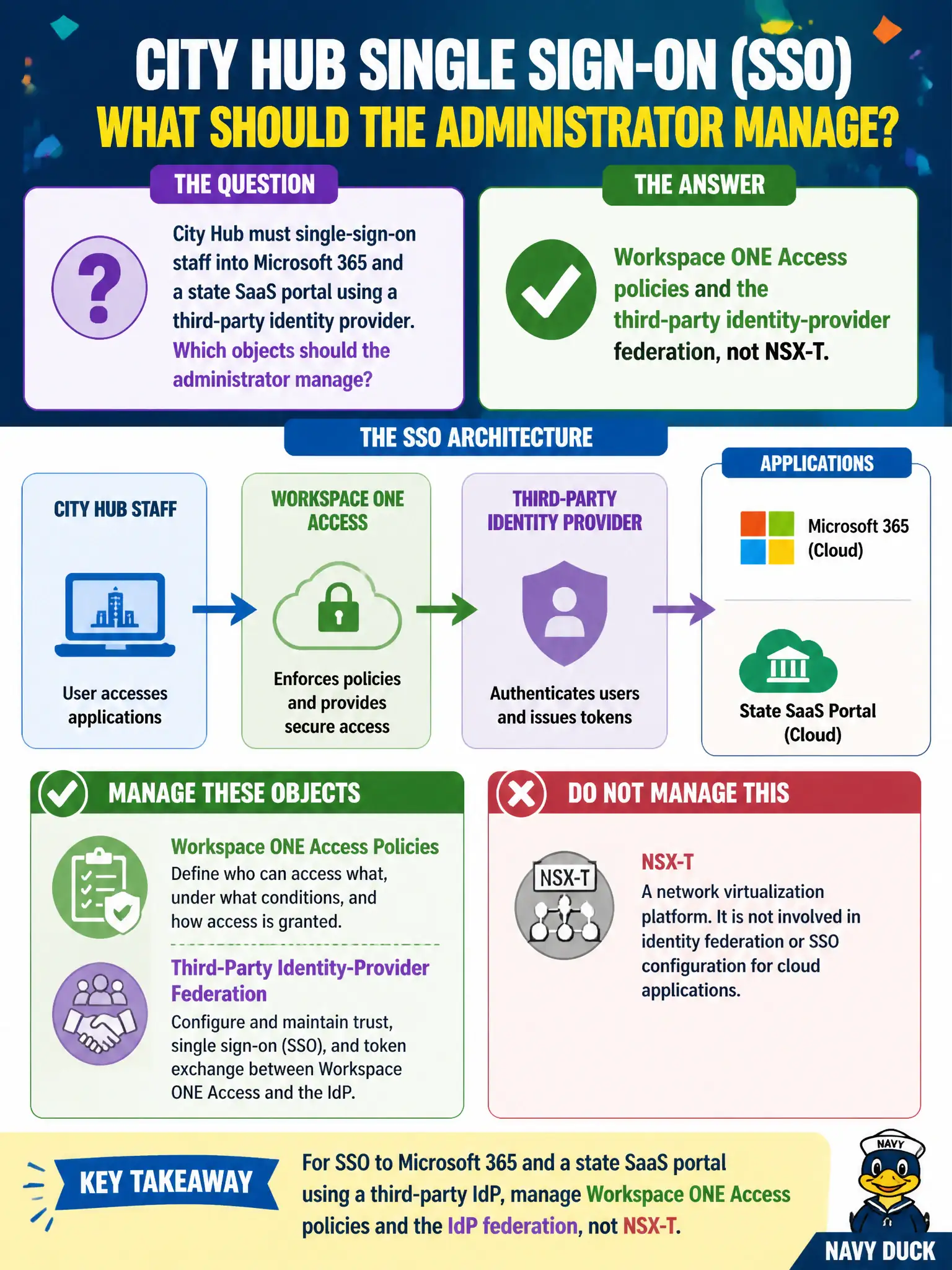
City Hub must single-sign-on staff into Microsoft 365 and a state SaaS portal using a third-party identity provider. Which objects should the administrator manage?
Select an answer to reveal the explanation.
Short Explanation
SaaS sign-on is the city badge desk, and that desk is Workspace ONE Access plus the IdP—not the NSX firewall. Manage Access policy and the federation.
Full Explanation
When City Hub must single-sign-on staff into Microsoft 365 and a state SaaS portal using a third-party identity provider, the administrator should manage Workspace ONE Access policies and the third-party identity-provider federation, not NSX-T. Treat Access federation as the city passport desk that stamps staff into SaaS; overlay networking is not that desk. Using NSX-T Distributed Firewall identity rules as the SaaS SSO broker fails by concept because Identity Firewall authorizes overlay conversations by user, it does not broker SAML or OIDC SSO to Microsoft 365 or state SaaS. Using Carbon Black Cloud sensor groups as the SAML identity provider fails because sensor groups assign endpoint policy, they are not an IdP. Advertising a T0 router so SaaS trusts the civic ASN fails because SaaS SSO trusts federation metadata and certificates, not BGP advertisements. Exam caveat: SaaS SSO is operated in Workspace ONE Access with third-party IdP federation and access policies; NSX identity rules, CBC groups, and T0 routing are not the SSO broker. Operational check: configure the third-party IdP in Access, bind Microsoft 365 and the state portal apps, test staff SSO, verify Access policies, and document federation owners outside any NSX change ticket.