
City employees keep browsing into phishing and malware-hosting sites during work hours. Which web-filtering capability set best reduces that risk whether traffic exits through a central proxy or an endpoint agent?
Select an answer to reveal the explanation.
Short Explanation
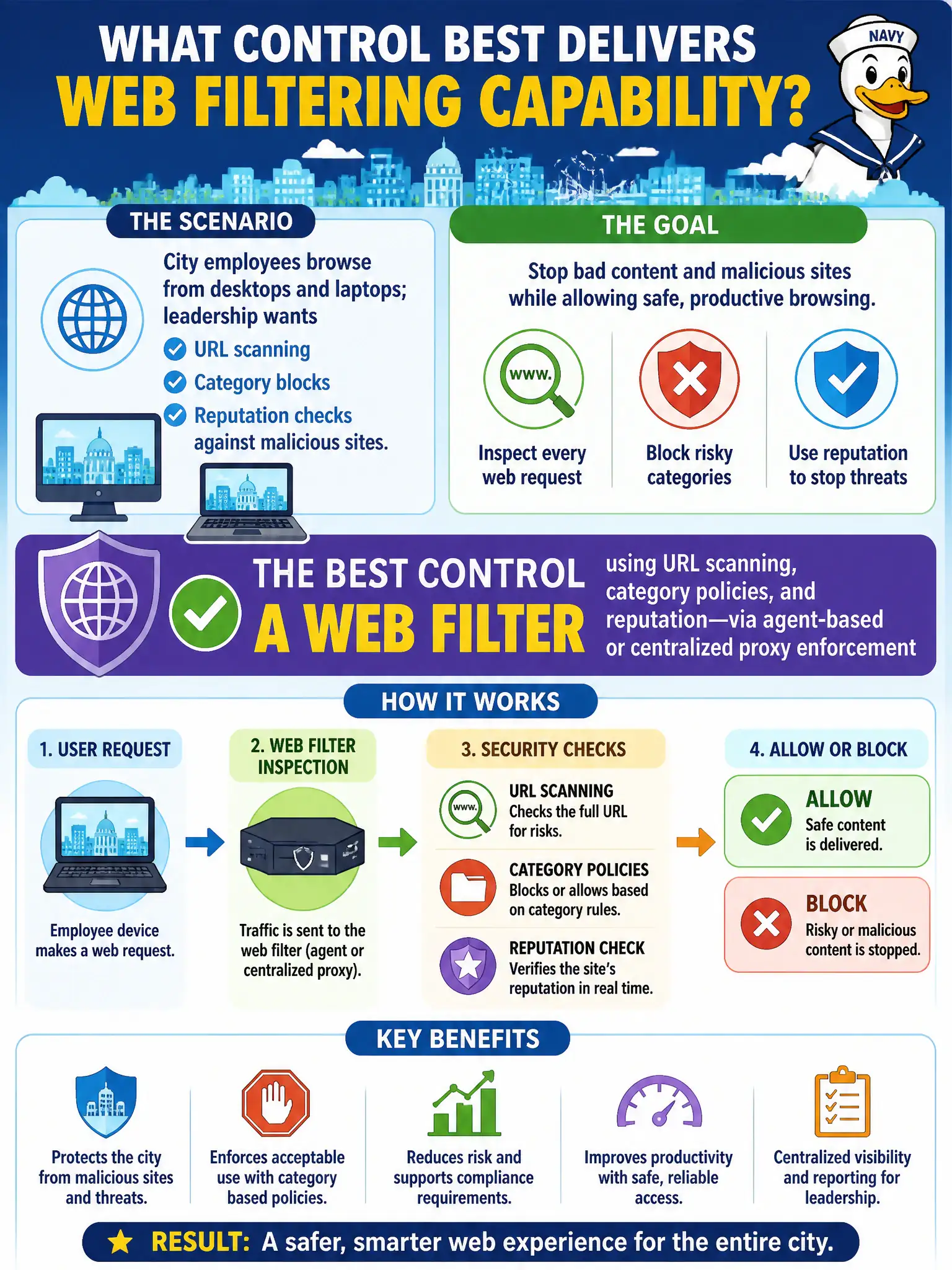
A web filter that checks URLs, categories, and reputation is the digital bouncer for city browsers—agent on the laptop or proxy in the middle, same idea. Flyers and auto-trusting brand-new domains do not stop phishing clicks.
Full Explanation
Effective municipal web filtering combines URL scanning, category-based blocks, and reputation checks, enforced either through a centralized proxy or endpoint agents—or both for on- and off-network staff. That capability set inspects destinations before city browsers render phishing kits or malware-hosting sites, reducing successful drive-by and credential-harvesting clicks during work hours regardless of which egress path the laptop uses.
Automatically whitelisting every newly registered domain for a week is hazardous because attackers favor fresh domains specifically to evade reputation systems. Disabling TLS inspection and category controls to avoid help-desk tickets removes the visibility needed to catch HTTPS-hosted phishing common in civic-targeted campaigns. Posting a break-room flyer of banned sites with no technical enforcement does not stop a single click.
Exam caveat: TLS inspection requires enterprise trusted roots, privacy review, and well-managed exceptions for sensitive apps like banking or health portals. Agent-based and proxy-based filtering are deployment modes of the same control family when the inspection capabilities match.
Operational check: enforce category and reputation policy on city browsers, block phishing and malware categories by default, review dashboards for top blocked destinations weekly, and change-control any allow-list entries for legitimate municipal SaaS.