
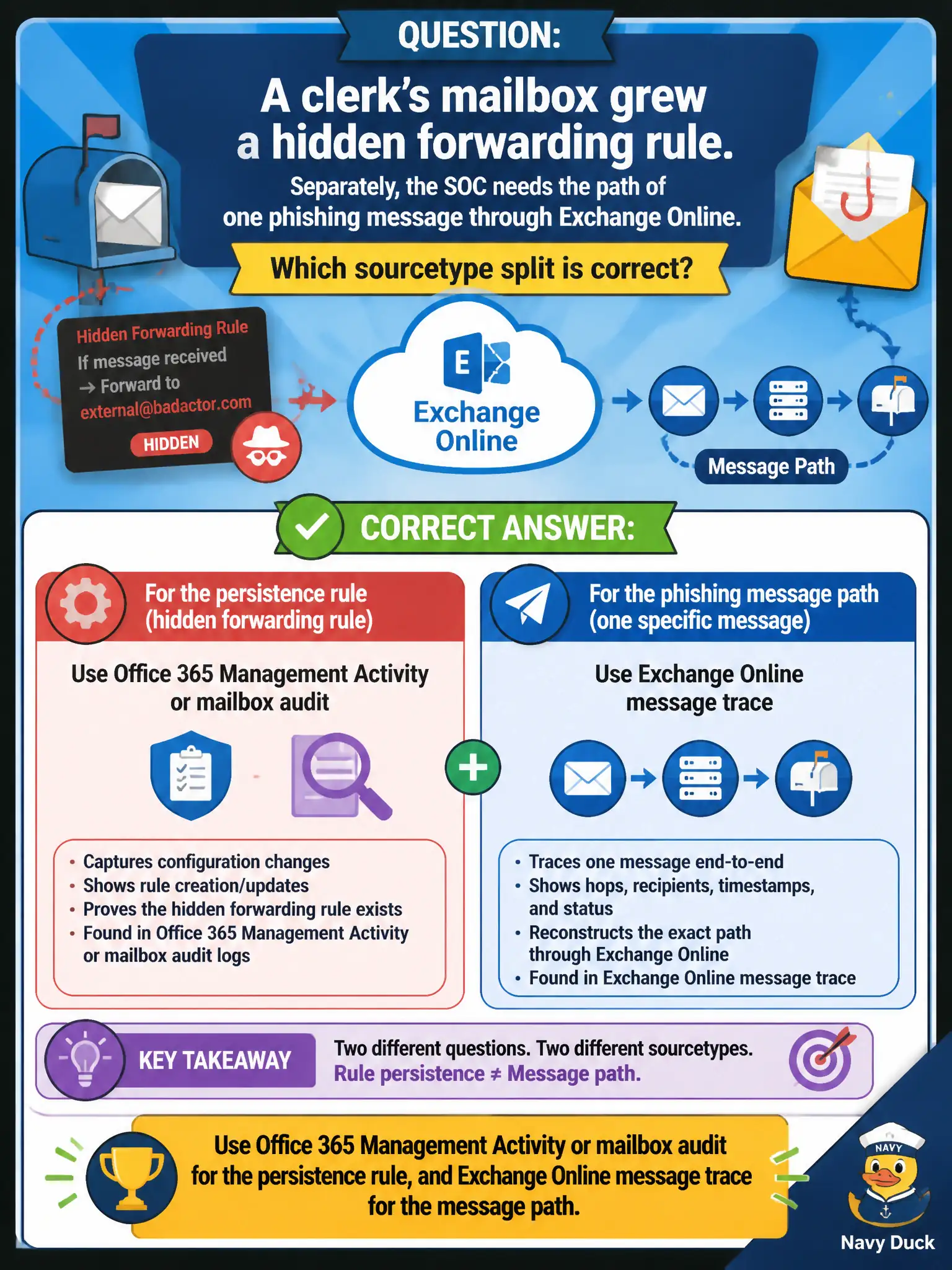
A clerk's mailbox grew a hidden forwarding rule. Separately, the SOC needs the path of one phishing message through Exchange Online. Which sourcetype split is correct?
Select an answer to reveal the explanation.
Short Explanation
Two different mail cameras: the audit log sees someone plant a forwarding rule, and message trace sees where one letter traveled. Mixing them—or substituting CloudTrail or Windows logs—is how the story falls apart. Pick the sourcetype that holds that fact.
Full Explanation
A clerk's hidden mailbox forwarding rule and the path of one phishing message through Exchange Online are two different evidence problems with two different sourcetypes. Office 365 Management Activity or mailbox audit records configuration persistence such as inbox rules. Exchange Online message trace (or equivalent mail-flow logs) records how a specific message traveled. SSE and ES content is sourcetype-specific, so those feeds are not interchangeable. Pick the sourcetype that holds the fact you need.
Using VPC Flow Logs for both the mailbox rule and the message path fails by concept: AWS network five-tuples do not contain Exchange Online rule or message-trace records. Using only CloudTrail because it records every Exchange Online mailbox rule invents AWS coverage of Microsoft 365 mailbox configuration. Using WinEventLog:Security on the clerk's laptop for both the cloud rule and the message path substitutes endpoint OS audit for cloud mail control-plane and mail-flow telemetry.
Exam caveat: M365 mail items split persistence (Management Activity / mailbox audit) from message path (message trace)—CloudTrail, VPC Flow, and local Windows are not stand-ins.
Operational check: query O365 Management Activity or mailbox audit for the forwarding-rule creation on the clerk mailbox, separately run message trace for the phishing message ID or recipients, and document both findings without merging them into a single wrong sourcetype.