
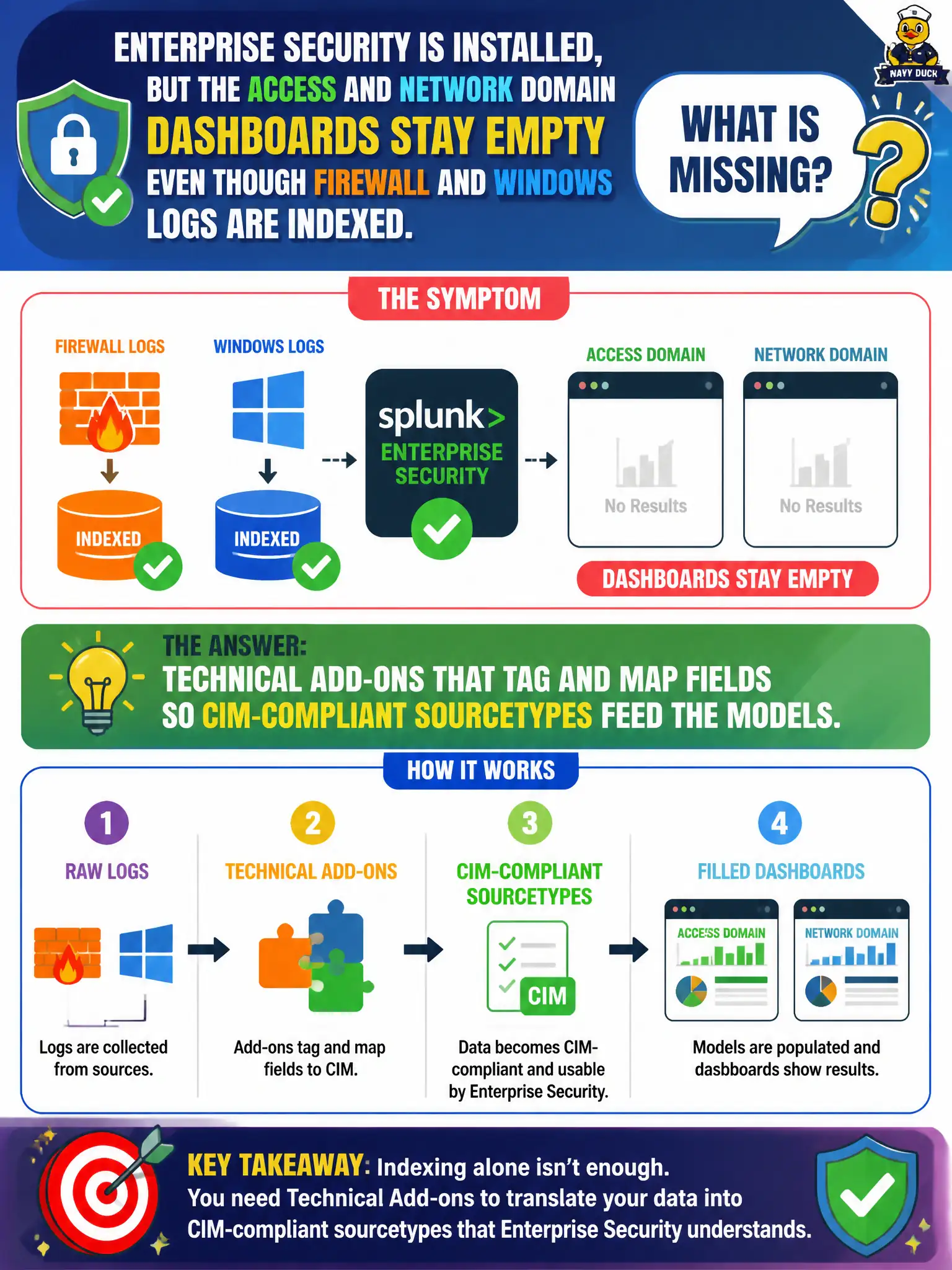
Enterprise Security is installed, but the Access and Network domain dashboards stay empty even though firewall and Windows logs are indexed. What is missing?
Select an answer to reveal the explanation.
Short Explanation
ES dashboards drink from CIM cups. A TA that tags and maps fields is what fills those cups; installing ES on raw unmapped logs leaves the cups dry. More licenses and SOAR playbooks do not map src and dest.
Full Explanation
If Enterprise Security is installed but Access and Network domain dashboards stay empty while firewall and Windows logs are indexed, what is missing is technical add-ons that tag and map fields so CIM-compliant sourcetypes feed the data models. Indexing alone does not populate ES dashboards; technical-add-on field extractions, tags, and eventtypes make events visible to CIM and Enterprise Security content for municipal blue teams. Without that mapping layer, raw data sits in indexes while Access and Network views remain blank.
A larger Splunk license does not make empty dashboards paint when CIM mapping is absent. A custom indexer-cluster size change made by the analyst is not the dashboard data path and does not create CIM tags. A new SOAR playbook for every sourcetype does not replace the CIM tagging required for ES domain dashboards.
Exam caveat: Enterprise Security empty dashboards with data present usually mean missing or incorrect technical add-ons and CIM mapping, not license capacity or SOAR coverage.
Operational check: install or validate vendor technical add-ons for firewall and Windows, confirm tags and CIM fields on sample events, verify data-model accelerations, then refresh Access and Network dashboards and spot-check raw events against model fields.