
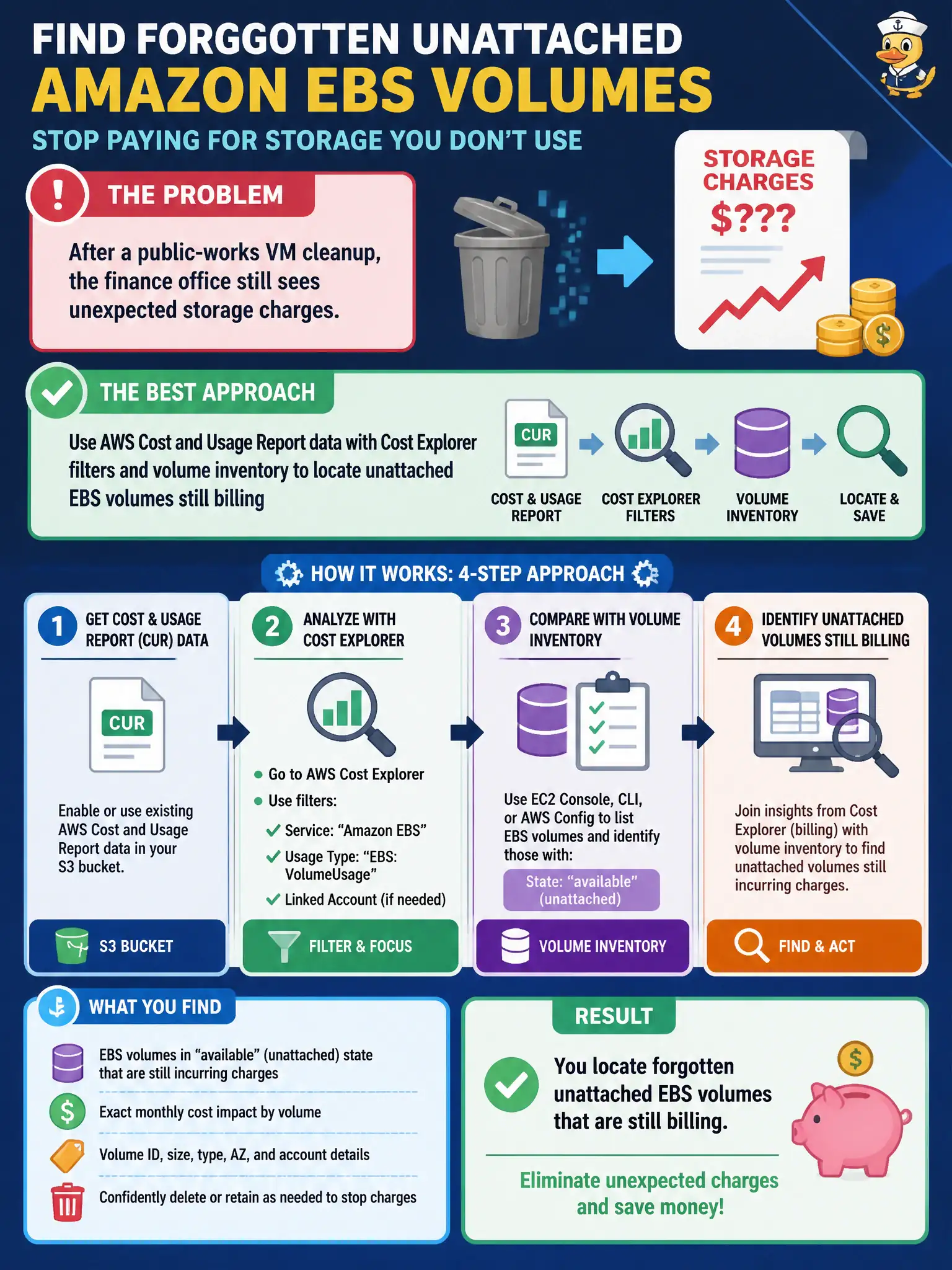
After a public-works VM cleanup, the finance office still sees unexpected storage charges. Which approach best finds forgotten unattached Amazon EBS volumes?
Select an answer to reveal the explanation.
Short Explanation
VMs gone, disks still charging—classic municipal ghost fleet. CUR plus Cost Explorer (and a quick volume inventory) lights up those unattached EBS leftovers so you can delete or reclaim them.
Full Explanation
Using AWS Cost and Usage Report data with Cost Explorer filters plus volume inventory is the correct way to find forgotten unattached Amazon EBS volumes after a public-works VM cleanup because unattached (available) volumes continue to incur storage charges even when instances are gone. CUR and Cost Explorer surface EBS spend lines; EC2 volume inventory shows state and attachment, letting finance and architects correlate ghost disks to leftover charges. Ignoring Cost Explorer and waiting for the next annual budget hearing fails because delay preserves avoidable monthly spend and removes the feedback loop needed for operational hygiene. Deleting every snapshot in the Region without review fails conceptually: snapshots are not the same as unattached volumes, and mass deletion risks destroying recovery points and compliance evidence unrelated to the idle-volume problem. Turning on AWS Shield Advanced to classify idle disks fails because Shield Advanced is a DDoS protection service, not a storage inventory or cost-attribution tool for EBS. Exam caveat: find orphaned EBS with cost reports plus volume state—do not confuse snapshots, Shield, or calendar delays with storage waste detection. Operational check: filter Cost Explorer/CUR for EBS; list volumes in available/unattached state; tag owners; delete or snapshot-then-delete only after retention review; and add a recurring orphaned-volume report so future VM cleanups do not leave the finance office surprised.