
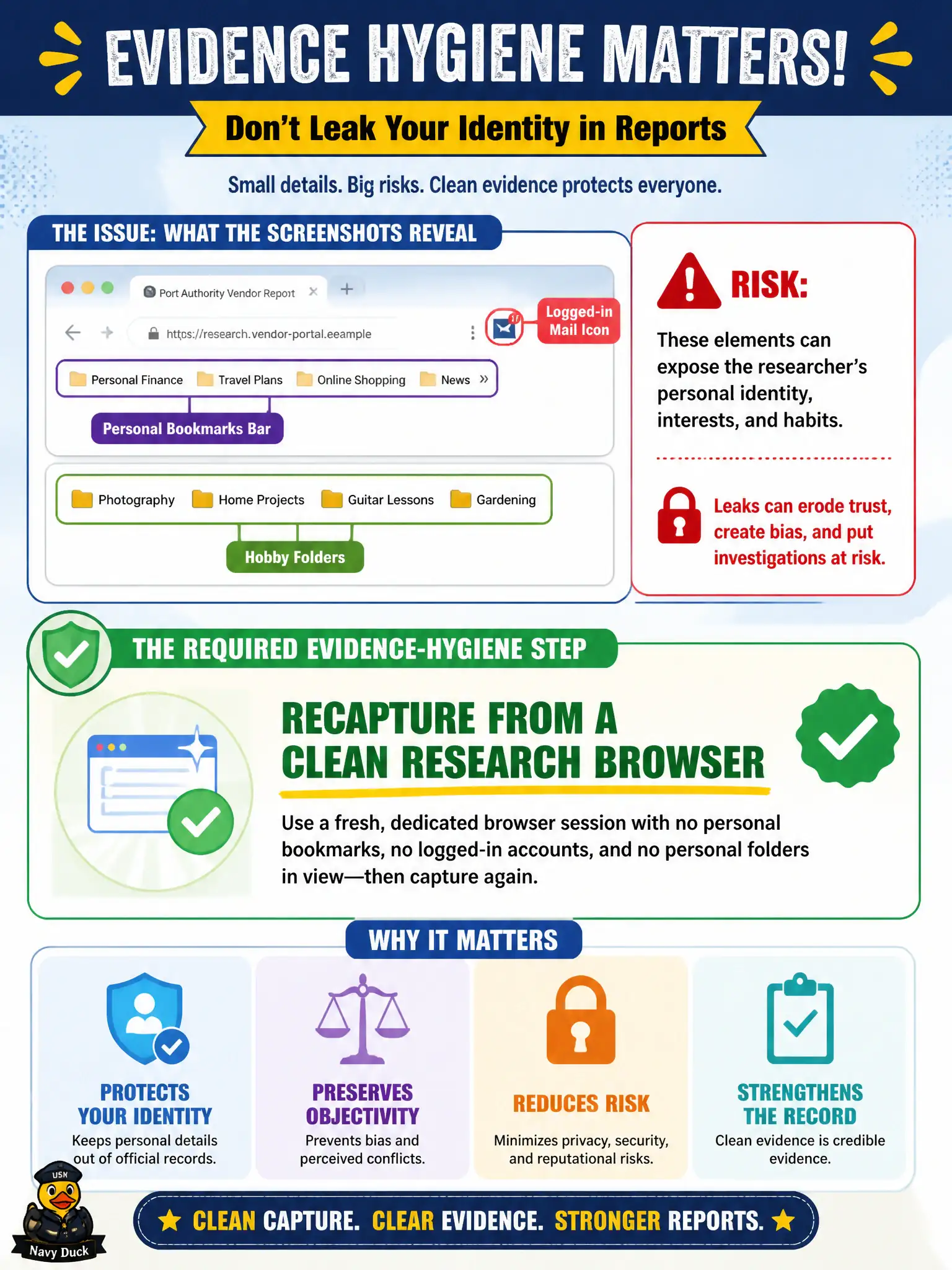
Screenshots in a port-authority vendor report show the analyst's personal bookmarks bar, a logged-in mail icon, and hobby folders. What evidence-hygiene step is required?
Select an answer to reveal the explanation.
Short Explanation
Personal bookmarks in a report screenshot are like leaving your house keys in the photo of the evidence locker. The picture should show the public page, not the researcher's mail, hobbies, or real-name profile. Recapture from the clean lab browser.
Full Explanation
Evidence files are part of OPSEC. Browser chrome that reveals personal accounts, bookmarks, or identity contaminates the civic record and can expose the researcher. When screenshots in a port-authority vendor report show the analyst's personal bookmarks bar, a logged-in mail icon, and hobby folders, the required step is to recapture from a clean research browser so the report does not leak the researcher's personal identity.
Leaving personal browser chrome in every image so leadership knows a real person did the work prioritizes theater over OPSEC. Recapturing from the analyst's everyday profile because lab browsers are less trustworthy inverts trust: everyday profiles are the wrong source. Enlarging the bookmarks bar so personal folder names become readable citations worsens the leak.
Exam caveat: show the target URL and timestamp; hide or avoid personal chrome, extensions, and account indicators in exhibits.
Operational check: open an isolated research profile/VM, recapture each page with clean chrome showing locator/time, replace contaminated images in the port-authority packet, and scrub old leaks from working folders. Keep municipal wording calibrated to what public sources actually show, and record retrieval dates so peers can re-perform the work.