
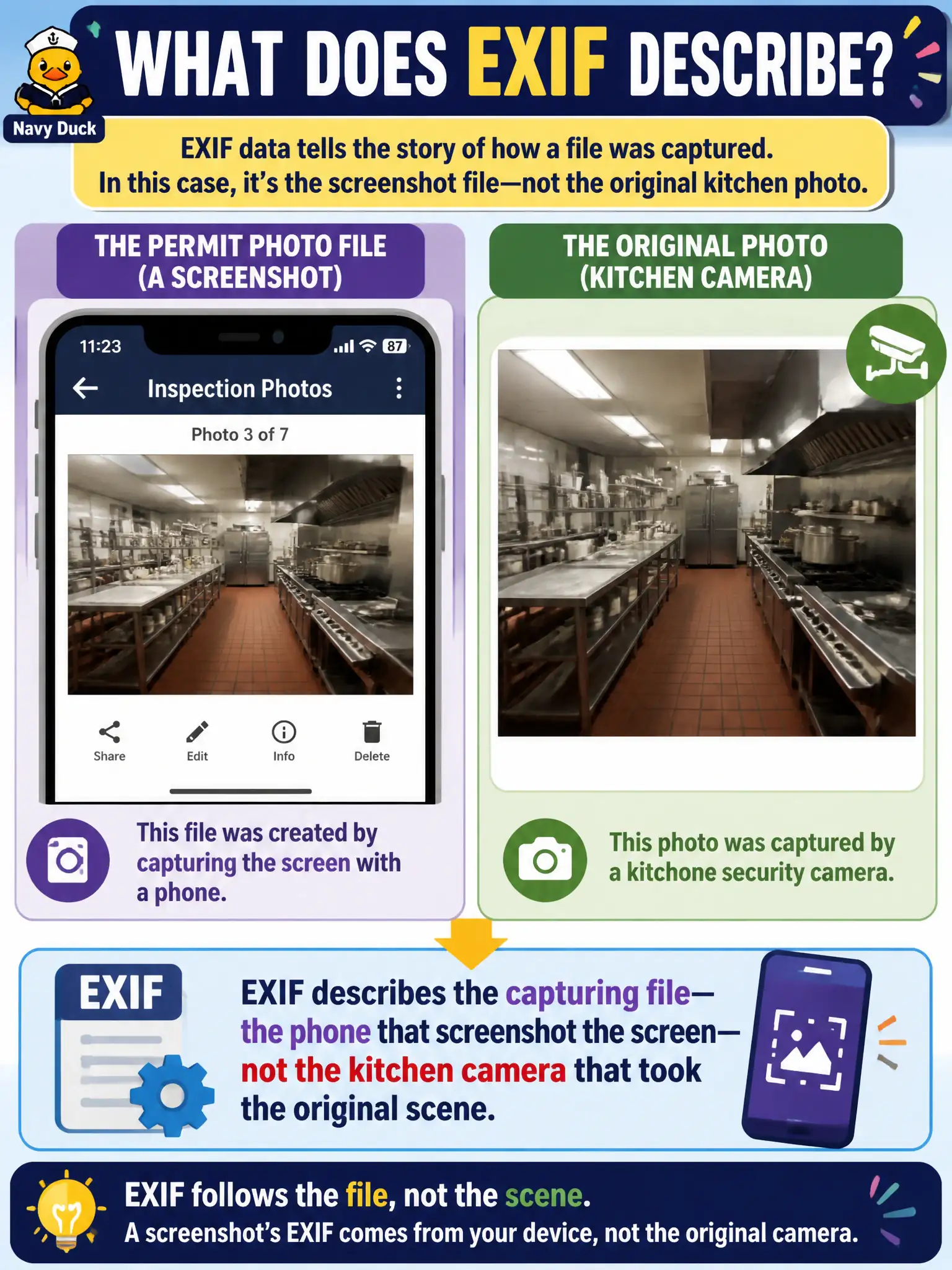
Public-health permit photos of a kitchen were clearly screenshots, with status bar and app chrome visible. What does the file's EXIF describe?
Select an answer to reveal the explanation.
Short Explanation
A screenshot is a photo of a photo. The EXIF talks about the phone that captured the screen, not the camera hanging over the grill. Status-bar chrome is your clue you are reading the wrong camera's diary.
Full Explanation
Metadata describes the file that was written; for a screenshot with status bar and app chrome visible, EXIF describes the capturing phone and screenshot process—not the kitchen camera that took the original scene. Public-health permit photos that are clearly screenshots must not be read as if their tags came from an inspection camera in the kitchen. EXIF will not reliably give GPS of the kitchen's walk-in cooler from a screen capture. Pixels do not reconstruct the original JPEG the cook posted as if the screenshot were a lossless container of prior camera metadata. Exam caveat: visual content can still be analyzed, and reverse image may find the earlier original with different metadata. Operational check: label the exhibit as a screenshot, treat EXIF as capture-device provenance only, and seek the underlying original image if kitchen-camera facts are required. Keep the civic purpose, method limits, and exhibit labels aligned so reviewers can see what was public-source work versus other authorities. Document residual uncertainty explicitly rather than implying completeness. Prefer reversible public methods and preserve exhibits that a second analyst can reopen without guessing. When sources conflict, record both locators and state the confidence level in plain language.