
A factory wants removable USB storage blocked on plant PCs that already run the XDR agent. The only control in the draft is a cloud configuration rule on the plant account. Where does this control belong?
Select an answer to reveal the explanation.
Short Explanation
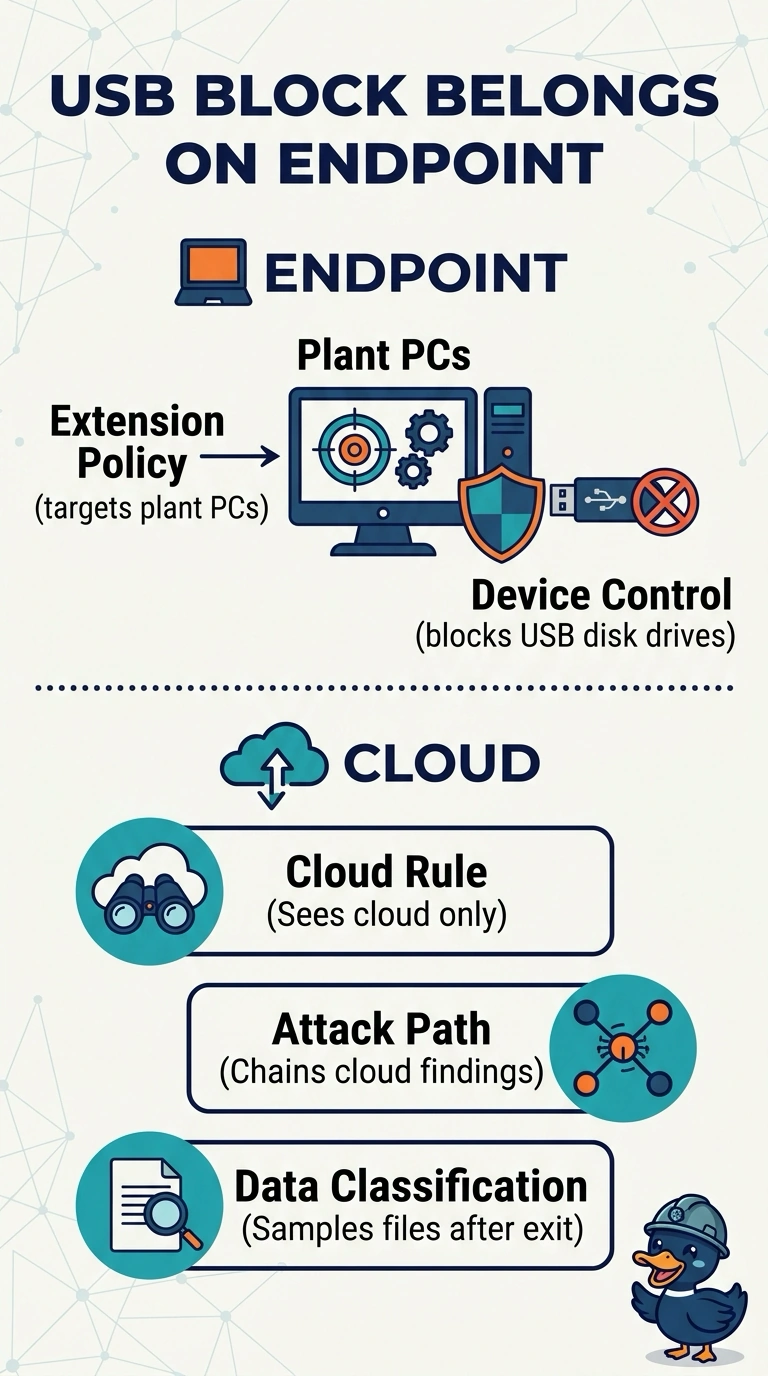
Think of the USB stick as something in your hand when you manage the plant PCs, not a bucket in the cloud account. You can block USB Disk Drives with Device Control and apply its Extension policy to the intended supported Windows/macOS agents. A cloud configuration rule scoped to the plant account alone cannot block a USB device inserted in a PC.
Full Explanation
Device Control is the endpoint capability that governs removable media on a host with the agent. Configure USB Disk Drives blocking in Device Control and attach its Extension policy to the intended supported Windows/macOS agents. That policy assignment is what enforces the block on the plant PCs; an unassigned profile leaves the host unprotected. A cloud configuration rule scoped to the plant cloud account evaluates cloud posture, such as a public resource or a baseline miss. It has no view of a USB device inserted in a PC, so it cannot block the stick. An attack-path policy that chains public storage to an over-privileged role reports a chain of cloud findings. A USB insert is not that chain and creates no cloud path to report. A data-classification profile that samples files only after they have already left the USB device evaluates patterns such as card numbers or other sensitive data in scanned objects. It does not block a device at the endpoint, and sampling after exfiltration is not prevention on the PC. Exam caveat: sampling files after they leave the device is not Device Control blocking the stick on the PC. Practical check: confirm the plant PCs receive the Extension policy, then test one USB insert on a pilot PC before wider rollout.