
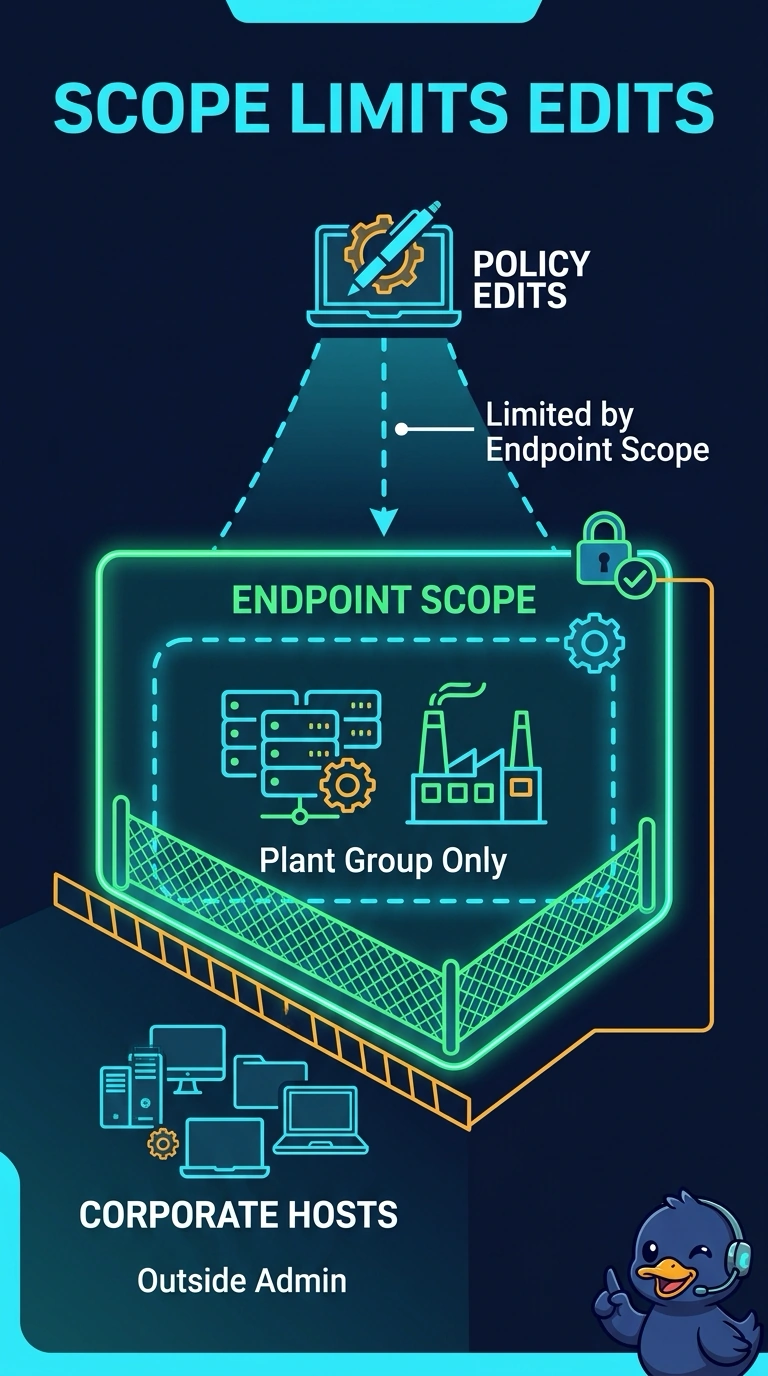
A plant administrator can edit prevention profiles for plant endpoints but cannot change the corporate laptop prevention profile. Endpoint scope for that admin includes only the plant group. Why is the corporate profile locked?
Select an answer to reveal the explanation.
Short Explanation
Think of endpoint scope as the set of keys on your badge, not the list of every lock in the building. You can edit prevention where your endpoint scope reaches, and the corporate laptops are outside it. The trap is treating a healthy plant role as permission to rewrite the corporate profile.
Full Explanation
Policy management for endpoint protection is limited by endpoint scope. This administrator scope includes the plant group and does not include the corporate hosts, so the corporate prevention profile stays locked even though plant profiles remain editable. That is the scope working as designed, not a broken profile. A static asset group used as a dashboard filter is an inventory and access topic. Static groups cannot be an access scope at all, and they do not decide who may edit an endpoint prevention profile. Calling the corporate profile a cloud configuration standard moves the control into posture. Prevention profiles, extension profiles, and exceptions are endpoint objects. A configuration standard does not become the corporate laptop profile and does not explain this lock. The plant Broker VM bridges a closed network for endpoint routing, log collection, and file forwarding. It does not replace endpoint scope when someone opens a profile to edit it. Exam caveat: a dashboard the role may open can still look empty when asset scope excludes the underlying data, but that is asset scope, not the endpoint-scope limit on this profile edit. Operational check: compare the admin endpoint scope with the corporate group membership and confirm the corporate hosts are absent before anyone elevates the role.