
A new clinic was added in the directory and its PCs check in with the agent. They were never placed in the endpoint group that carries the clinic prevention profile. What is assigned to those PCs?
Select an answer to reveal the explanation.
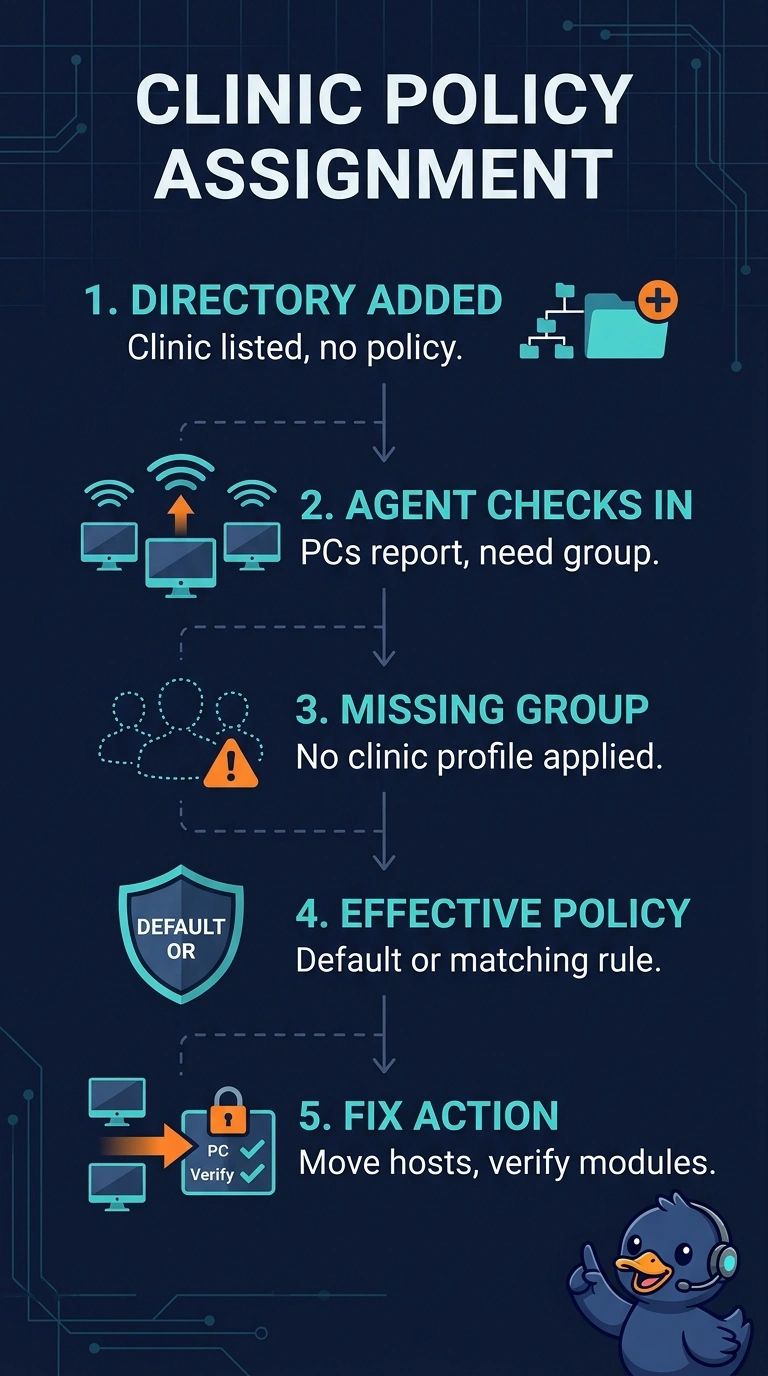
Short Explanation
Think of the directory as the phone book and the endpoint group as the key ring. You added the clinic to the book and never put those PCs on the ring that holds the prevention profile, so until the intended clinic policy actually targets them you keep default protection. Verify the effective policy, which may be default or another matching rule, and its module settings.
Full Explanation
Endpoint groups decide which prevention profile hits which machines. A profile that is not assigned does not protect the host. These clinic PCs check in, which shows the agent is running, and they were never added to the group that carries the clinic profile, so they receive the default or another matching prevention policy, until the intended clinic policy actually targets them. Cortex agents receive default malware profiles; missing the clinic custom group does not imply no protection. Verify the effective policy, which may be default or another matching rule, and its module settings. Directory membership does not assign that profile on its own. A cloud configuration rule for the clinic subscription evaluates cloud posture. It does not attach an endpoint prevention profile and it does not block malware on the PCs in place of that profile. Broker VM hardening rules are for the closed appliance that bridges endpoint routing, log collection, and file forwarding. The broker is not an endpoint group, and sitting on the plant side of it does not apply the clinic prevention profile to the new PCs. Exam caveat: a machine can check in and still show default protection, so a green agent status is not proof of the clinic policy. Operational check: compare the new clinic PC list with the endpoint group bound to the clinic prevention profile and move the missing hosts into that group.