
A community college delivers Windows lab desktops through a virtual-desktop connection broker. Students need runtime prevention on the desktops they actually use. Where does the XDR agent belong?
Select an answer to reveal the explanation.
Short Explanation
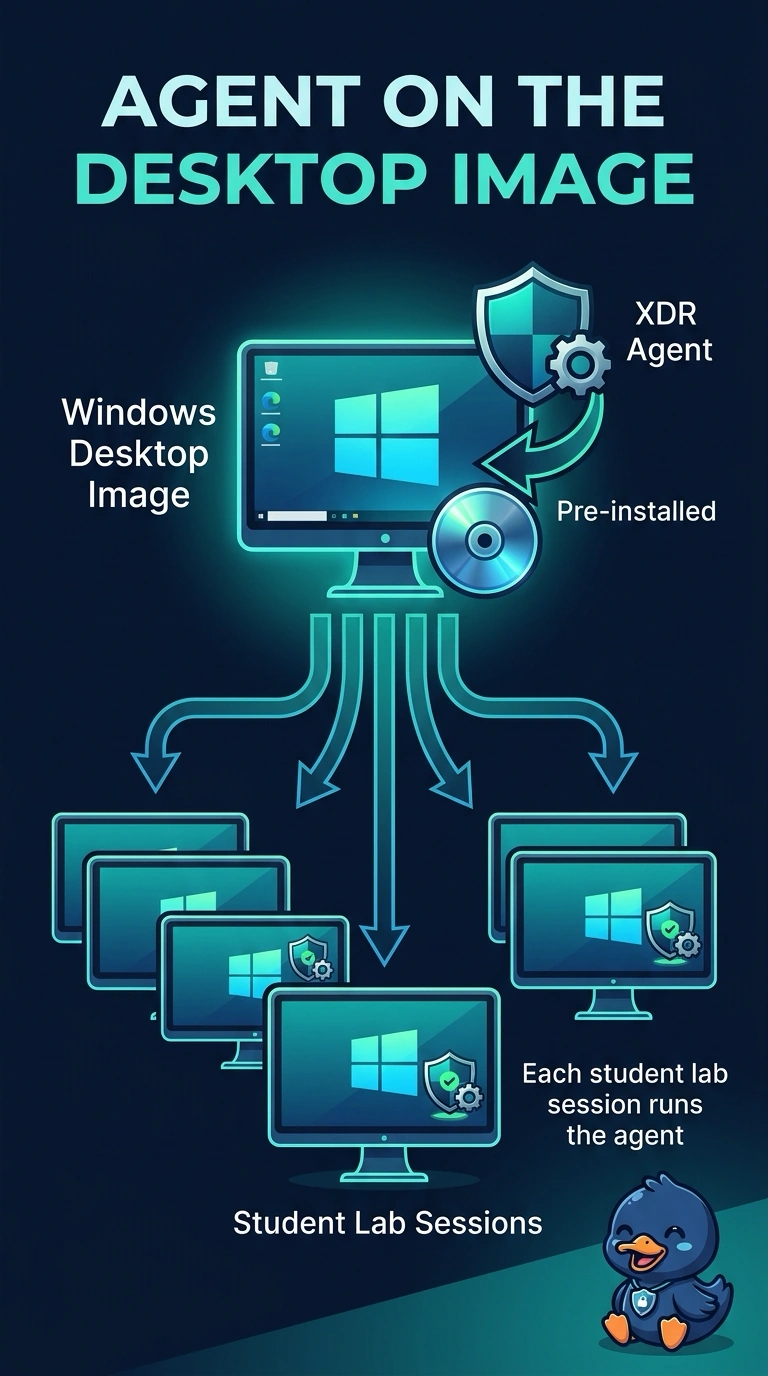
Think of the connection broker as the receptionist who points you to a room, not the lock on the room. You want runtime prevention on the lab desktops, so the agent belongs on the desktop image. The trap is installing it on the broker that only hands out the session.
Full Explanation
Virtual desktops are endpoints. The XDR agent belongs on the desktop image so each session the student receives already has runtime telemetry and can take a prevention profile. Putting the agent only on the virtual-desktop connection broker protects that one machine, if it is even a supported install, and leaves the desktops students use without an agent. The Cortex Broker VM is a closed appliance that bridges the network. It is not the desktop, and the agent is not installed on it. A Cloud Workload rule for Kubernetes pod specs evaluates cluster resources through the connector. The lab desktops are not pods, and a Rego rule will not prevent a process in a student session. Use the supported virtual-desktop image-preparation workflow and inspect the effective endpoint protection policy. Default malware profiles already apply to installed agents; absence of a separate custom group/profile is not proof of no prevention. Operational check: boot a lab desktop from the image, confirm the agent heartbeats from that desktop, and confirm the connection broker is not the only host in the endpoint group.