
A parks department lead receives a scheduled copy of an XQL report that is empty, while the author of the same query sees rows. What should be fixed first?
Select an answer to reveal the explanation.
Short Explanation
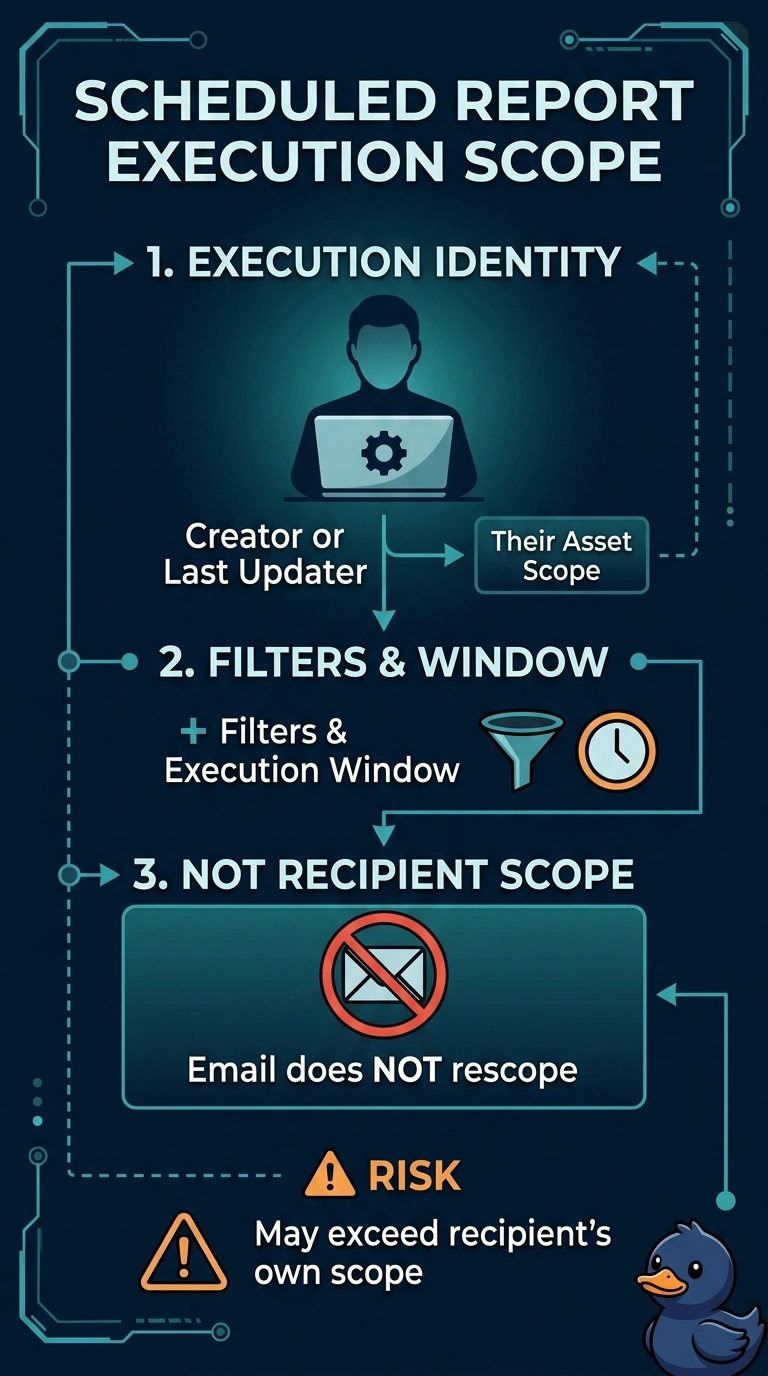
When you see an empty scheduled copy, remember: Scheduled reports execute in the scope of the template creator or last updater, not separately in each email recipient scope. A delivered report may expose data beyond a recipient scope. Compare that execution identity and filters with the successful interactive query before changing authorization.
Full Explanation
Scheduled reports execute in the scope of the template creator or last updater, not separately in each email recipient scope. A delivered report may expose data beyond a recipient scope. Compare that execution identity and filters with the successful interactive query before changing authorization. The empty scheduled copy does not prove the recipient lacks access, because delivery does not re-evaluate per recipient. The correct fix is the asset scope of the user who created or last updated the scheduled report template, plus the report filters and execution window. If that identity changed, or filters narrow to assets with no data in the window, the scheduled output is empty while the author interactive run still returns rows. Rewriting the XQL text to inherit rows misunderstands enforcement, because scope is applied to the execution identity and phrasing changes do not grant access to excluded assets. Treating dashboard layout as causal confuses presentation with retrieval, since widget arrangement never determines which assets a scheduled execution can read. Invoking tenant region as the filter is also incorrect, because region on the recipient account does not explain divergence between the same tenant interactive query and its scheduled copy. Practical check: identify creator/last updater, compare dynamic groups, validate filters and window, then rerun before editing authorization.