
A defense lab keeps images in a Docker registry that cloud scanners outside the lab network cannot reach. Cloud scan is the tenant default, and that registry produces no image findings. The registry is reachable from an approved cloud-outpost network connected to the lab, and that is the chosen scanning mode. Where should scanning of this registry run?
Select an answer to reveal the explanation.
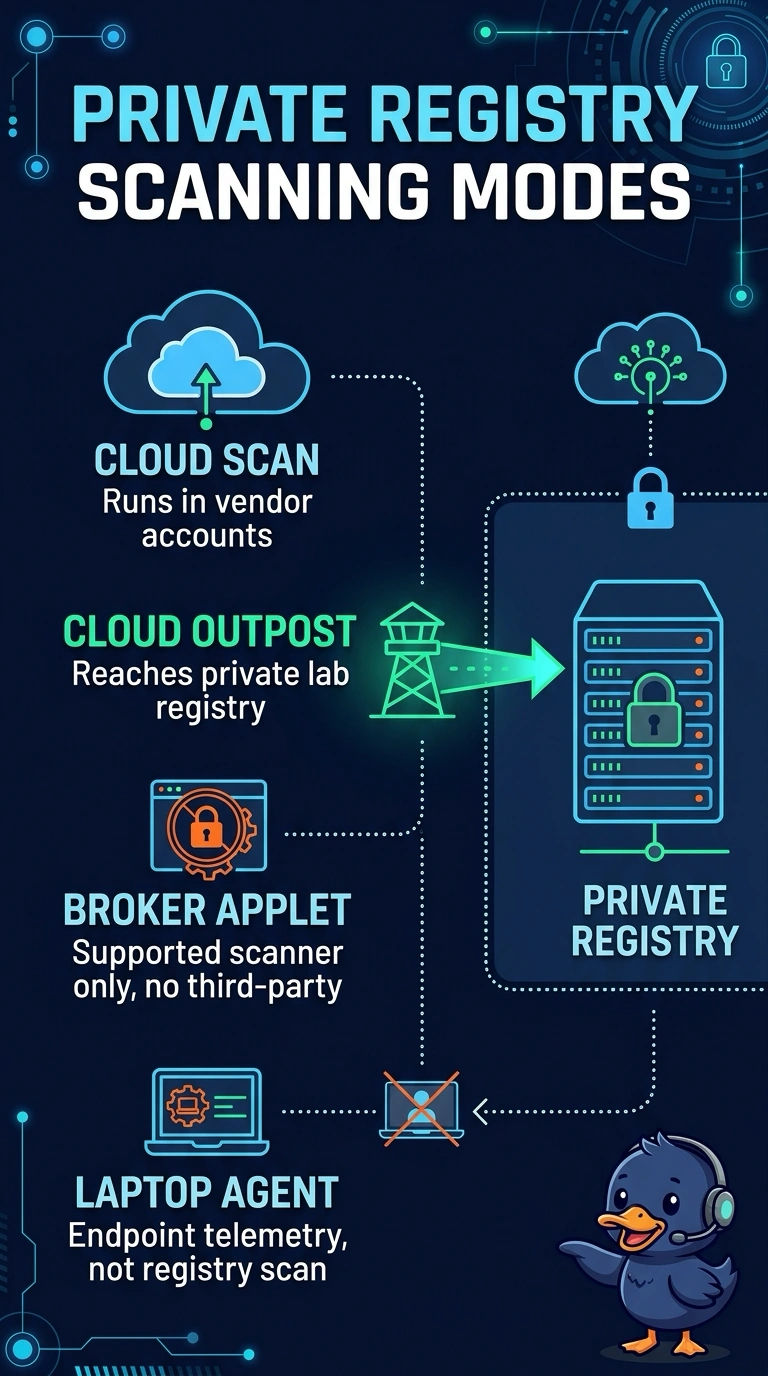
Short Explanation
Cloud scan runs from Palo Alto Networks’ own accounts, so it can’t reach a registry hidden behind your lab network. Run the scan on the cloud outpost, whose scanner network can reach the registry. A laptop heartbeat or third-party software on a Broker VM doesn’t turn either into the registry scanner described here.
Full Explanation
Cloud scan runs scanners in Palo Alto Networks accounts, so a registry those scanners cannot reach will not produce image findings. The cloud outpost is the correct choice because its scanner network can reach the private registry. An outpost is cloud infrastructure, not an on-premises VM installed on a lab VLAN. Entering the registry hostname on the public cloud-scan path does not create a route into the lab. A Broker VM can support documented private-registry scanning with the supported Registry Scanner applet, but installing a third-party registry scanner on the appliance is unsupported. A developer laptop’s Cortex XDR agent provides runtime telemetry for that endpoint; a heartbeat does not make the agent a registry integration or grant it the ability to scan images. Exam caveat: outpost scanner VMs still need egress to the image-source account, or scanning will not start even when the registry itself is private. Practical check: confirm the outpost changes from Pending to Connected, then verify that its scanner subnet can reach both the registry and the image-source account before expecting findings.