
For GitHub SaaS, the integration uses the installed GitHub App. An admin wants that app to hold every organization administrator right so nothing is missed. What permissions should be configured for the integration?
Select an answer to reveal the explanation.
Short Explanation
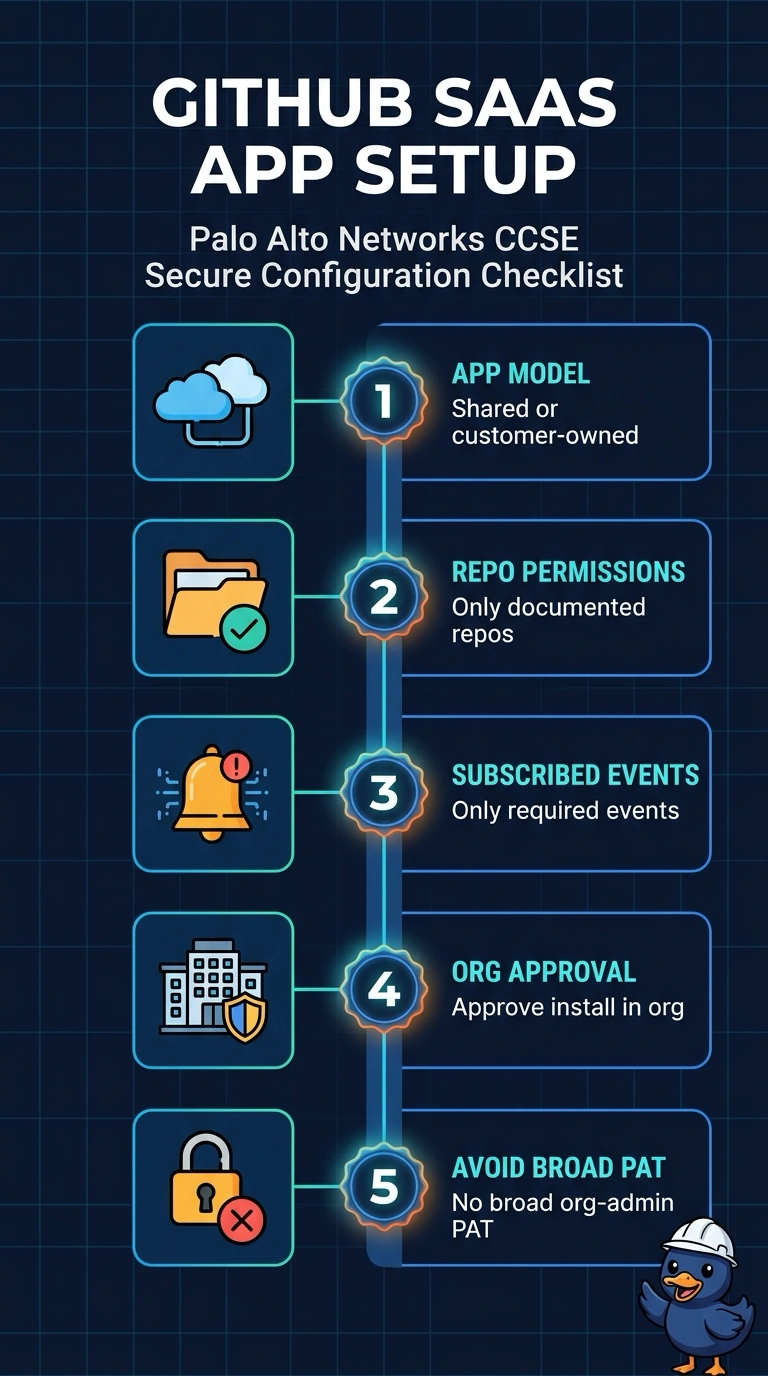
Think of the GitHub App as your contractor badge for specific repository doors, not a master key to the whole organization. You should configure the documented repository permissions and subscribed events for your ownership model. Full organization administrator rights and an AWS onboarding role widen access and mix identities without making the integration more correct.
Full Explanation
GitHub SaaS uses either the shared or customer-owned GitHub App, with automatically rotated installation tokens. Configure the documented repository permissions and subscribed events for the chosen ownership model, and obtain organizational approval; this allows deliveries to flow without excess privilege. Full organization administrator rights plus the AWS role used for cloud onboarding are broader than the integration needs and mix a cloud identity into a development-system credential. No scopes at all will not work: an administrator’s browser login does not establish that the machine credential can access the required resources. A tenant API key role pasted into GitHub also fails by type: it carries a Cortex role for API access and cannot replace repository permissions and subscribed events on the organization. Exam caveat: permissions and events depend on the selected GitHub App ownership model, so do not assume the shared and customer-owned configurations are identical. Practical check: compare the installed app’s permissions and subscribed events with the integration requirements, remove any unneeded organization administrator rights, and send one test event.