
Developers run cortexcli on their laptops before they push. The merge commit on the protected branch is never scanned, and the pipeline has no CLI step. What covers that commit?
Select an answer to reveal the explanation.
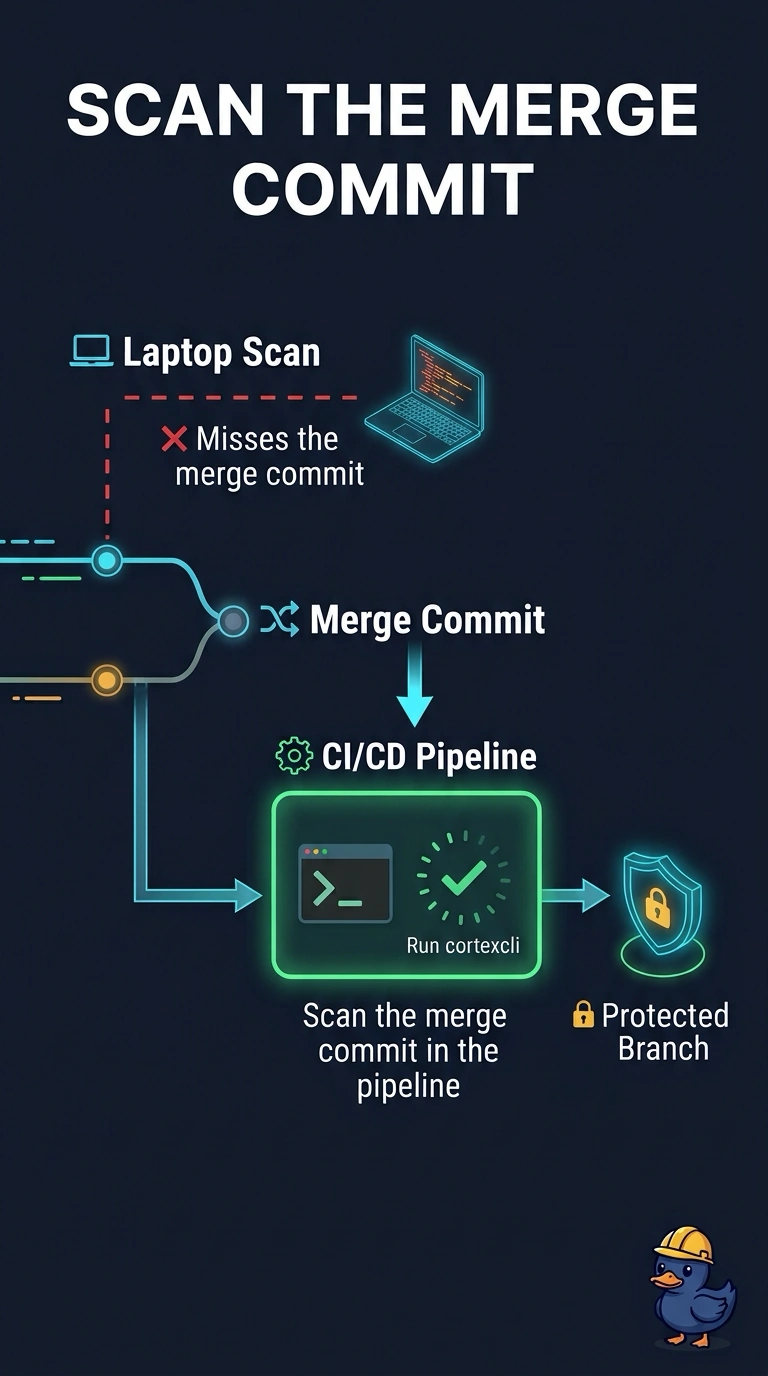
Short Explanation
Checking your pockets at home does not inspect the bag that was packed at the airport. You need cortexcli in the pipeline, on the merge commit, because a laptop scan never sees that commit. The trap is reinstalling the binary, or switching the output format, and expecting the server-side commit to appear.
Full Explanation
cortexcli runs on a workstation, a Git hook, or CI. A scan on a laptop sees the tree on that laptop. It does not see the merge commit created later on the protected branch. The pipeline has no CLI step, so nothing scans that commit until cortexcli runs there. Reinstalling the binary does not enable a policy trigger that was left off, and it does not add a CI step. JSON, SARIF, CycloneDX, SPDX, and JUnit XML are output formats. Changing JSON to SPDX changes the report shape. It does not reach back and scan a commit the laptop never had. The IDE Scan trigger reports in the editor. Open editors do not evaluate a server-side merge commit, and an IDE trigger does not block the merge. Exam caveat: the CLI enforces a gate only when the pipeline treats its exit status as a failure. Adding the step without failing the job on that status still lets the branch advance. Operational check: add a pipeline step that runs cortexcli on the merge commit, fail the job on a non-success exit status, and confirm a laptop-only scan no longer is the only result for that branch.