
A consultant tries to create a new secret-scanning rule by running cortexcli on a laptop. The command can scan, and it cannot save a tenant policy. Where should that policy be authored?
Select an answer to reveal the explanation.
Short Explanation
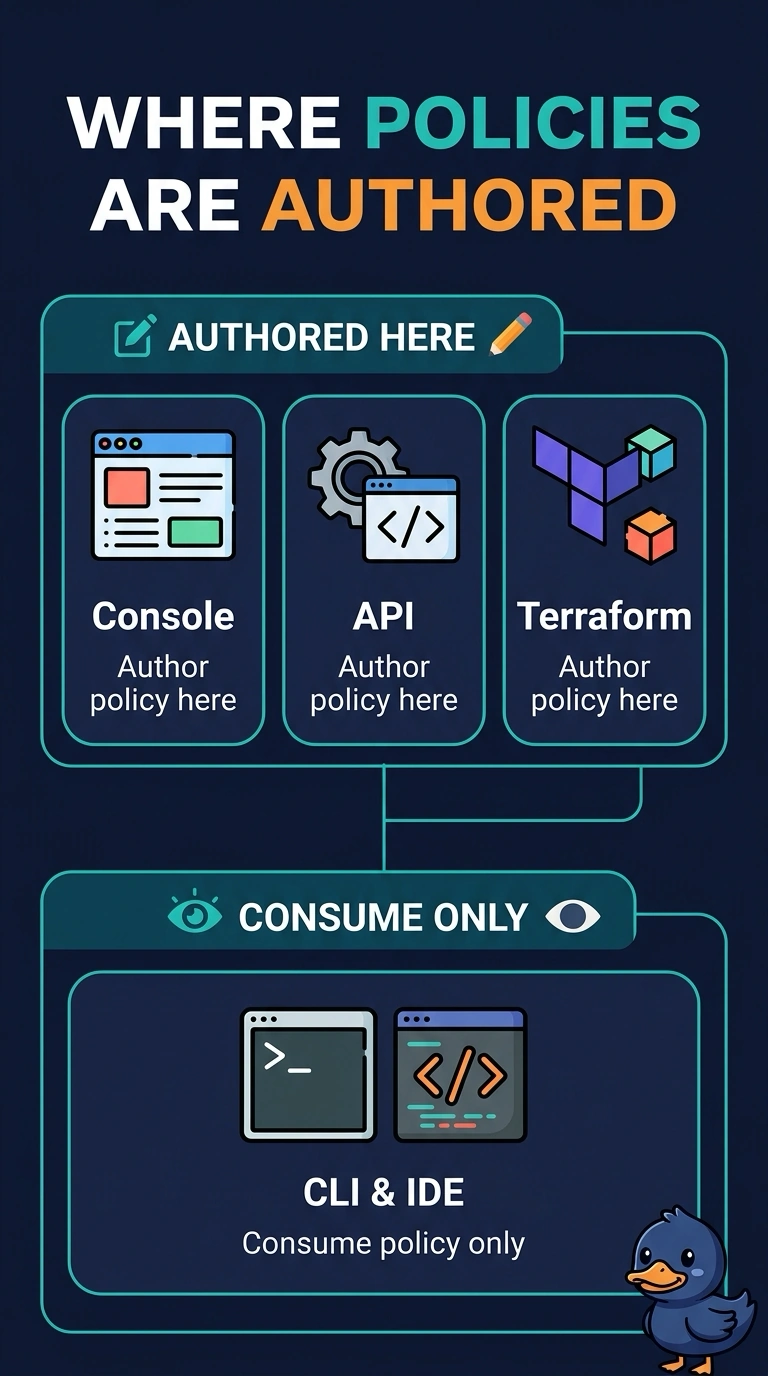
Think of the CLI as a reader of the house rules, not the pen that writes them. You can scan from a laptop all day, and the policy still has to be authored in the console, the API, or Terraform. The trap is hiding a local config on the laptop and calling it the tenant policy.
Full Explanation
The CLI and the IDE consume policy. They do not create, edit, or delete it. Policy authoring is the console, the API, or Terraform. cortexcli on the laptop can run a scan against the policy that already exists and cannot save a new secret-scanning rule into the tenant. IDE plugin settings on each workstation are local to the editor. They are not the authoring path, and editors that run the CLI engine still cannot edit the unified policy. A local CLI configuration file might hold a key or a preference. The pipeline does not promote that file into a tenant policy, and disabling a policy in Terraform is the durable change when removal is the goal. A Cloud Workload Python rule is the XDR agent scanner for a live host, and it runs only when a Cloud Workload policy includes it. It is not the unified application policy and it does not scan the pull request. Exam caveat: installing the binary does not enable a policy trigger you left off. Authoring the rule and turning on the CI or pull-request trigger are both required. Operational check: create the secret rule in the console, API, or Terraform, then run the CLI and confirm it enforces that tenant policy rather than a file that exists only on the laptop.