
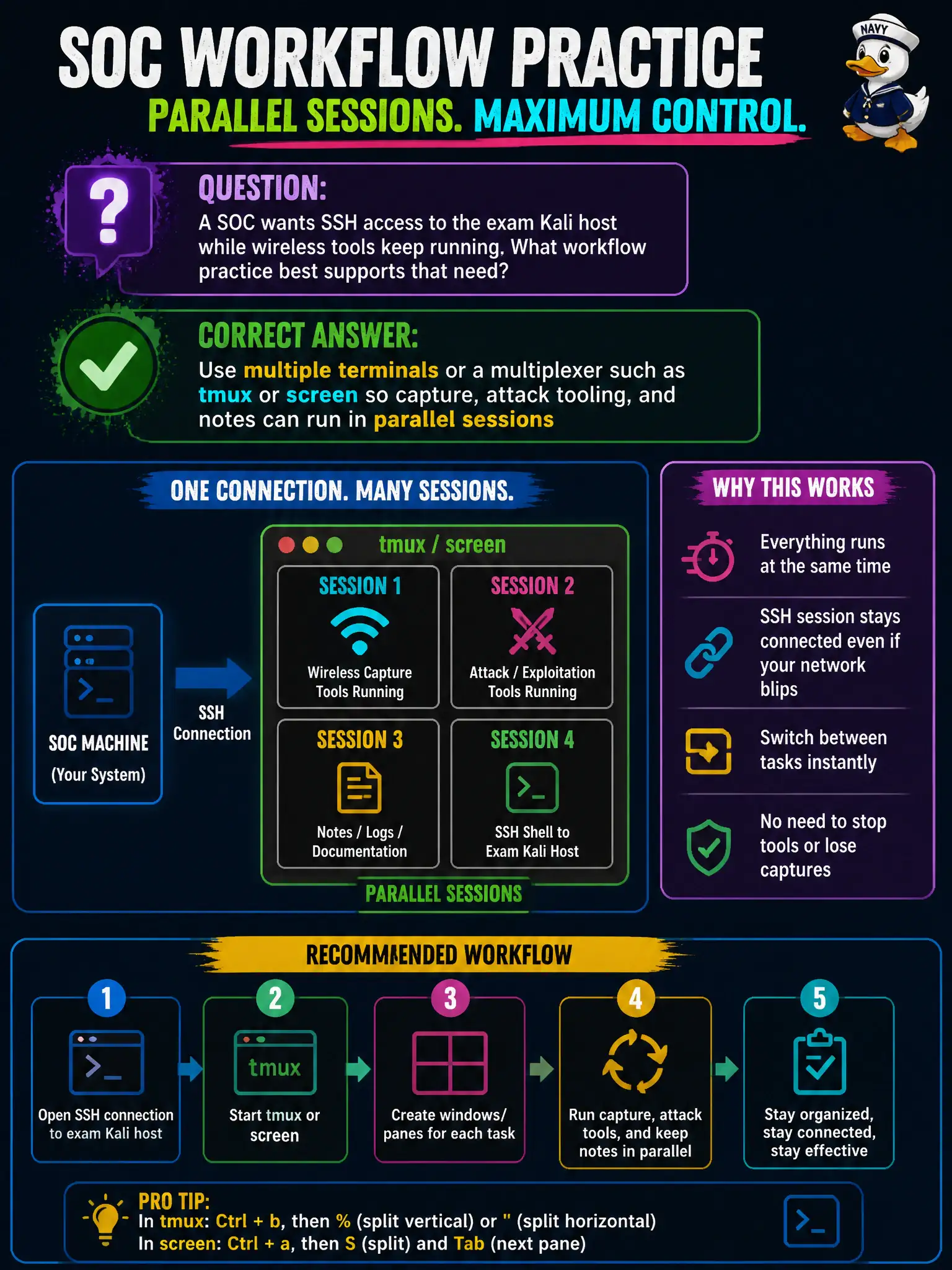
A SOC wants SSH access to the exam Kali host while wireless tools keep running. What workflow practice best supports that need?
Select an answer to reveal the explanation.
Short Explanation
Wireless work is a three-ring circus: capture in one ring, tooling in another, notes in the third. tmux or extra shells keep the show running while you SSH in. One lonely foreground window makes you drop plates.
Full Explanation
Authorized wireless work on an exam or municipal Kali host almost always needs parallel sessions: one for long-running capture, one for injection or other tooling, and one for notes, SSH, or chat with the SOC. Terminal multiplexers such as tmux or screen—or simply multiple terminals—keep those streams alive while remote SSH observers attach without killing the wireless processes. That workflow practice is how civic teams maintain continuity when the assessment laptop must stay reachable and productive at the same time. Stopping all wireless tools whenever SSH connects because only one process may own the keyboard fails by concept: multi-user and multi-session Linux hosts routinely run concurrent processes; SSH does not require halting airodump-ng. Running every tool in a single foreground shell and pasting notes only after each command finishes fails by concept: capture windows are long-lived and will be interrupted by that serial habit. Disabling SSH and relying solely on local GUI clicks fails by concept: it blocks remote SOC collaboration the stem requires and does not improve RF correctness. Exam caveat: multiplexing helps operations, but shared sessions still need operational security—limit who attaches, avoid pasting credentials into shared panes, and keep engagement notes in the approved repository. Operational check: start a named tmux session for the county engagement, detach with capture still running, SSH back in, reattach, and confirm airodump-ng or related tools continue writing to the labeled evidence path without restart.