
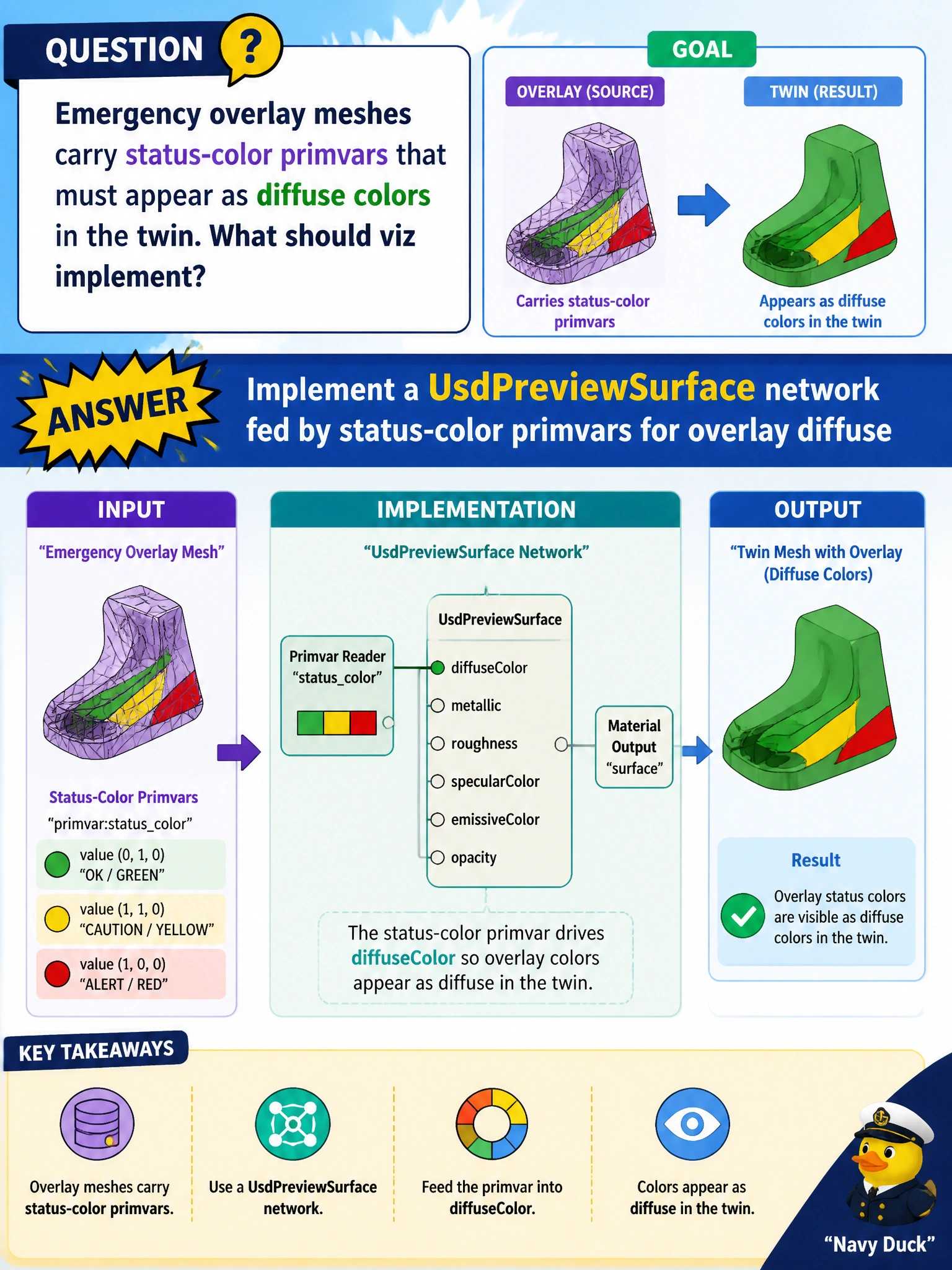
Emergency overlay meshes carry status-color primvars that must appear as diffuse colors in the twin. What should viz implement?
Select an answer to reveal the explanation.
Short Explanation
Status colors on emergency overlays are the twin's traffic lights—feed those primvars into a UsdPreviewSurface network so diffuse shows the live incident state.
Full Explanation
Emergency overlay meshes encode operational status as status-color primvars that incident commanders need to see as shaded color in the twin. Implementing a UsdPreviewSurface network fed by those status-color primvars for overlay diffuse maps live incident state onto visible materials without muting the overlays or moving colors into non-USD channels that disappear when chat scrolls away.
Muting all overlay meshes during every incident hides the very layers emergency management must see during response. Taking diffuse colors only from printer ICC profiles confuses print calibration with scene primvars and does not read mesh status channels. Storing status colors solely in chat messages outside USD leaves the twin uninformed for anyone who opens the stage without the chat history.
Exam caveat: status-color primvar names and value ranges should be documented for the emergency overlay schema so every incident package feeds the same PreviewSurface readers. Ad-hoc chat hex codes will not drive the network even if responders agree verbally on colors.
Operational check: publish an overlay with status-color primvars, confirm the PreviewSurface network samples them for diffuse in the emergency twin viewer, change a status-color value to another incident state, reload and verify viz updates, mute overlays on a negative test to show why muting fails ops needs, then keep primvar-fed PreviewSurface as the overlay viz standard.