
Library kiosk GPUs appear slow and nvidia-smi reports thermal throttle. What should ops conclude first?
Select an answer to reveal the explanation.
Short Explanation
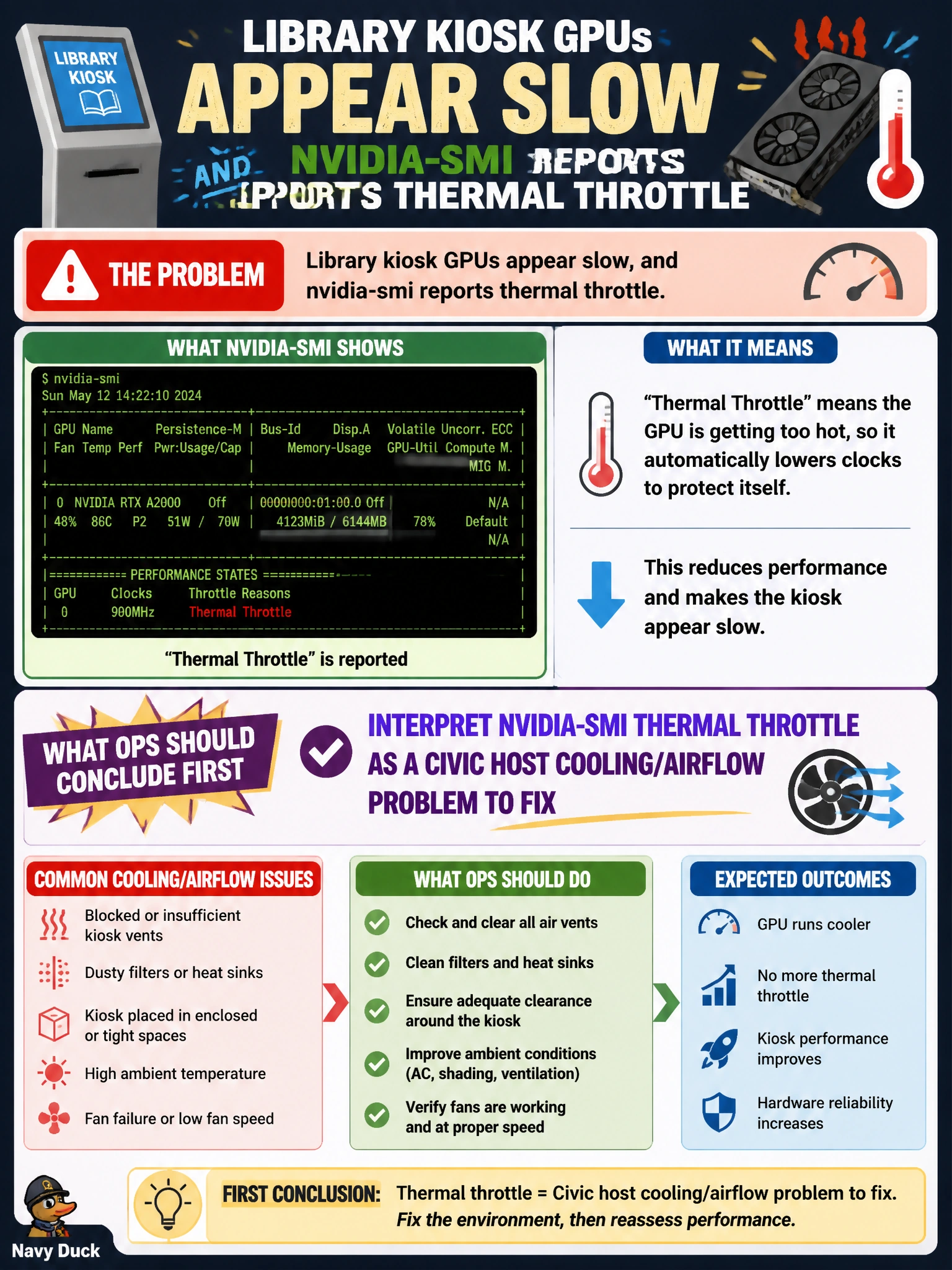
Thermal throttle on library kiosks is the GPU saying the room is too hot—fix airflow before rewriting models. Reinstalling CUDA for heat is treating the thermometer, not the AC.
Full Explanation
Interpreting nvidia-smi thermal throttle as a civic host cooling or airflow problem to fix first is correct for library kiosk GPUs that appear slow with thermal throttle reported. Thermal throttle means the GPU is protecting itself by reducing clocks because temperature limits were hit. That is an environmental or chassis cooling issue—dust, blocked vents, failed fans, poor kiosk airflow—not proof that the model architecture is invalid.
Concluding the model architecture is invalid whenever any temperature rises fails by causal category error: heat is hardware thermal behavior, not a verdict on layers and losses. Assuming thermal throttle always means the CUDA toolkit must be reinstalled fails by remediation mismatch—reinstalling toolkits does not restore airflow. Telling facilities to ignore airflow because throttle is software-only fails by ownership: facilities and platform ops own cooling; software teams should not dismiss thermal evidence.
Exam caveat: after cooling is restored, re-check nvidia-smi for sustained clocks and absence of throttle under load. Persistent throttle after airflow fixes may indicate sensor or hardware faults needing deeper DCGM/NVSM work—but the first conclusion from thermal throttle is cooling, not CUDA reinstall.
Operational check: record temperatures and throttle clocks from nvidia-smi on the kiosk host, inspect intake/exhaust and fan status, remediate airflow with facilities, then re-run a controlled load and confirm clocks recover without throttle.