
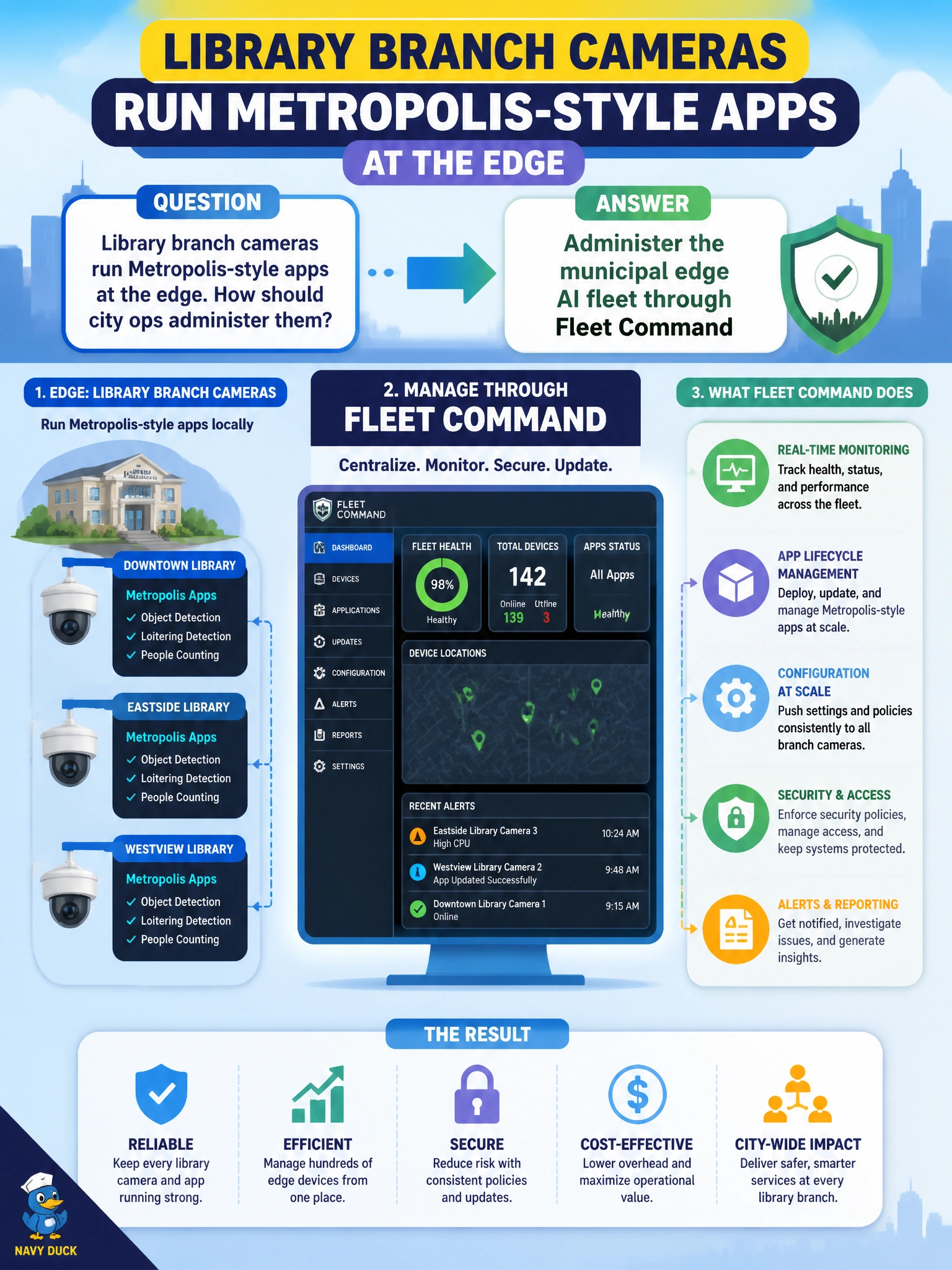
Library branch cameras run Metropolis-style apps at the edge. How should city ops administer them?
Select an answer to reveal the explanation.
Short Explanation
Edge cameras at libraries belong under Fleet Command—one ops desk, many branches. Pure SSH, paper mail, and USB couriers do not scale. Fleet tooling is how civic edge AI stays administered.
Full Explanation
Administering the municipal edge AI fleet through Fleet Command gives city ops a scalable control plane for library branch cameras running Metropolis-style apps. Fleet Command centralizes enrollment, inventory, updates, and health for many edge sites so branches are not snowflake hosts. Civic edge AI at library scale needs fleet tooling the same way the city needs a single ops desk for distributed buildings—not one-off access per camera.
Only ad-hoc SSH to each camera host with no fleet tooling fails by concept because SSH does not provide fleet inventory, staged rollouts, or consistent policy across branches and does not scale as camera counts grow. Paper checklists mailed weekly to every branch fail because paper cannot push models, collect health, or respond in near real time. Manual USB updates carried by courier with no inventory fail because couriers lack provenance, speed, and authoritative device inventory.
Exam caveat: Fleet Command items emphasize centralized edge administration versus DIY access methods. SSH remains useful for break-glass, but it is not the fleet administration answer. Edge apps still need network reachability and enrollment hygiene; Fleet Command does not replace physical install or site networking.
Operational check: enroll a pilot library branch’s edge hosts in Fleet Command, confirm inventory and health appear in the console, push a non-production Metropolis-style update to that location only, verify cameras recover application health, then expand enrollment branch by branch with rollback criteria documented.