
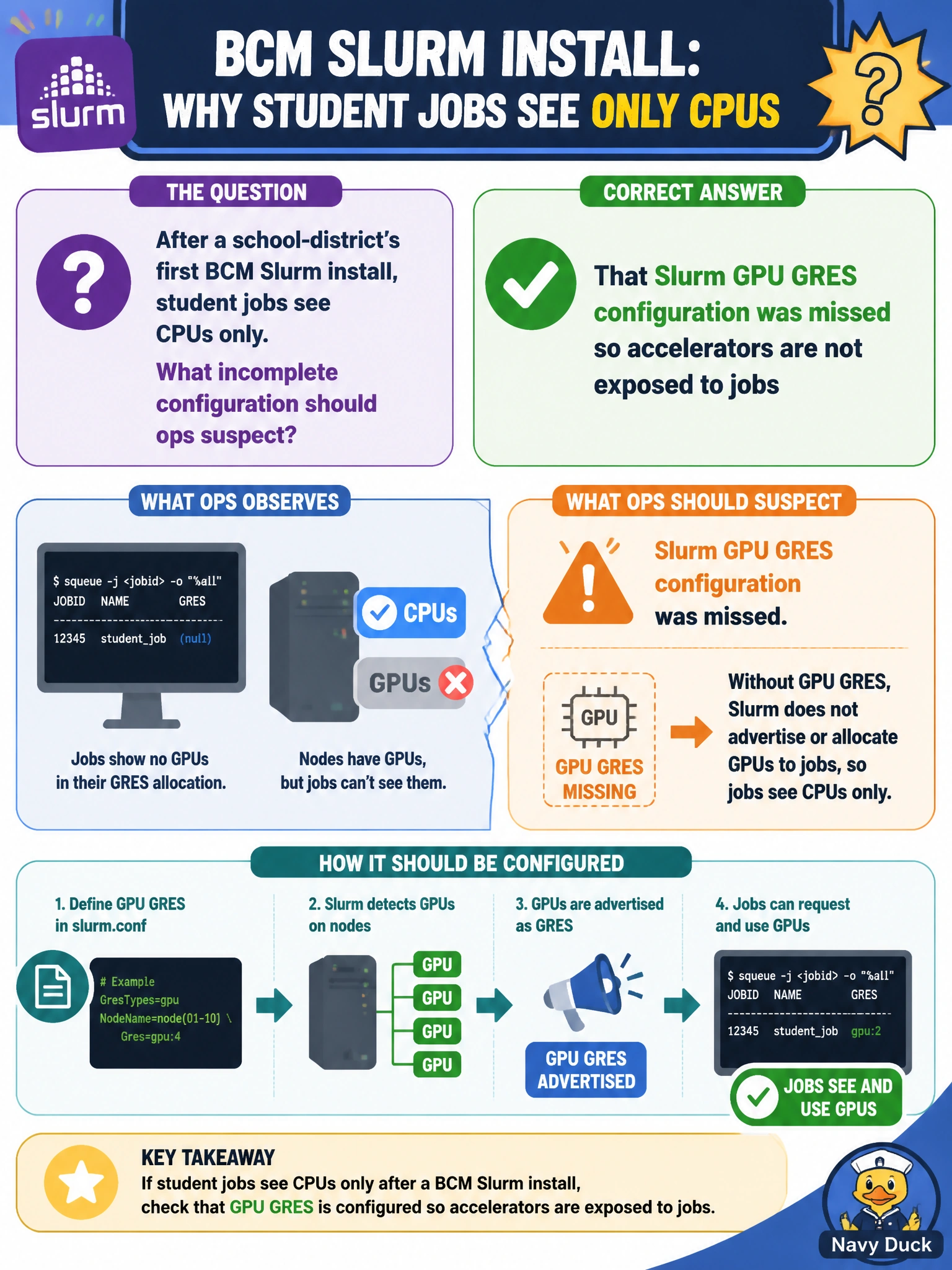
After a school-district’s first BCM Slurm install, student jobs see CPUs only. What incomplete configuration should ops suspect?
Select an answer to reveal the explanation.
Short Explanation
Student jobs stuck on CPUs after Slurm install usually means GPU GRES never got wired—fix that config. Fancy login banners and happy CIO reports do not advertise GPUs to the scheduler. Wire GRES, then the lab sees accelerators.
Full Explanation
After a school-district's first BCM Slurm install, student jobs that see CPUs only usually mean Slurm GPU GRES (or equivalent GPU resource configuration) was never completed. Without GRES advertisement, the scheduler cannot allocate accelerators even if GPUs are physically present. Completing GPU resource configuration is the fix path for civic lab visibility and is a distinct step from 'Slurm installed.' Students otherwise burn CPU-only jobs while GPUs sit unused.
Friendly login banners do not advertise GPU GRES to the scheduler. Successful BCM documentation reports and a CIO monthly utilization summary can all look fine while GRES remains missing, because reporting features are not the same as resource definition for job allocation. Treat those green checkboxes as unrelated to accelerator advertisement for student jobs.
Exam caveat: Slurm GPU usability requires GRES (or equivalent) configuration after install—reporting success is not GPU scheduling success. Operational check: configure and verify GPU GRES on the Slurm nodes via the BCM-managed Slurm path, confirm GPU resources in sinfo/scontrol or BCM equivalent, submit a student GPU job, and confirm it allocates accelerators rather than CPU-only.