
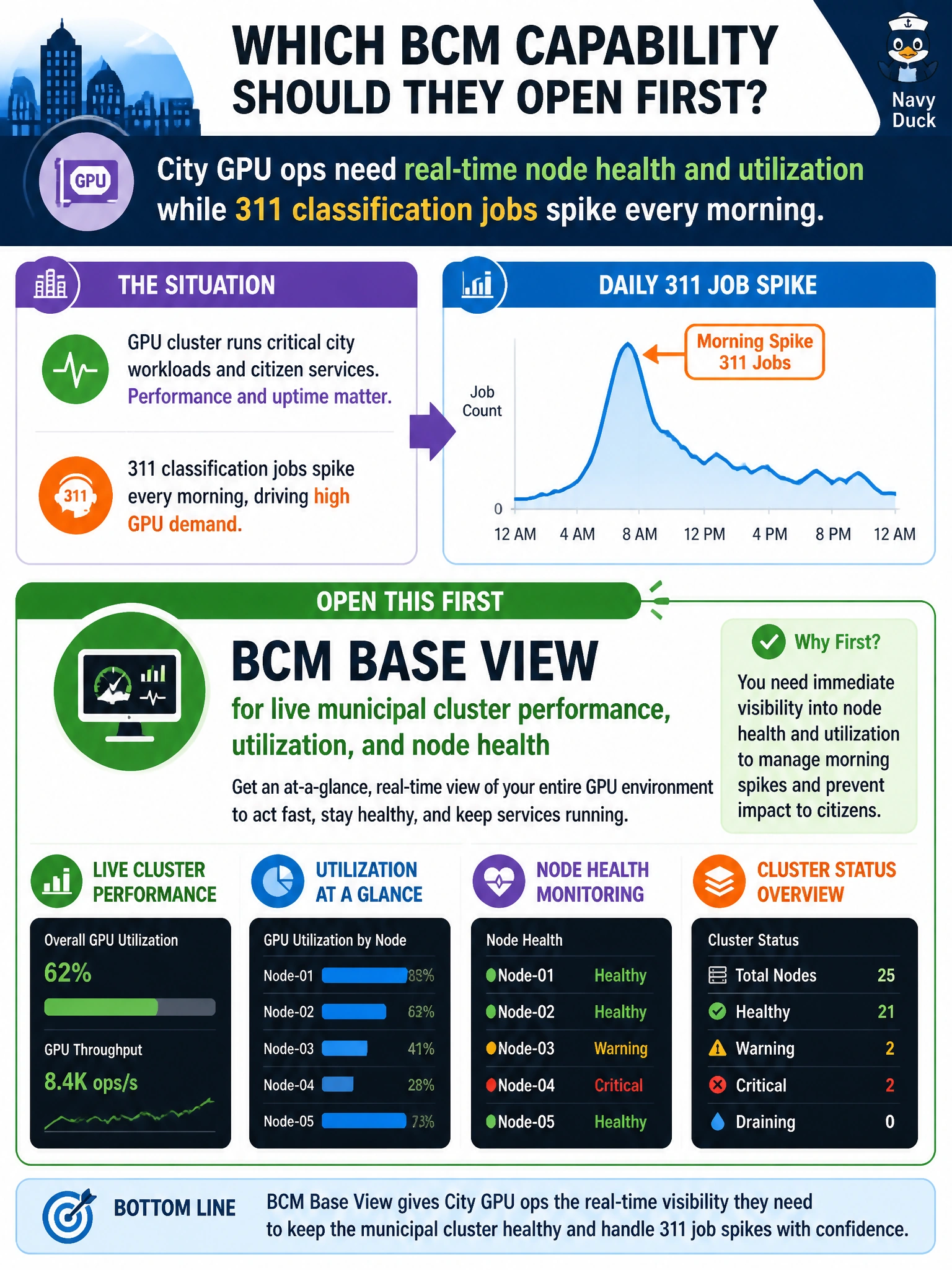
City GPU ops need real-time node health and utilization while 311 classification jobs spike each morning. Which BCM capability should they open first?
Select an answer to reveal the explanation.
Short Explanation
Morning 311 spikes are like rush hour—you want the live traffic map, not last year’s road study. Base View gives you live performance, utilization, and node health for the civic cluster. A static PDF, an NGC catalog without telemetry, or library-kiosk enrollment screens won’t show you which city GPU nodes are struggling right now.
Full Explanation
When city GPU ops need real-time node health and utilization during morning 311 classification spikes, BCM Base View is the first pane to open because it provides live cluster performance, resource utilization, and node health on the managed municipal fabric. Peak 311 load is a triage problem: you need to see which nodes are saturated or unhealthy and whether the spike reflects capacity, failure, or a bad job mix. A static PDF capacity plan from last fiscal year may inform budgeting, but it cannot show this morning’s hot nodes or amber health. The NGC catalog search page supports container and model discovery, but without cluster telemetry it cannot tell you whether the civic inference tier is choking. Fleet Command’s edge-enrollment screens for library kiosks address a different fleet task; they do not inspect the city GPU cluster and would waste critical minutes during a downtown BCM-managed spike. Base View keeps you on the live map for the cluster actually serving 311. Exam caveat: Base View provides intra-cluster real-time monitoring, so a problem spanning multiple sites requires broader fleet scope; the question asks which BCM capability to open first for this spike. Practical check: during the morning window, open Base View, sort or filter by utilization and health, correlate amber or red nodes with active 311 jobs, and then decide whether to requeue, scale out, or escalate hardware—not browse the catalog or rely on a fiscal-year PDF.