
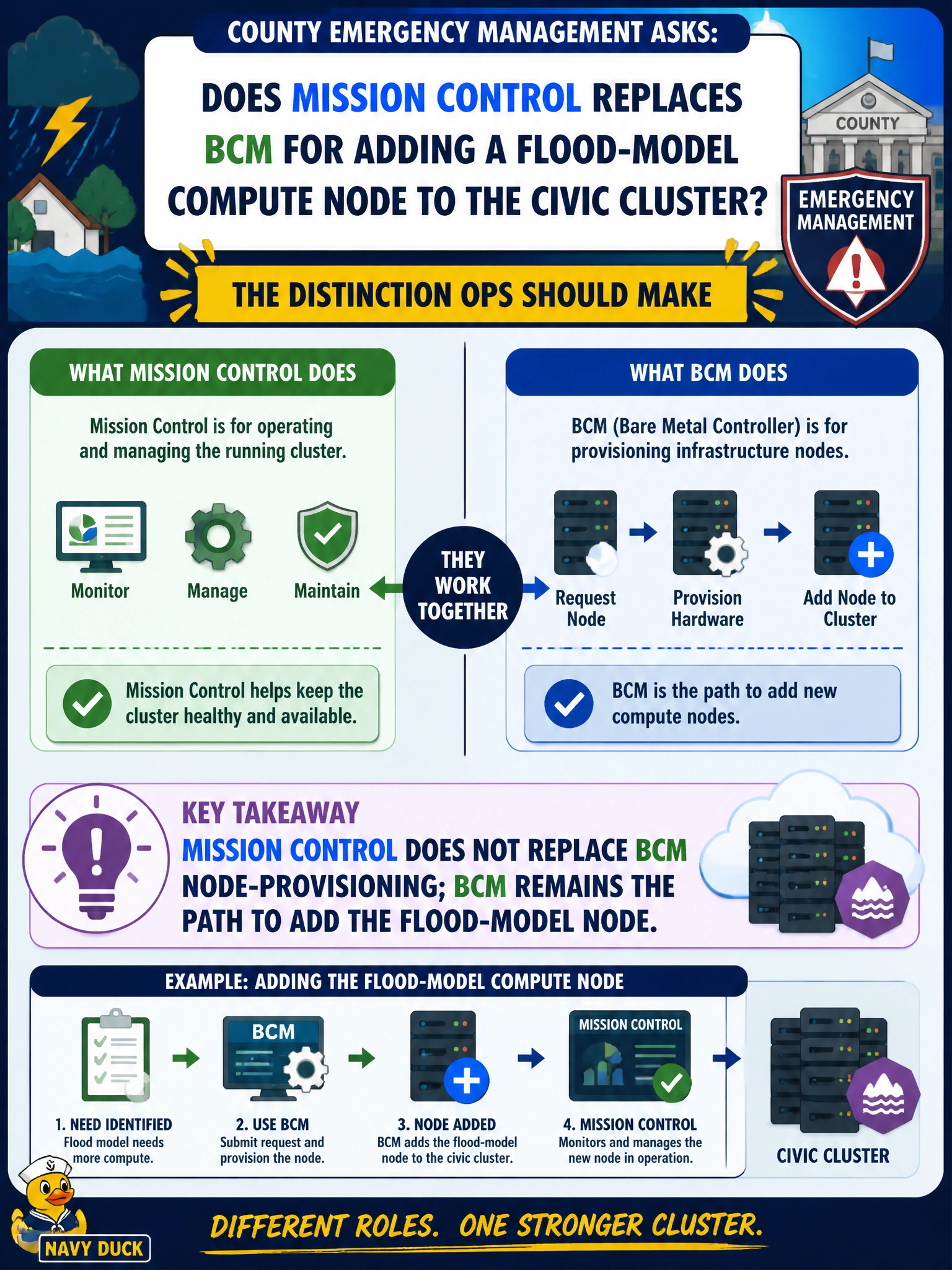
County emergency management asks whether Mission Control replaces BCM for adding a flood-model compute node to the civic cluster. What distinction should ops make?
Select an answer to reveal the explanation.
Short Explanation
Think of Mission Control as the citywide dashboard and BCM as the crew that actually bolts a new server into the rack. You still need BCM to provision the flood-model node—Mission Control does not swap out that install-and-add workflow. Mixing those roles is how emergency clusters get “visible” boxes that were never really joined.
Full Explanation
County emergency management must separate toolkit visibility from cluster management when adding a flood-model compute node. Mission Control does not replace BCM node-provisioning; BCM remains the path that installs, configures, categorizes, and admits the node into the civic cluster so images, networks, and the workload manager can actually use it. Mission Control is oriented to multi-cluster operational visibility and higher-level toolkit workflows—valuable after capacity exists, not a substitute for joining hardware. Claiming Mission Control fully replaces BCM so node adds never use BCM again confuses product roles and produces “visible” capacity that was never provisioned into categories, software images, or schedulers. Adding flood-model nodes only with USB live media and no cluster manager leaves orphans outside BCM inventory: no golden image sync, no consistent drivers, no managed RDMA settings. Asserting BCM is unused for civic clusters and that Mission Control alone provisions every node is factually inverted for NCP-AIO install/deploy practice—municipal GPU estates still need BCM as the cluster manager. Exam caveat: after BCM successfully admits the flood-model node, Mission Control may help observe that capacity in a multi-cluster civic picture, but admission still flows through BCM. Operational check: provision via BCM, confirm the node appears in the correct category with expected image and network profile, run a smoke flood-model job, then validate the new capacity shows correctly in higher-level fleet views without treating those views as the installer.