
A city technician must replace a failed GPU in a municipal HGX host. Which replacement practice is required?
Select an answer to reveal the explanation.
Short Explanation
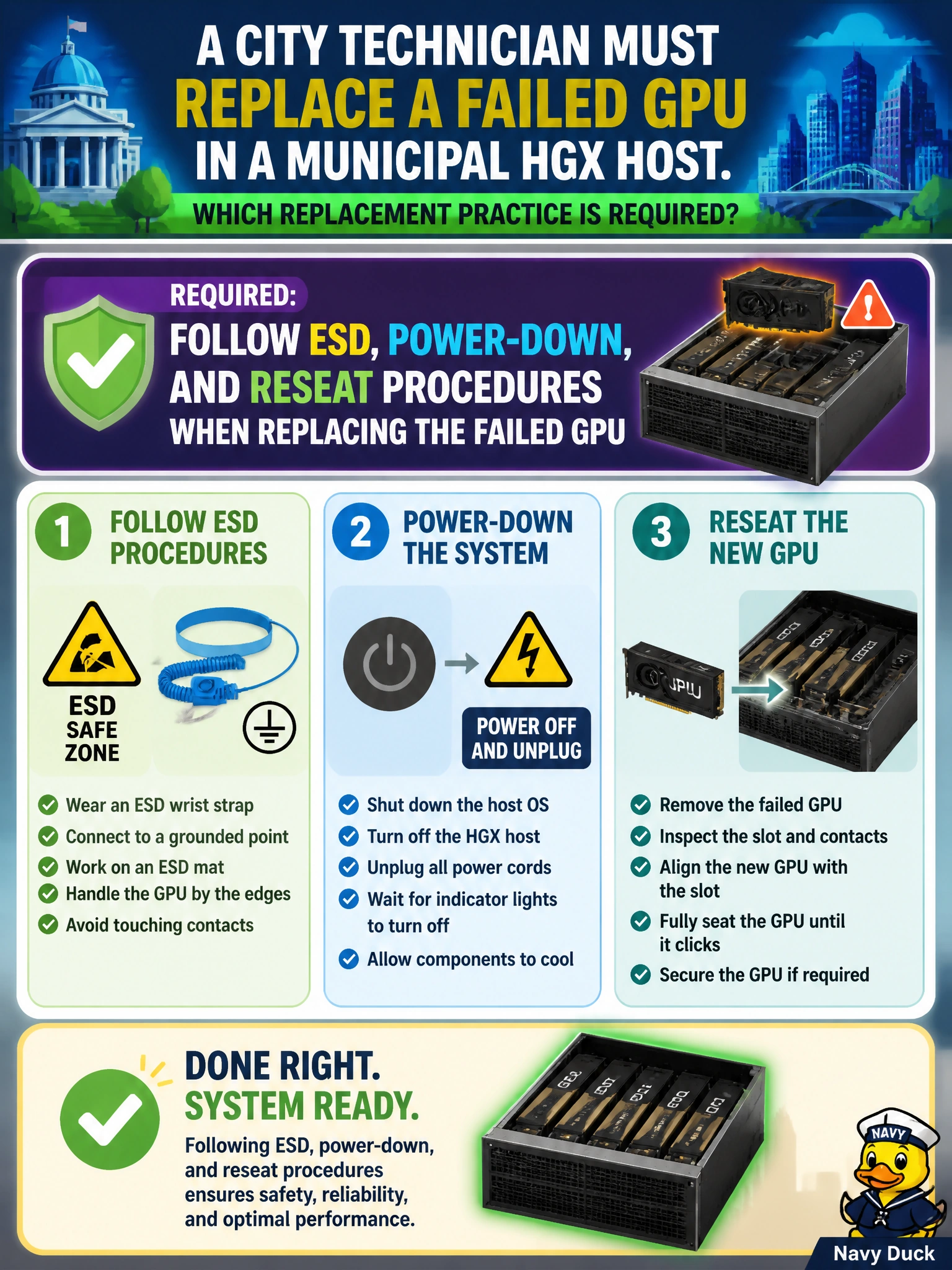
Replacing a GPU isn’t a race-pit stop with the engine roaring: you power down, use ESD protection, and reseat the card properly. Your city’s HGX host is more likely to stay healthy when you follow the replacement procedure.
Full Explanation
A city technician replacing a failed GPU in a municipal HGX host must follow ESD, power-down, and reseat procedures rather than improvising a live removal. This replacement practice protects expensive HGX hardware and adjacent devices from electrostatic and mechanical damage during the FRU swap, and helps keep support eligibility intact. A procedure-compliant replacement also reduces the chance that a half-seated card causes secondary PCIe or power faults when the host returns to service. Hot-swapping the GPU while training jobs keep running on sibling GPUs without guidance ignores platform rules and can crash those jobs or damage the board. Skipping ESD protection because the chassis is grounded somewhere still leaves the card and technician vulnerable to discharge during handling. Leaving the host fully powered and immediately yanking the card risks shorting power rails and may jeopardize support for the municipal HGX system. Exam caveat: some platforms permit limited concurrent maintenance, but only under explicit vendor procedures; default to powered-down, ESD-safe replacement unless the municipal HGX runbook says otherwise. Practical check: drain jobs, power down according to HGX guidance, use ESD controls, seat the replacement GPU fully, then start the host and validate the GPU in inventory and health checks before returning capacity.