
A school-district lab accepts sibling GPU nodes and wants to spot outliers. How should ClusterKit reports be used?
Select an answer to reveal the explanation.
Short Explanation
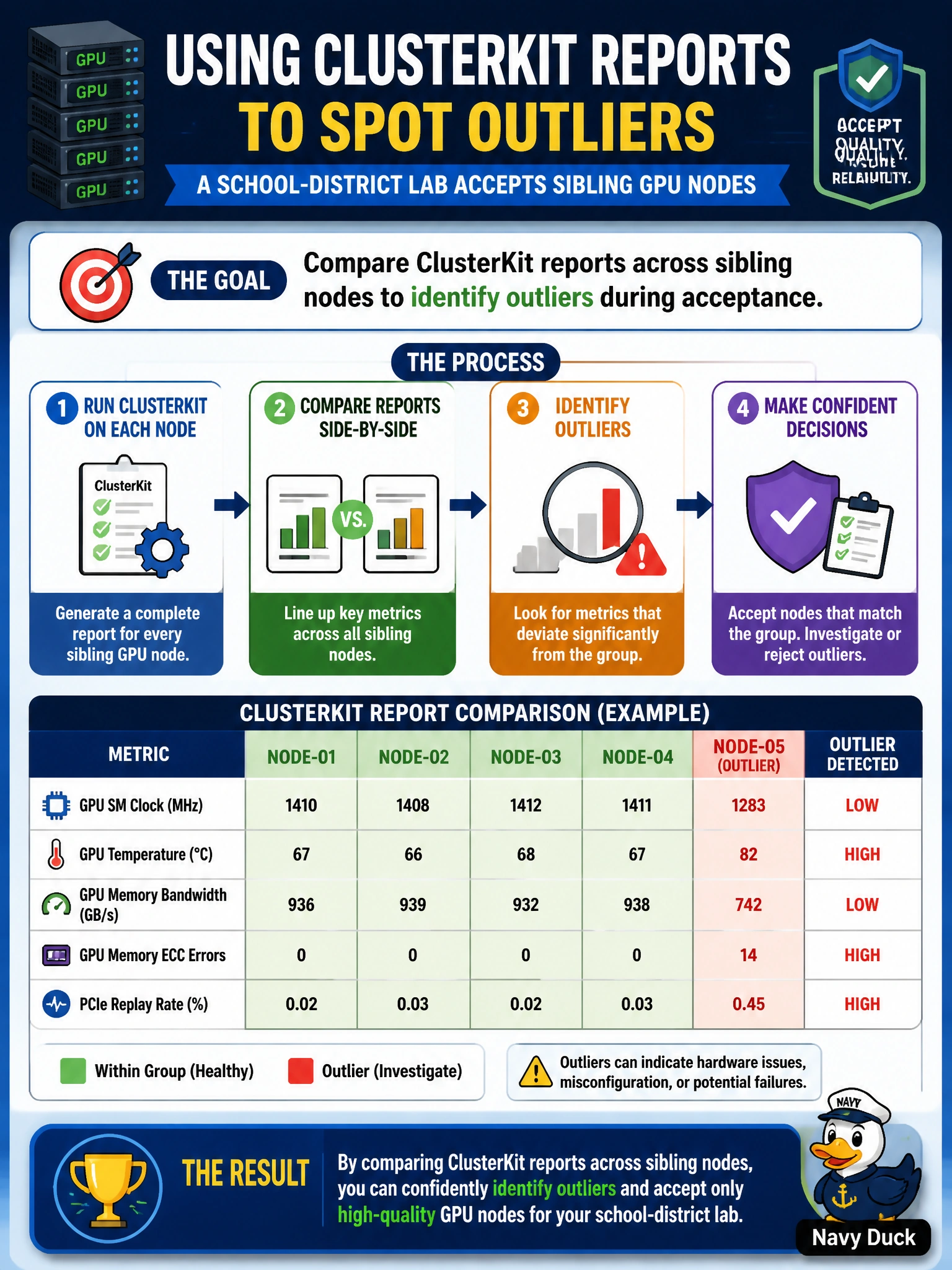
Sibling school-lab nodes should look alike in ClusterKit—compare the reports side by side so outliers jump out before acceptance.
Full Explanation
A school-district lab accepting sibling GPU nodes should use ClusterKit comparatively so outliers appear before acceptance signatures are inked. Comparing ClusterKit reports across sibling nodes to identify outliers during acceptance highlights nodes that diverge on compute or network checks despite identical BOM and image expectations. Reviewing each node in isolation with no peer context makes mild-but-real outliers look acceptable because there is no sibling reference band. Accepting all nodes if at least one sibling passes lets weak nodes hide behind a healthy peer and pollutes the lab’s capacity pool. Averaging all ClusterKit scores into one number and discarding per-node detail erases the variance that acceptance must catch and invents a false sense of uniformity. Domain 4 skill 4.9 supports multifaceted assessment including comparative acceptance review for sibling cohorts. Caveat: absolute thresholds still matter—peer comparison finds relative outliers even when all nodes are “green enough” on a coarse pass/fail, and both views belong in the package. Operational check: run ClusterKit on the sibling school-lab nodes, place reports side by side (or in a diff dashboard), quarantine statistical or threshold outliers, remediate, retest, and only then sign the lab acceptance package.