
City administrators finish OS and driver install on new permitting GPU nodes. What SMI-centered check confirms the servers are ready?
Select an answer to reveal the explanation.
Short Explanation
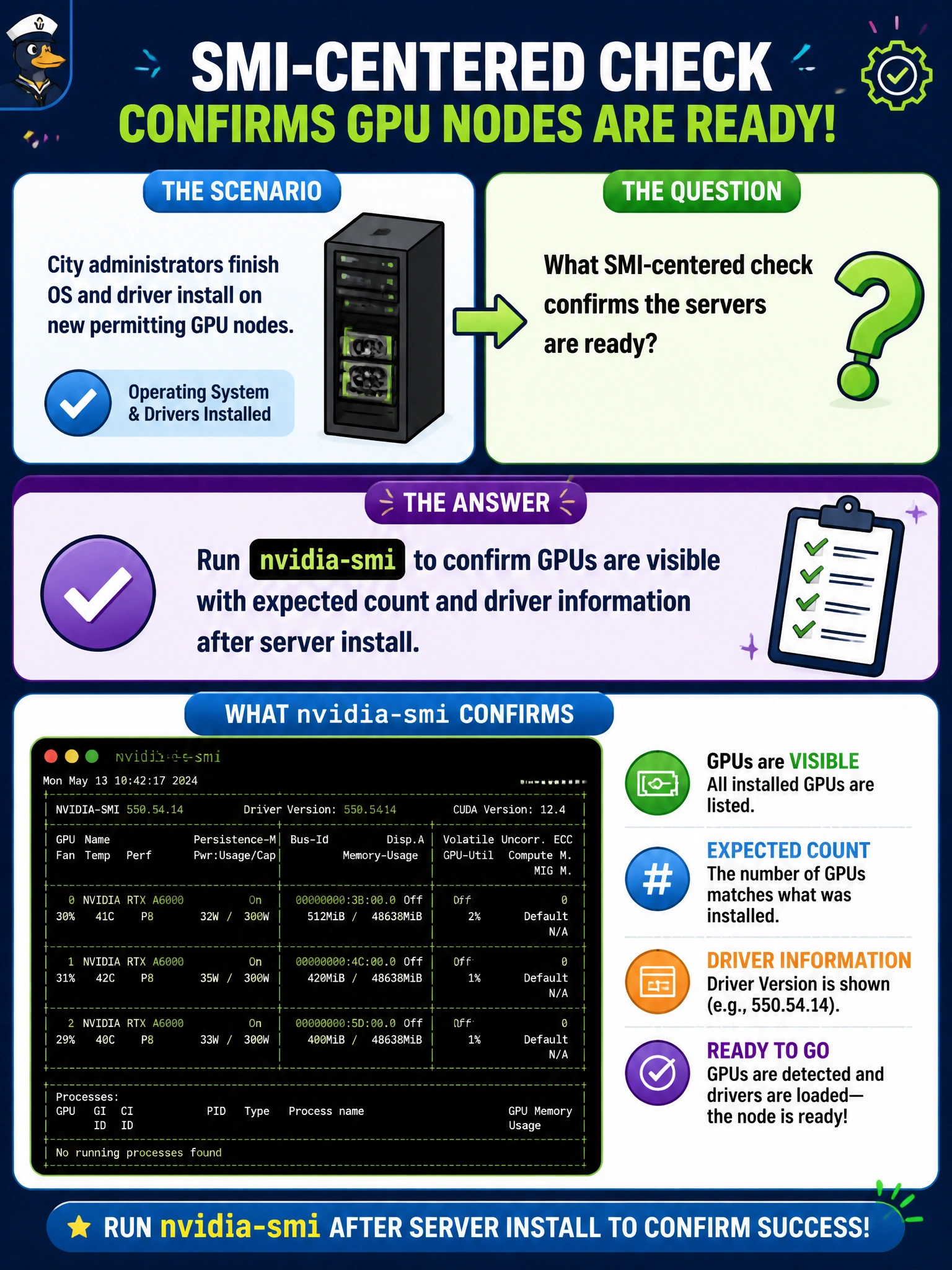
nvidia-smi is the flashlight under the GPU hood after install—if the city permitting nodes do not show up there with the right count and driver, they are not ready. Do not trust crate weight or a random web demo.
Full Explanation
After city administrators finish OS and driver install on new permitting GPU nodes, the SMI-centered check that confirms server readiness is to run nvidia-smi and confirm GPUs are visible with the expected count and driver information. nvidia-smi is the host-side inventory and driver handshake for NVIDIA accelerators: if devices do not appear with the right count and a coherent driver string, the permitting nodes are not ready for municipal vision or review workloads even if the OS boots cleanly. Making SMI visibility an install gate ties software completion to actual accelerator presence.
Only pinging the BMC and skipping GPU inventory proves out-of-band reachability, not that GPUs enumerate under the installed driver stack. Assuming GPUs exist because the shipping crate was heavy is logistics folklore, not install validation. Opening a web browser to a consumer CUDA demo site without checking local devices tests Internet access and unrelated demos rather than local GPU enumeration on the permitting hosts.
Exam caveat: post-install readiness for NVIDIA GPU servers is proven with nvidia-smi device count and driver visibility—BMC ping or crate weight is not a substitute. Operational check: after OS and driver install on the city permitting nodes, run nvidia-smi, verify expected GPU count and driver version against the build standard, capture the output in the install record, and block handoff until SMI matches the bill of materials.