
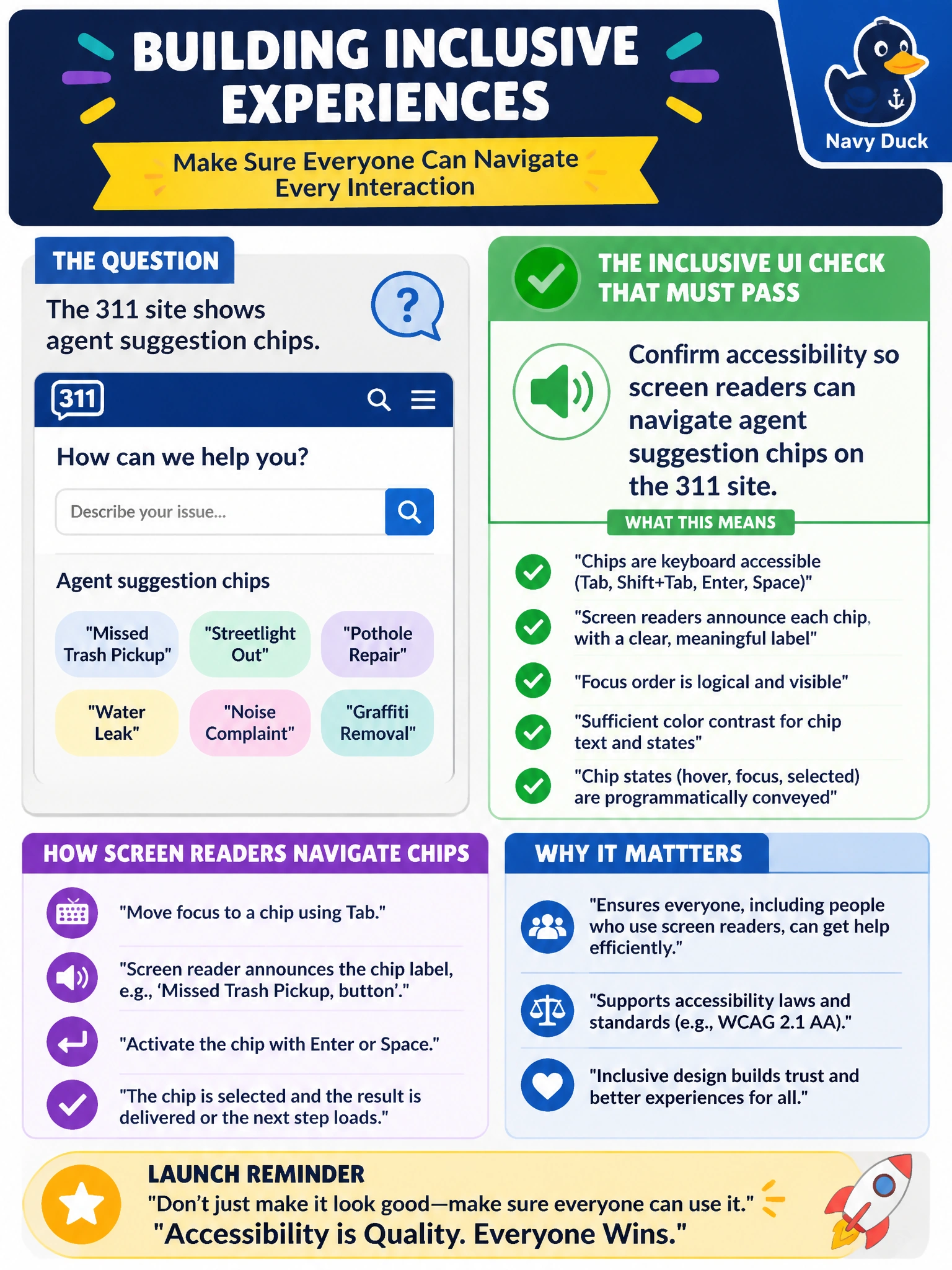
The 311 site shows agent suggestion chips. What inclusive UI check should pass before launch?
Select an answer to reveal the explanation.
Short Explanation
Suggestion chips that only mice can use shut people out. Accessibility review so screen readers can navigate those chips keeps civic human–agent UI inclusive.
Full Explanation
Before launch, agent suggestion chips on the 311 site must pass an inclusive UI check: confirm accessibility so screen readers can navigate those chips. Chips need accessible names, keyboard focus order, and roles/states that assistive technologies can announce. Municipal digital services generally must meet accessibility standards; AI suggestion affordances are not exempt because they are “modern” or mouse-oriented.
Shipping mouse-only chips and skipping keyboard and screen-reader testing fails by concept because pointer-only controls exclude keyboard and AT users from the same agent assistance. Using unlabeled icon-only chips that convey nothing to assistive tech fails because missing accessible names make suggestions unintelligible to screen-reader users. Blocking assistive tech from the portal to “simplify” the agent UI fails because deliberately excluding AT is discriminatory and typically unlawful for public services—not a simplification strategy.
Exam caveat: NCP-AAI inclusive-UI items apply accessibility requirements to agent widgets (chips, composers, suggestions). Prefer AT-navigable chips over mouse-only, unlabeled icons, or AT blocking.
Operational check: run keyboard-only traversal and screen-reader testing (and automated a11y checks) on suggestion chips; verify each chip has an accessible name and focus target; fix failures before launch; include accessibility acceptance criteria in the 311 agent release checklist.