
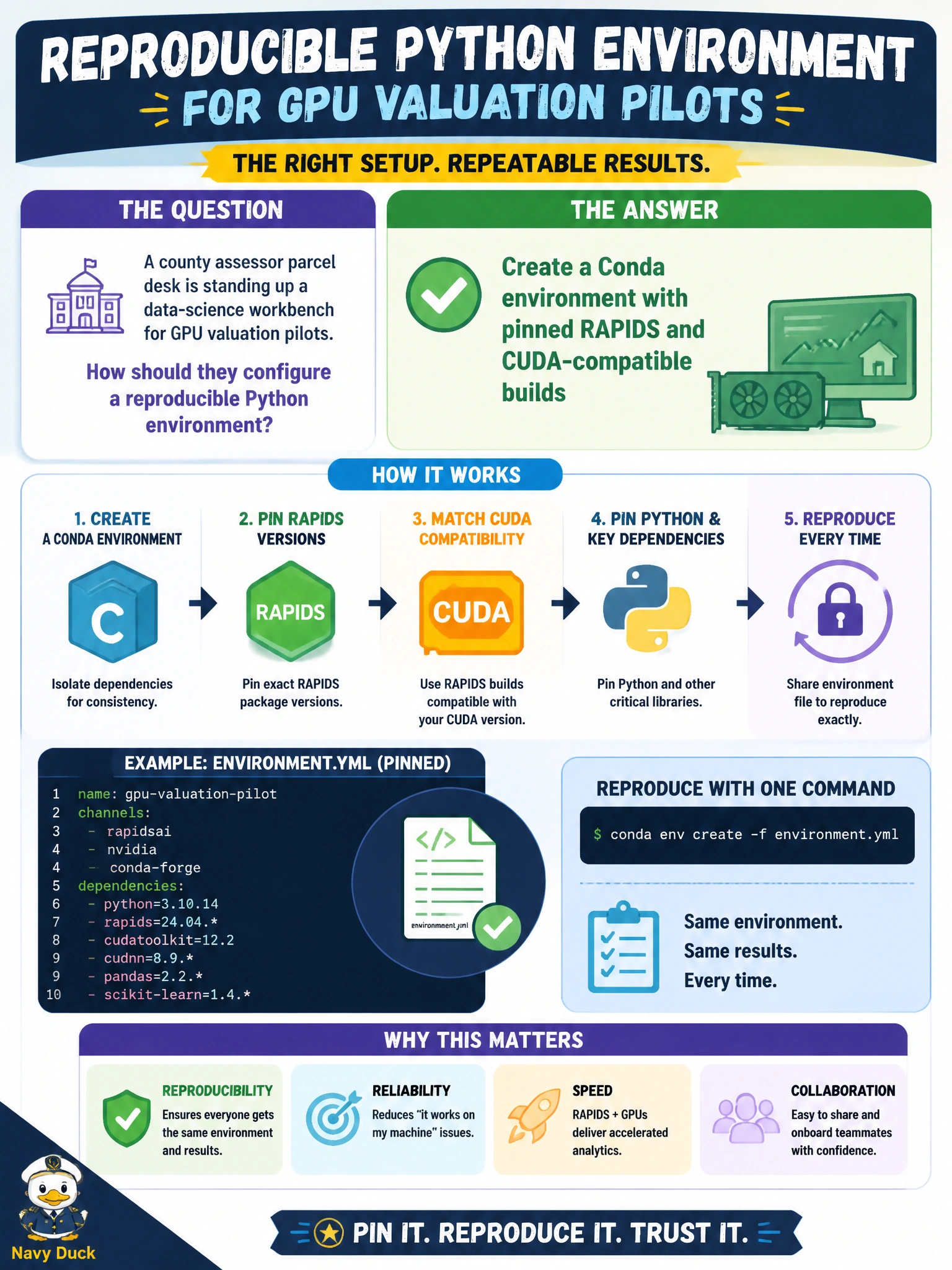
A county assessor parcel desk is standing up a data-science workbench for GPU valuation pilots. How should they configure a reproducible Python environment?
Select an answer to reveal the explanation.
Short Explanation
Pin the RAPIDS and CUDA builds in Conda like labeling the tools in a shared garage—so every assessor analyst grabs the same wrench set.
Full Explanation
A county assessor parcel desk standing up a data-science workbench for GPU valuation pilots needs a durable, shareable Python environment—not ad hoc installs. Associate practice is to create a Conda environment with pinned RAPIDS and CUDA-compatible builds so parcel valuation notebooks and jobs resolve the same accelerated stack across analysts and machines.
Installing packages ad hoc each morning without recording versions guarantees drift and unreproducible valuation results. Mixing random CUDA builds from untracked download links into system Python invites ABI conflicts and makes support impossible. Relying on a colleague’s personal virtualenv path copied by USB stick is fragile, often path-dependent, and fails basic change control for a county workbench.
Exam caveat: Conda pins must be mutually compatible—RAPIDS versions constrain CUDA toolkit expectations, and the host driver must meet the CUDA runtime needs. Pinning alone does not replace verifying nvidia-smi health on the assessor GPU hosts.
Operational check: author an environment.yml with pinned RAPIDS/CUDA-related packages, create the env on a clean workstation, confirm cudf/cuml (or required RAPIDS libraries) import, run a small parcel feature job, and store the file in the valuation repository for peer recreation.