
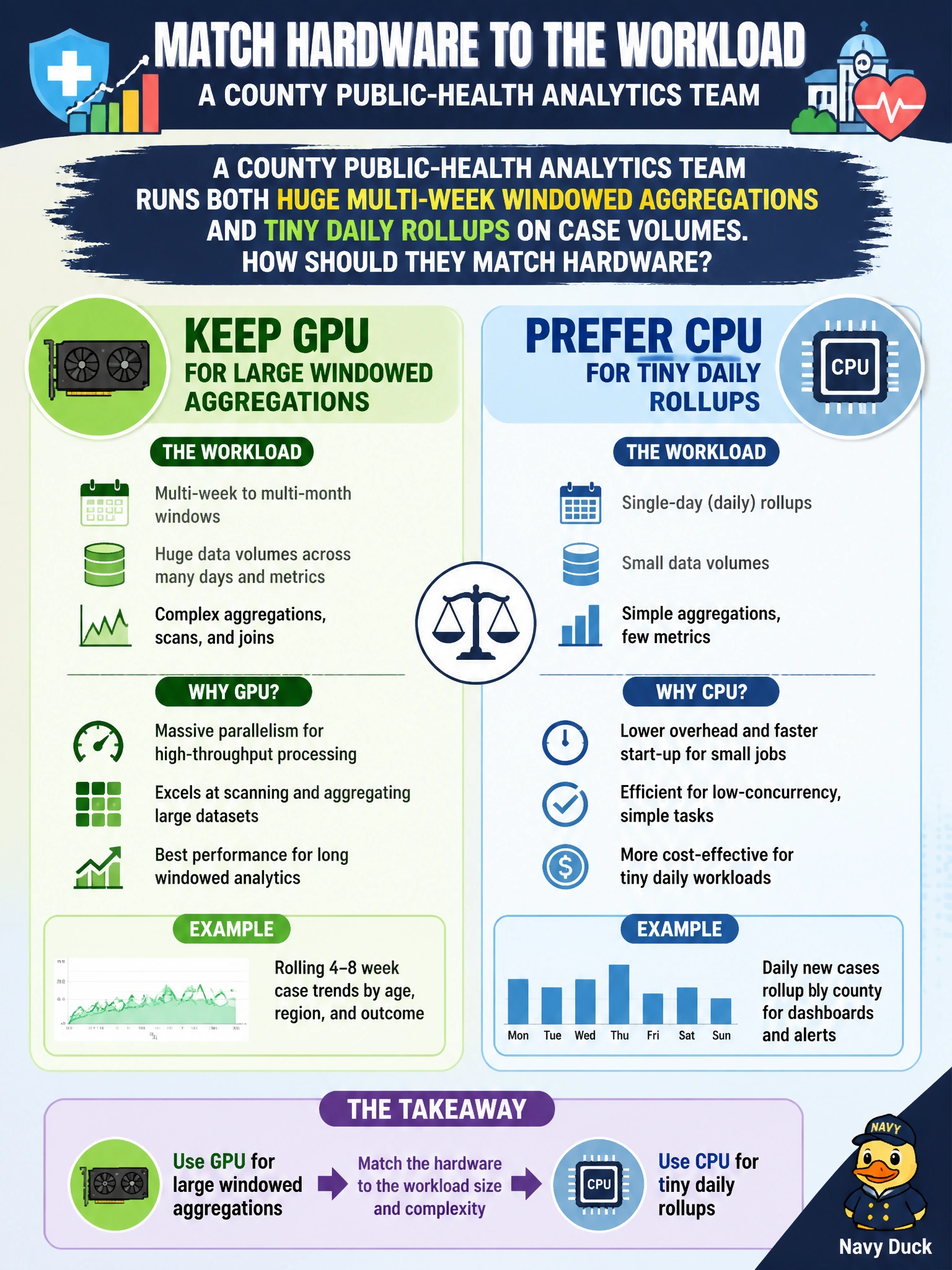
A county public-health analytics team runs both huge multi-week windowed aggregations and tiny daily rollups on case volumes. How should they match hardware?
Select an answer to reveal the explanation.
Short Explanation
Use the big GPU engine for the highway-sized windowed jobs; for tiny daily rollups, a bicycle (CPU) often beats loading the truck.
Full Explanation
A county public-health analytics team that runs both huge multi-week windowed aggregations and tiny daily rollups on case volumes must match hardware to workload scale. Large windowed aggregations typically move enough data and perform enough parallel work for GPU acceleration to pay off after transfer cost. Tiny daily rollups often finish so quickly on CPU that PCIe transfer and kernel launch overhead make GPU the slower path. The correct matching rule is therefore to keep GPU for large windowed aggregations and prefer CPU for tiny daily rollups.
Forcing every daily rollup onto the GPU regardless of transfer cost wastes queue time and can delay time-sensitive public-health dashboards. Moving all workloads to a single-thread CPU loop maximizes simplicity at the expense of throughput on the multi-week jobs the GPU would actually accelerate. Disabling GPUs permanently after one slow notebook cell overgeneralizes a single mis-sized experiment and throws away capacity the large aggregations need.
Exam caveat: the decision boundary is empirical and series-dependent—what is “tiny” for one county’s case volume may be large for another. Transfer cost, batching, and whether data already reside in device memory all shift the breakeven point.
Operational check: maintain a simple routing rule in the pipeline (size or window-length threshold), re-benchmark when case volume or window definitions change, and log which backend served each job so the team can audit both latency and cost for civic reporting deadlines.