
When monitoring a deep learning training job on an enterprise GPU server, which primary metric tells you the percentage of time that one or more kernels were active on the GPU over the sample period, indicating how busy the compute cores actually are?
Select an answer to reveal the explanation.
Short Explanation and Infographic
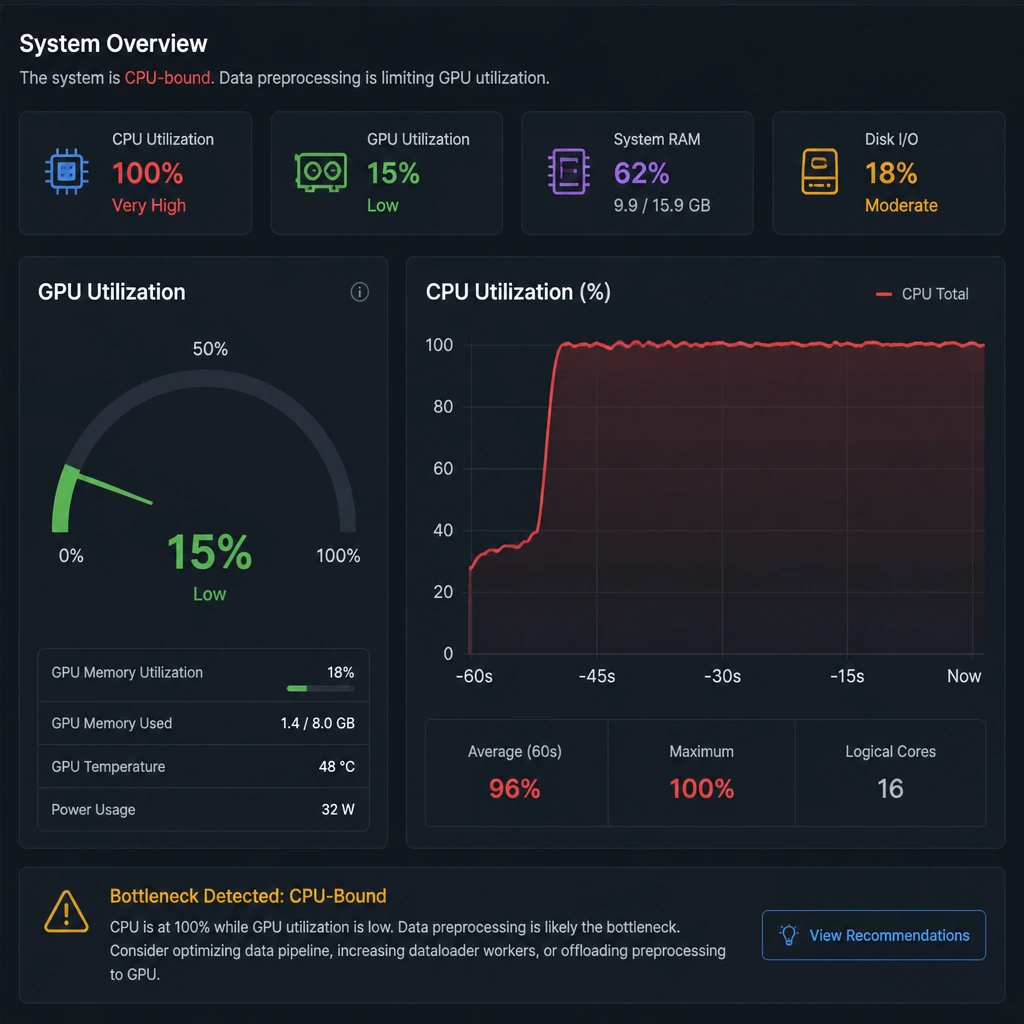
Here's the deal: if you want to know if you're getting your money's worth out of a GPU, you look at GPU Utilization. It's a percentage that tells you how much of the time the GPU's cores were actually processing instructions. If it's sitting at 99%, congratulations—your code is keeping the hardware busy. If it's at 20%, you've got a bottleneck somewhere, probably in your data pipeline. Now, memory clock speed and power consumption might go up when the card is busy, but they don't directly measure compute efficiency. And network bandwidth just tells you how fast data is moving over the wire. Keep your eyes on GPU Utilization to gauge real computing efficiency!
Full explanation below image
Full Explanation
GPU Utilization (Option A) is the primary metric used to evaluate how effectively a GPU's computational cores are being engaged by a workload. Reported as a percentage, it represents the fraction of time during which one or more kernels were actively executing on the GPU. A high utilization rate (e.g., 90-95%+) indicates that the GPU's streaming multiprocessors (SMs) are continuously processing instructions, meaning the training pipeline is well-optimized. Low utilization indicates that the GPU is frequently waiting for data (stalled on host-to-device transfers, disk I/O, or network communications).
Let's look at the other metrics: - GPU Memory Clock Speed (Option B) measures the operational frequency of the GPU's VRAM. While higher speeds enable faster data access, the clock speed itself is typically static during execution and does not indicate how much compute capacity is being utilized. - GPU Power Consumption (Option C) indicates the electrical power drawn by the GPU in Watts. While power draw generally correlates with workload intensity, it can be influenced by thermal limits or power caps, making it an indirect and inaccurate measure of computational activity. - Interconnect/Network Bandwidth (Option D) measures the rate of data transfer across interfaces like PCIe, NVLink, or Ethernet, reflecting communication speed rather than internal GPU processing efficiency.