
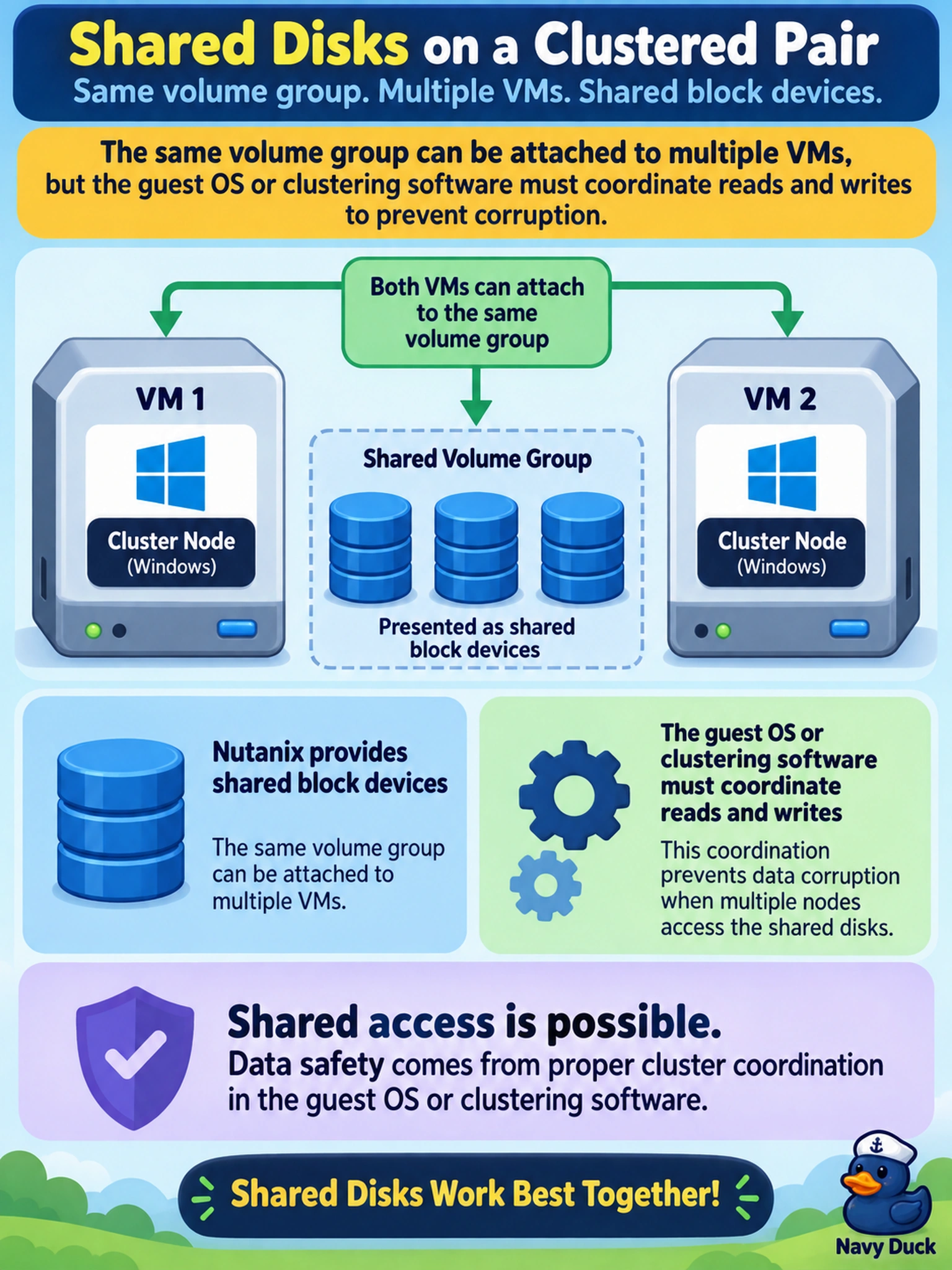
A Nutanix AHV cluster hosts two Windows VMs running Microsoft Failover Cluster. An admin attaches one volume group to both VMs and expects shared disks to be safe for clustered application access. What behavior should the admin expect?
Select an answer to reveal the explanation.
Short Explanation
Think of a shared volume group like a shared office key: Nutanix hands it to every VM, but it doesn’t referee who writes when. You still need cluster-aware software to coordinate access, or the data can get corrupted.
Full Explanation
A Nutanix volume group on AHV presents a set of virtual disks as shared block storage to more than one VM. This is the storage foundation for cluster-aware workloads such as Microsoft Failover Cluster, because each guest sees the same underlying devices from its own node. Nutanix does not act as a distributed lock manager for arbitrary guest writes; the clustering layer must coordinate ownership, fencing, and write ordering. If uncoordinated guests write to the same block device, corruption is possible. The belief that the platform automatically serializes writes is wrong because volume groups expose shared devices, not a cluster-aware transactional block layer. The belief that only one VM can attach at a time is wrong because multi-attach is the supported pattern for clustered shared disks. The belief that each VM receives an independent synchronized copy is wrong because these disks are shared block devices, not replicated copies managed by Prism Central. Exam caveat: distinguish Nutanix-provided shared access from guest-provided cluster coordination. Operational check: verify the volume group is attached to every cluster node and that the guest clustering software validates the shared disk before bringing applications online. Sources: next.nutanix.com/ahv-virtualization-27/sharing-data-across-multiple-vm-windows-using-volume-group-42361 and rajpatel.co/?p=1011.