
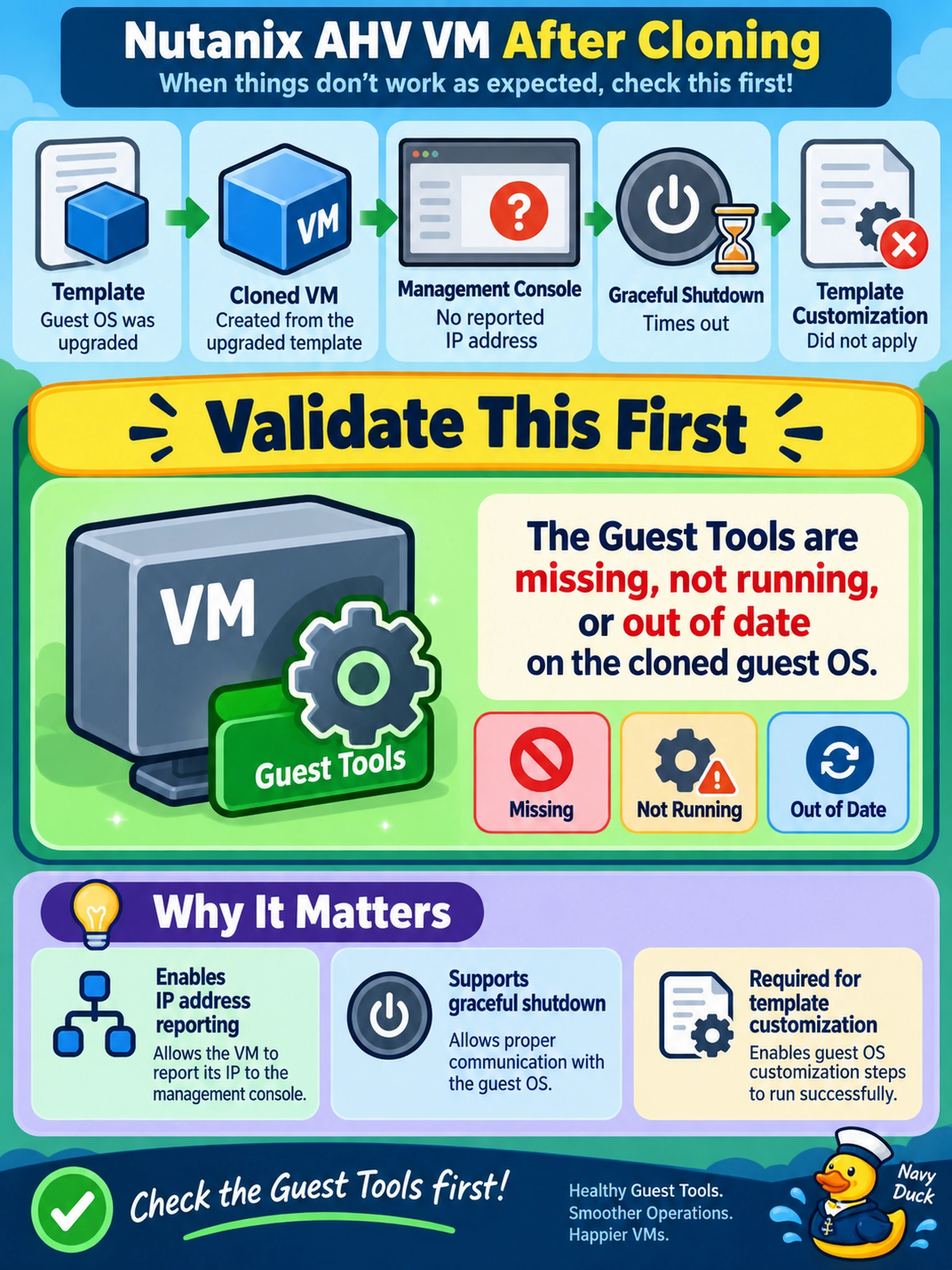
A Nutanix AHV VM was cloned from a template after a guest OS upgrade. Prism Central shows no reported IP address, a graceful shutdown times out, and the template customization step did not apply. Which condition should you validate first?
Select an answer to reveal the explanation.
Short Explanation
Think of Guest Tools as the handshake between Prism and the guest OS: no handshake, no graceful shutdown, no IP report, no customization. If you patch an OS or clone a template and the tools are missing, stopped, or stale, Prism can't force a clean shutdown or report the guest IP. Check the Guest Tools state before you blame storage or networking.
Full Explanation
Guest Tools is the in-guest agent that gives Prism visibility into the operating system. It responds to shutdown and restart requests, reports the guest IP address, and participates in customization actions after cloning or deployment. When an OS is upgraded or a VM is cloned, the tools package can become missing, stopped, or stale; validating its status confirms whether Prism can perform graceful operations and obtain guest metadata. A failed custom script can prevent template customization, but it does not explain missing IP reporting or a graceful shutdown timeout. A SATA vDisk attachment changes the presented controller and may affect performance or boot expectations, not the Prism-to-guest management channel. Blocking ICMP affects ping reachability, while Prism obtains the reported IP through the guest tools agent rather than through ICMP. Exam caveat: treat guest tools state as a prerequisite for graceful lifecycle operations, not as a network connectivity issue. Operational check: view the VM's Guest Tools status in Prism and reinstall or upgrade the tools package, then confirm shutdown, IP reporting, and customization behavior.