
An administrator must allow Prism Central users to authenticate against a corporate directory instead of creating local accounts. Which configuration provides centralized authentication and role assignment for Prism Central?
Select an answer to reveal the explanation.
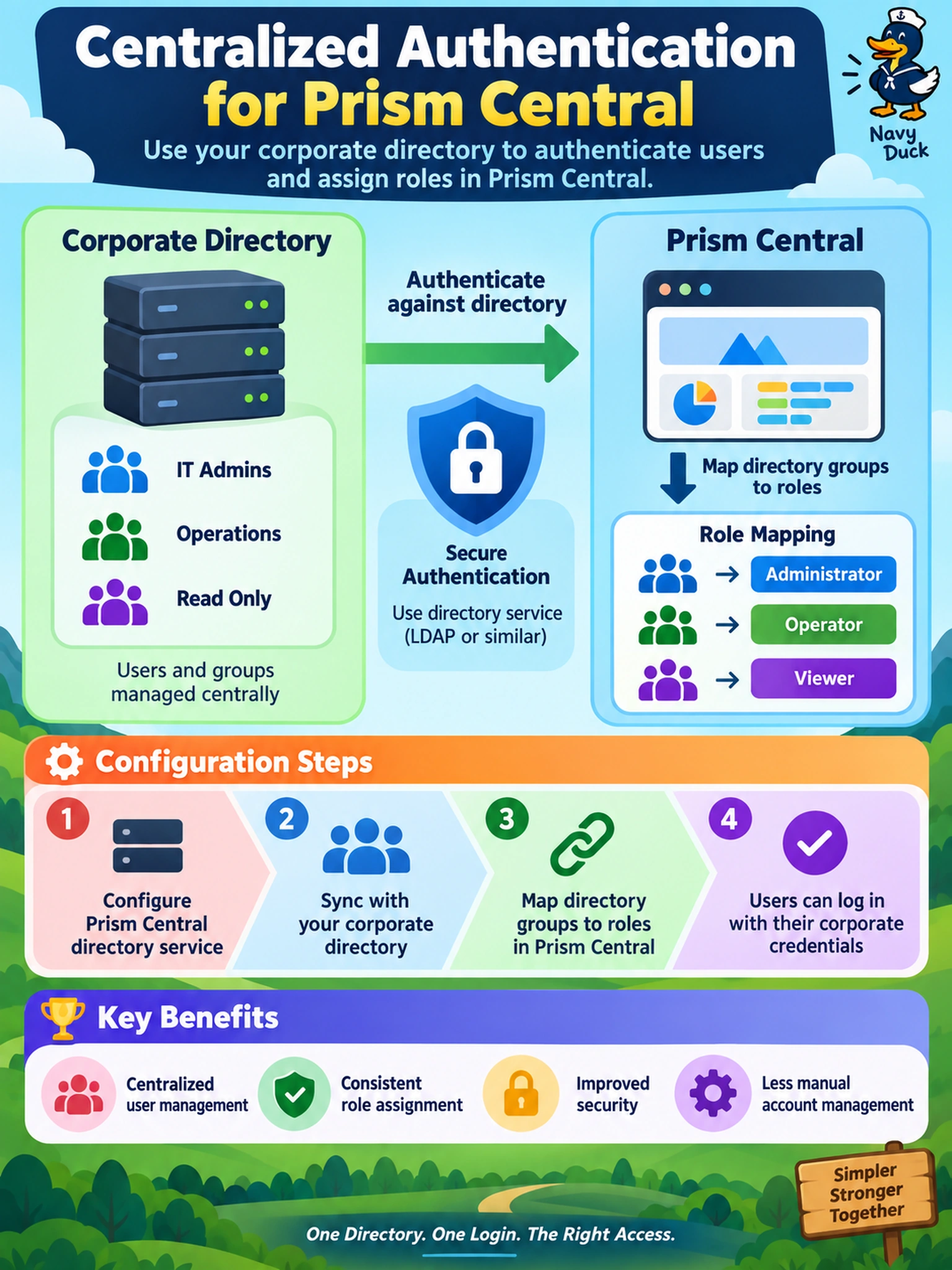
Short Explanation
Think of directory integration like a master keycard system: you don't hand out new keys for every door. In Nutanix, you point Prism Central at the corporate directory and map groups to roles. The trap is using SAML or local sync — that can prove identity but doesn't give you clean centralized account and role management.
Full Explanation
Prism Central directory integration is the mechanism for centralized authentication in a Nutanix multicloud estate. The platform connects to a supported corporate directory, validates credentials against that directory, and can use directory group membership to assign Prism roles. This keeps user lifecycle, password policy, and access governance in the directory while Prism consumes the result. A SAML-based single sign-on approach can federate web authentication, but if the design still creates local Prism Central users after login, it has not centralized account management or group-to-role mapping. Configuring directory integration only on Prism Element leaves cluster-local administration separate from Prism Central; replicating local users to every managed cluster duplicates identities rather than using a single directory source. Creating local Prism Central accounts and synchronizing passwords from the corporate directory produces shadow accounts, breaks the intended single source of truth, and still does not provide directory group mapping for Prism roles. Exam caveat: directory integration and SSO are related but not interchangeable; the correct pattern is directory authentication with group mapping, not local account creation. Operational check: authenticate as a directory account, confirm the assigned Prism role matches directory group membership, and verify no local Prism account is required for access.