
An administrator enables inline compression on a high-write, low-read AHV container to save capacity. After the feature activates, Prism reports a significant drop in logical data footprint, but application teams report intermittent write latency spikes during peak business hours. What is the most likely cause of this performance degradation?
Select an answer to reveal the explanation.
Short Explanation
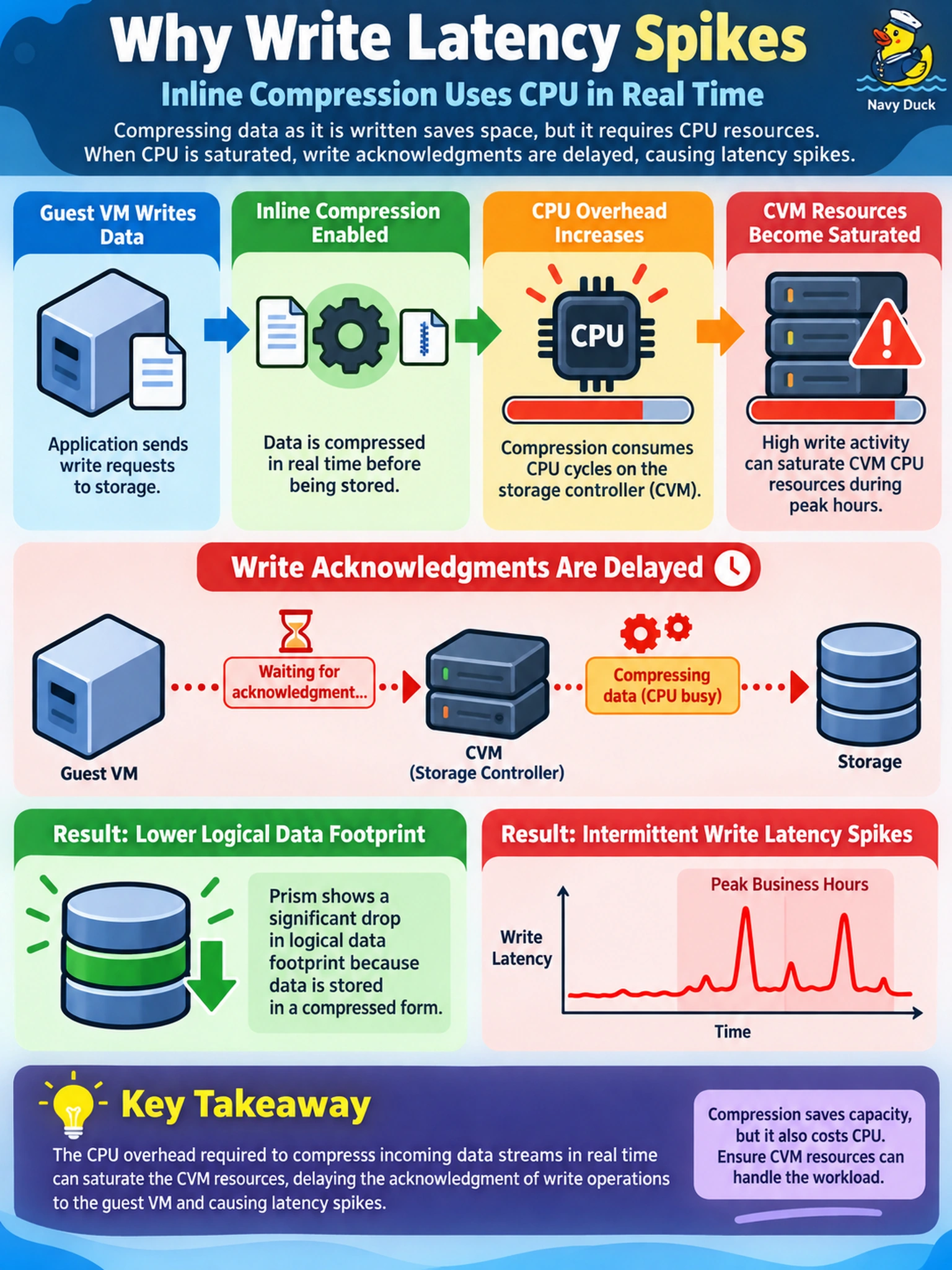
Think of compression like packing a suitcase: it saves space, but you're paying CPU effort to fold data before writing. If your container is write-heavy, that overhead can delay write acknowledgments and show up as latency spikes.
Full Explanation
Nutanix AOS inline compression reduces the physical footprint of data by shrinking blocks as they are written to the container. That work is performed by the CVM before the write is acknowledged, so the savings are not free: compression consumes CPU cycles and can add latency when write volume is high. In this scenario, the capacity drop is real, but the latency spikes point to the compression path becoming a bottleneck during peak writes. The replication-factor idea is wrong because compression does not change RF or redundancy; RF is a separate storage policy. The full-block rewrite idea is wrong because compression does not bypass deduplication or force every block to be rewritten as a full block. The Stargate routing idea is wrong because Stargate does not choose SSD or HDD placement based on whether a block is compressed; placement follows normal storage tiering and metadata logic. Exam caveat: Test efficiency features as a capacity-versus-performance tradeoff, not as a free win. Operational check: Review Prism CVM CPU utilization and container compression ratio during the latency window, then compare against baseline before deciding to resize, throttle, or disable compression.