
A township wants to reduce accidental sharing of Social Security numbers from email, files, and chat. At describe depth, where can Microsoft Purview DLP help protect that sensitive information?
Select an answer to reveal the explanation.
Short Explanation
Sensitive data does not live in one app. DLP watches the places city staff actually work—mail, files, and Teams—so risky shares get blocked or warned.
Full Explanation
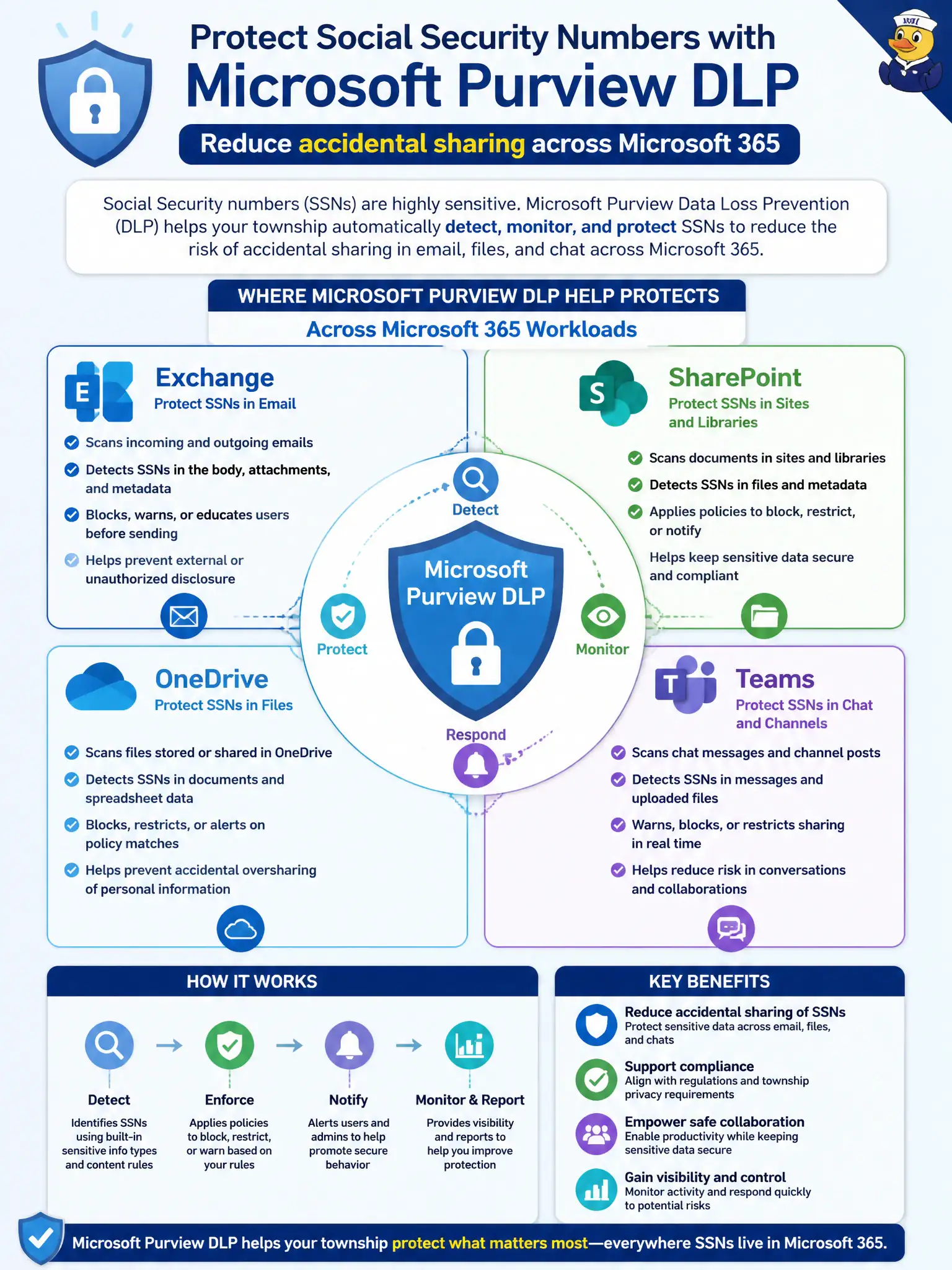
Microsoft Purview DLP helps protect sensitive information such as Social Security numbers across Microsoft 365 workloads including Exchange, SharePoint, OneDrive, and Teams. A township trying to reduce accidental SSN sharing should expect DLP policies in the places staff actually work—mail, files, and chat—not only in paper procedures.
DLP is not limited to printed binder checklists at city hall. It does not primarily police personal Gmail accounts the city does not manage. It is not confined to disconnected USB drives with no cloud policies. Those options miss the cloud workload scope emphasized at describe depth.
Exam caveat: endpoint DLP may extend controls further when licensed, but MS-900 fundamentals emphasize Microsoft 365 workload coverage first. Operational check: enable or review a DLP policy scoped to Exchange and Teams for SSN, run a controlled test from a township mailbox and a Teams chat, and confirm incidents appear in reporting. In municipal Microsoft 365 fundamentals scenarios, always map the business need to the named capability, reject distractors that describe a different pillar, and verify the control in the admin portal before telling leadership the risk is closed.