
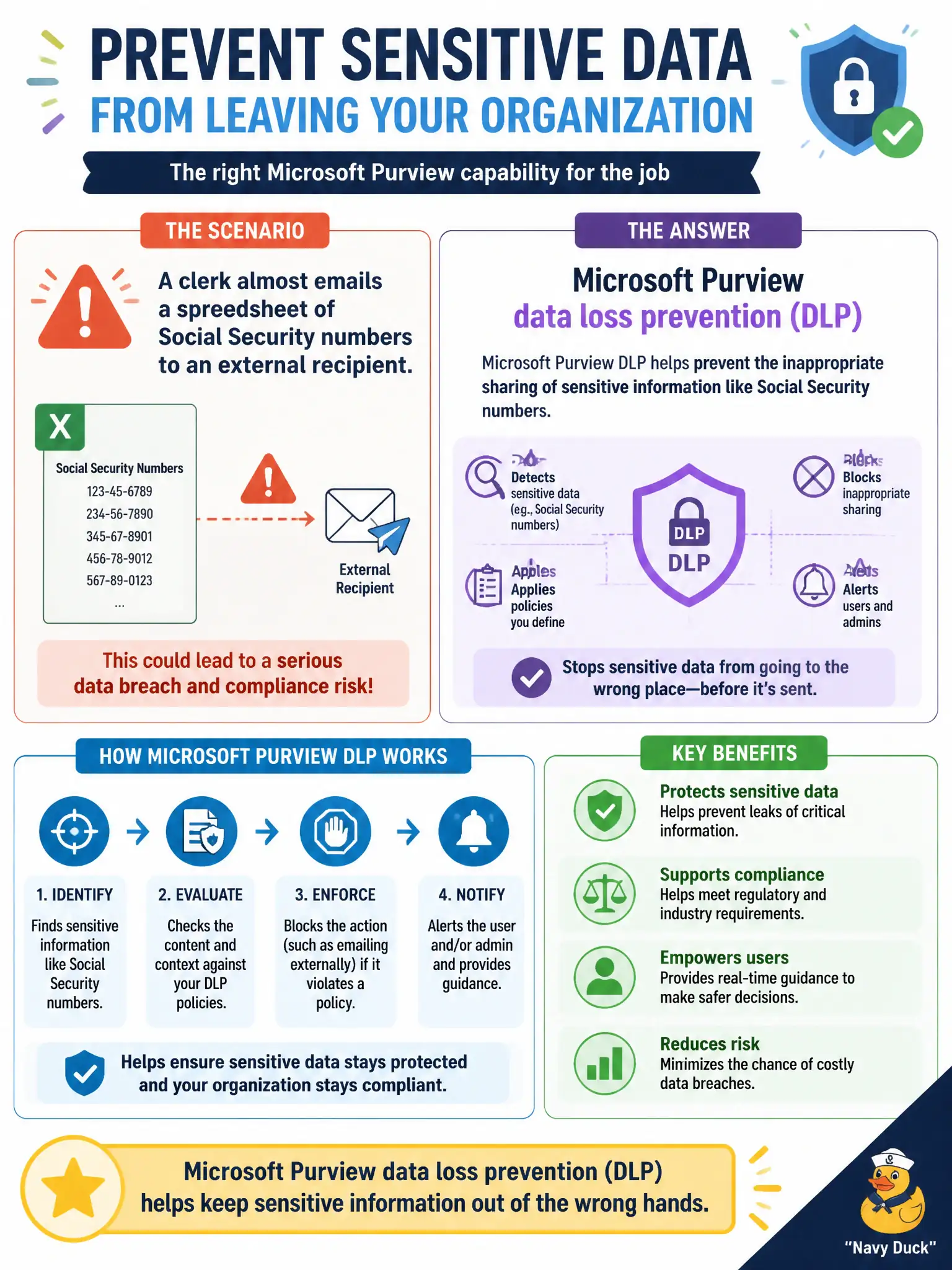
A clerk almost emails a spreadsheet of Social Security numbers to an external recipient. Which Microsoft Purview capability is meant to help prevent inappropriate sharing of that sensitive information?
Select an answer to reveal the explanation.
Short Explanation
SSNs heading out the door is a data-loss moment. Purview DLP is the guardrail that can detect sensitive info and stop or warn on risky shares. Pretty meeting backgrounds will not catch that.
Full Explanation
Microsoft Purview data loss prevention (DLP) helps detect and prevent inappropriate sharing of sensitive information such as Social Security numbers. When a clerk almost emails an SSN spreadsheet externally, DLP is the guardrail that can warn, block, or require justification—exactly the fundamentals scenario MS-900 associates with DLP for municipal privacy protection.
Microsoft Whiteboard templates, SharePoint site theme galleries, and Teams meeting background images are cosmetic or collaboration UX features; none inspect outbound content for sensitive information types or enforce sharing policies for personally identifiable information leaving city systems.
Exam caveat: DLP policies can span Exchange, SharePoint, OneDrive, and Teams; a policy tip educates users but organizations must still tune false positives for municipal forms that legitimately contain IDs. Operational check: create or review a DLP rule for U.S. SSN sensitive info types on Exchange, send a test message from a clerk account to an external recipient in a lab, and confirm the policy tip or block matches the city’s intended control. For municipal MS-900 scenarios, keep the product-to-purpose mapping explicit so distractors about unrelated UX, networking, or licensing features do not displace the correct compliance or security control.