
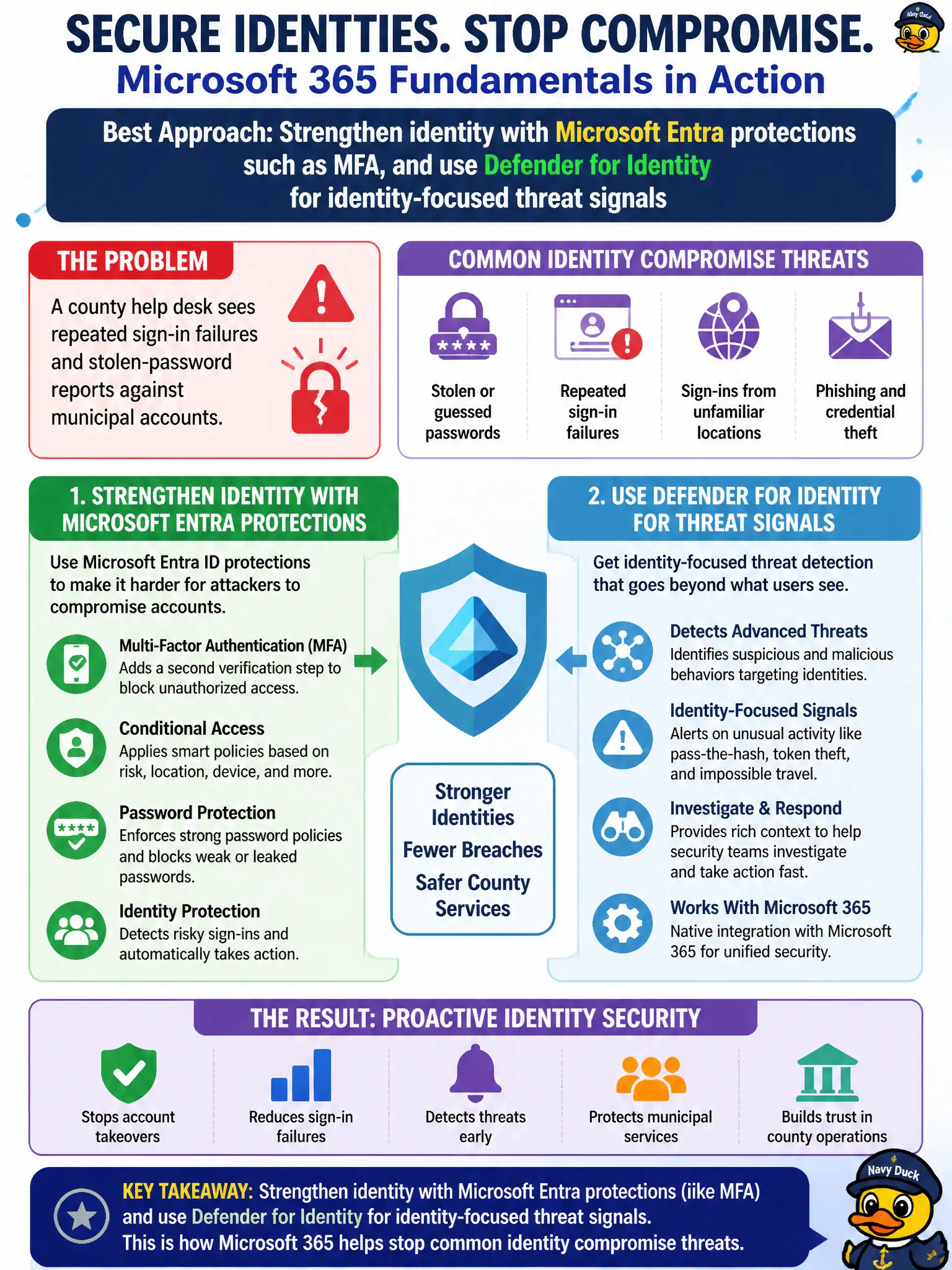
A county help desk sees repeated sign-in failures and stolen-password reports against municipal accounts. Which approach best matches how Microsoft 365 addresses common identity compromise threats at fundamentals depth?
Select an answer to reveal the explanation.
Short Explanation
Stolen passwords are an identity problem, not a document-history problem. Turn up Entra MFA and related identity protections, and remember Defender for Identity watches for shady identity attack patterns. A firewall rule will not magically fix a phished password.
Full Explanation
Repeated sign-in failures and stolen-password reports against municipal accounts are identity-compromise problems. Microsoft 365 addresses them at fundamentals depth by strengthening Microsoft Entra identity protections—especially multifactor authentication and related conditional controls—and by using Microsoft Defender for Identity for identity-focused threat signals that highlight suspicious authentication and directory attack patterns. For a county help desk, that pairing matches how MS-900 expects you to think: harden how people prove who they are, and watch for identity attack telemetry—not hope a document feature undoes password theft.
Relying only on SharePoint version history cannot reverse password theft; version history recovers file content, not compromised credentials or session risk. Replacing all identity controls with a single network firewall rule misunderstands the threat: stolen passwords authenticate through identity services even when network filtering looks healthy. Disabling MFA to reduce help-desk calls increases compromise risk and is the opposite of Zero Trust–aligned identity hygiene for city and county tenants.
Exam caveat: MFA and Defender for Identity complement—not replace—email phishing defenses and endpoint controls; MS-900 wants the right pillar, not a single silver bullet. Operational check: review Entra sign-in logs for failure spikes, confirm MFA registration coverage for municipal staff, and verify identity threat or risky-sign-in signals are visible to the security team before assuming the network firewall alone is sufficient.