
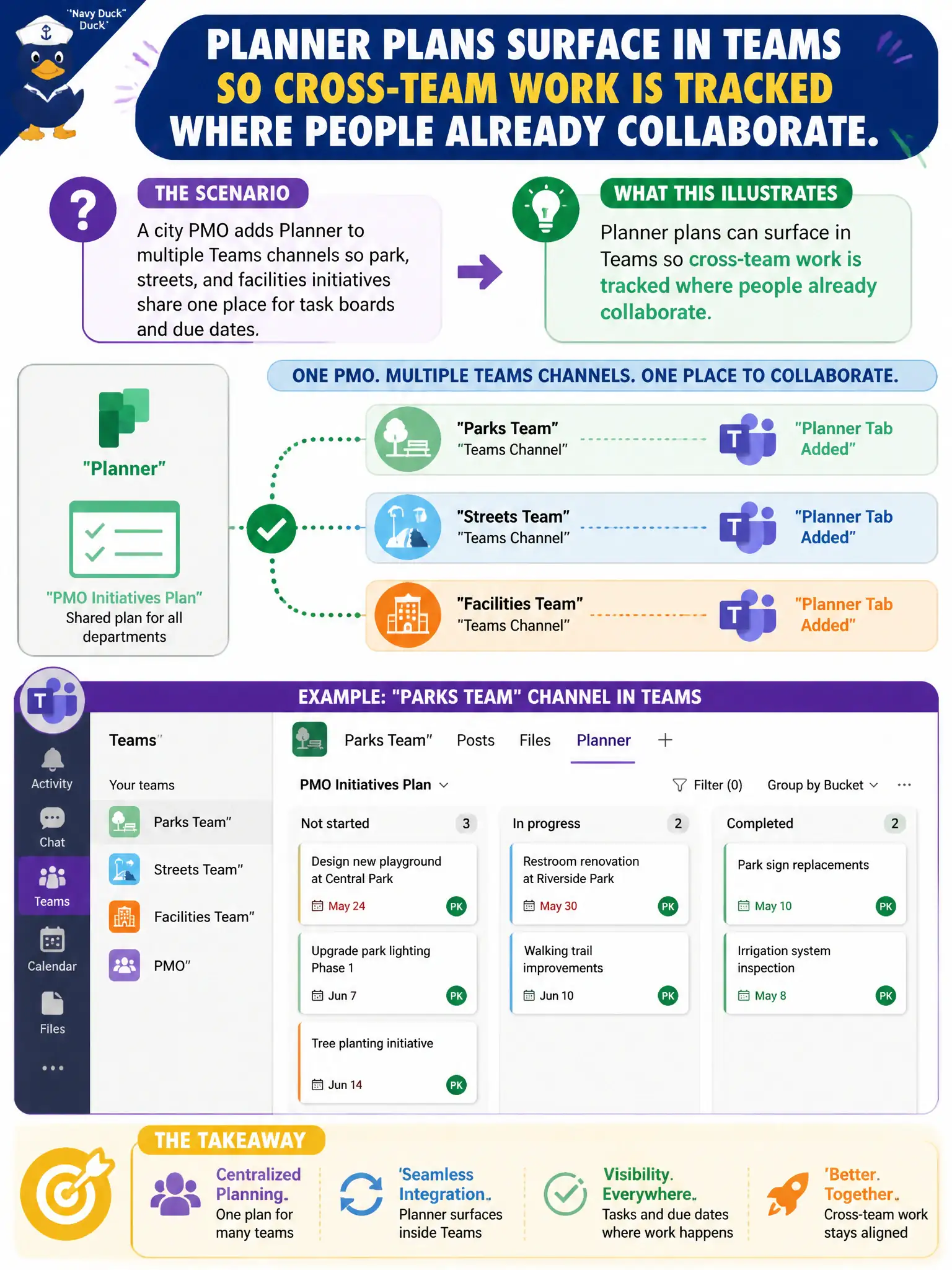
A city PMO adds Planner to multiple Teams channels so park, streets, and facilities initiatives share one place for task boards and due dates. What does that illustrate about Planner in Microsoft 365 collaboration?
Select an answer to reveal the explanation.
Short Explanation
Picture sticky notes on the same whiteboard the whole crew already stands around. Planner puts lightweight plans and task boards into Teams so initiatives stay visible without bouncing between random email threads. That Teams-plus-Planner pairing is the collaboration story—not a mail or desktop-VDI swap.
Full Explanation
A city PMO adding Planner to multiple Teams channels so park, streets, and facilities initiatives share one place for task boards and due dates illustrates that Planner plans can surface in Teams so cross-team work is tracked where people already collaborate. Municipal program offices benefit when task ownership lives beside channel conversation instead of in disconnected spreadsheets. At MS-900 describe depth, Planner-in-Teams is collaboration task tracking—not mail transport and not virtualization.
Claiming Planner replaces Exchange Online as the only way to send municipal email fails because Planner tracks tasks; it does not retire mailboxes or SMTP delivery. Calling Planner an Azure Virtual Desktop host-pool setting fails because host pools are desktop virtualization constructs, not a collaboration task app. Claiming Planner can only run on on-premises file servers and cannot appear in Teams fails because Planner is a Microsoft 365 collaboration app designed to surface in Teams.
Exam caveat: Planner complementary to email and calendars; surfacing plans in Teams does not delete Exchange. Do not confuse task boards with AVD or on-premises-only myths.
Operational check: add Planner tabs to each initiative channel, standardize bucket names and due-date hygiene, review boards in PMO standups, keep formal email for external correspondence, and train leads that Planner is not a mailbox replacement or a host-pool toggle.