
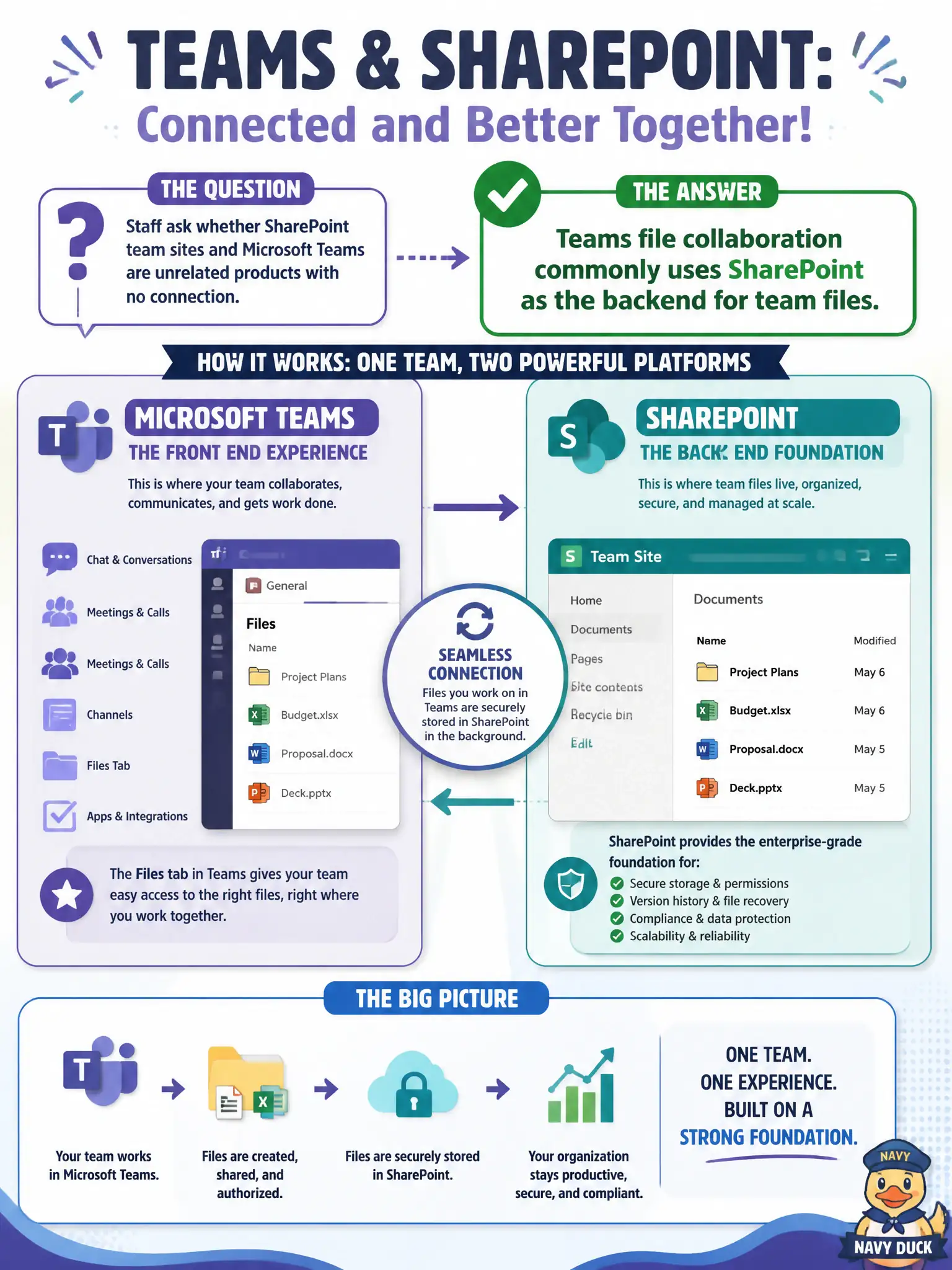
Staff ask whether SharePoint team sites and Microsoft Teams are unrelated products with no connection. What is the accurate fundamentals relationship?
Select an answer to reveal the explanation.
Short Explanation
Teams is the front porch; SharePoint is often the file closet behind it. Channel files typically land in a SharePoint team site—not in a mystery silo with zero connection.
Full Explanation
Staff sometimes treat SharePoint team sites and Microsoft Teams as unrelated islands. The accurate fundamentals relationship is that Teams file collaboration commonly uses SharePoint as the backend for team files. Channel Files tabs typically surface a SharePoint library; permissions and document storage for the team are rooted in that SharePoint backend. Understanding that connection prevents “where did my file go?” confusion in municipal projects.
Claims that Teams stores all channel files exclusively in personal OneDrive with no SharePoint site fail the team-files model (personal OneDrive is a different boundary). Claims that SharePoint cannot hold files that appear in a Teams Files tab invert the actual backend relationship. Claims that Teams and SharePoint never share permissions or document libraries deny the integrated collaboration design.
Exam caveat: “commonly uses SharePoint as the backend” is the MS-900 relationship to remember. Chat files in some one-to-one/group chat scenarios can involve OneDrive; do not over-generalize every file path, but do not claim Teams and SharePoint are disconnected products either.
Operational check: show clerks a Teams Files tab and the corresponding SharePoint library, align permission changes in the right place, train staff on team versus personal storage, and include the Teams–SharePoint relationship in onboarding so records requests find files correctly.